94 007-4486-001
Chapter 3: Installing or Removing Peripherals
• For a SCSI device with a wide 68-pin connector, use a 68-pin SCSI-3 to 68-pin
SCSI-3 cable (0.75 meter).
• For a SCSI device with a narrow 50-pin connector, use a 68-pin SCSI-3 to 50-pin
Centronics SCSI-2 cable (0.75 meter).
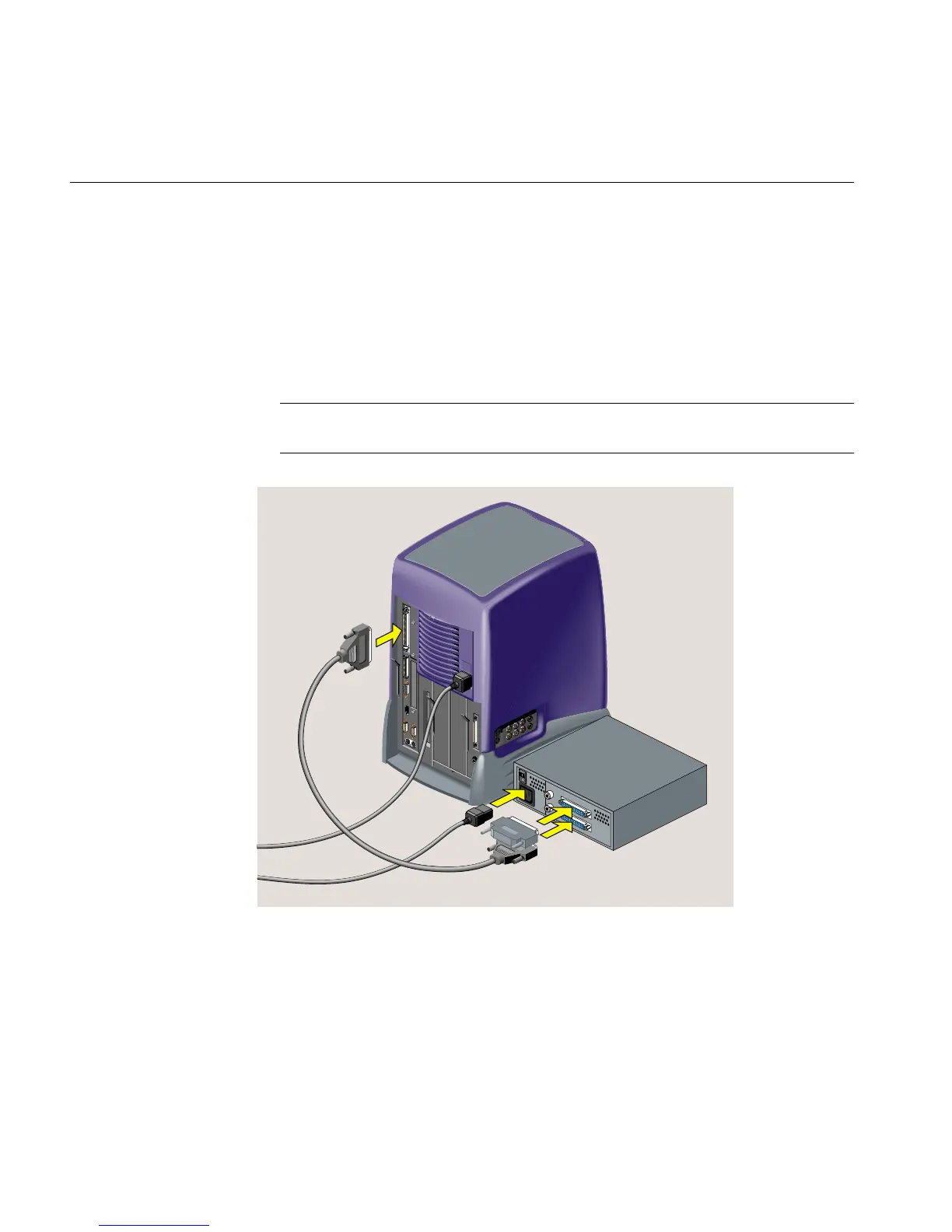
3. Connect the SCSI cable to the SCSI port on the rear of the workstation and to the
SCSI connector on the back of the device. If there are thumbscrews on either side of
the connectors, tighten them (Figure 3-19).
Note: The illustration shows an RM7000class workstation. The process of connecting
an external SCSI device is the same on an R12000class workstation.
Figure 3-19 Connecting One External Device to the Workstation
4. Connect the power cable to the SCSI device and to a working electrical outlet.
5. Connect the active SCSI terminator to the device.



 To Next Page