Replacing the R12000class CPU Module
007-4486-001 127
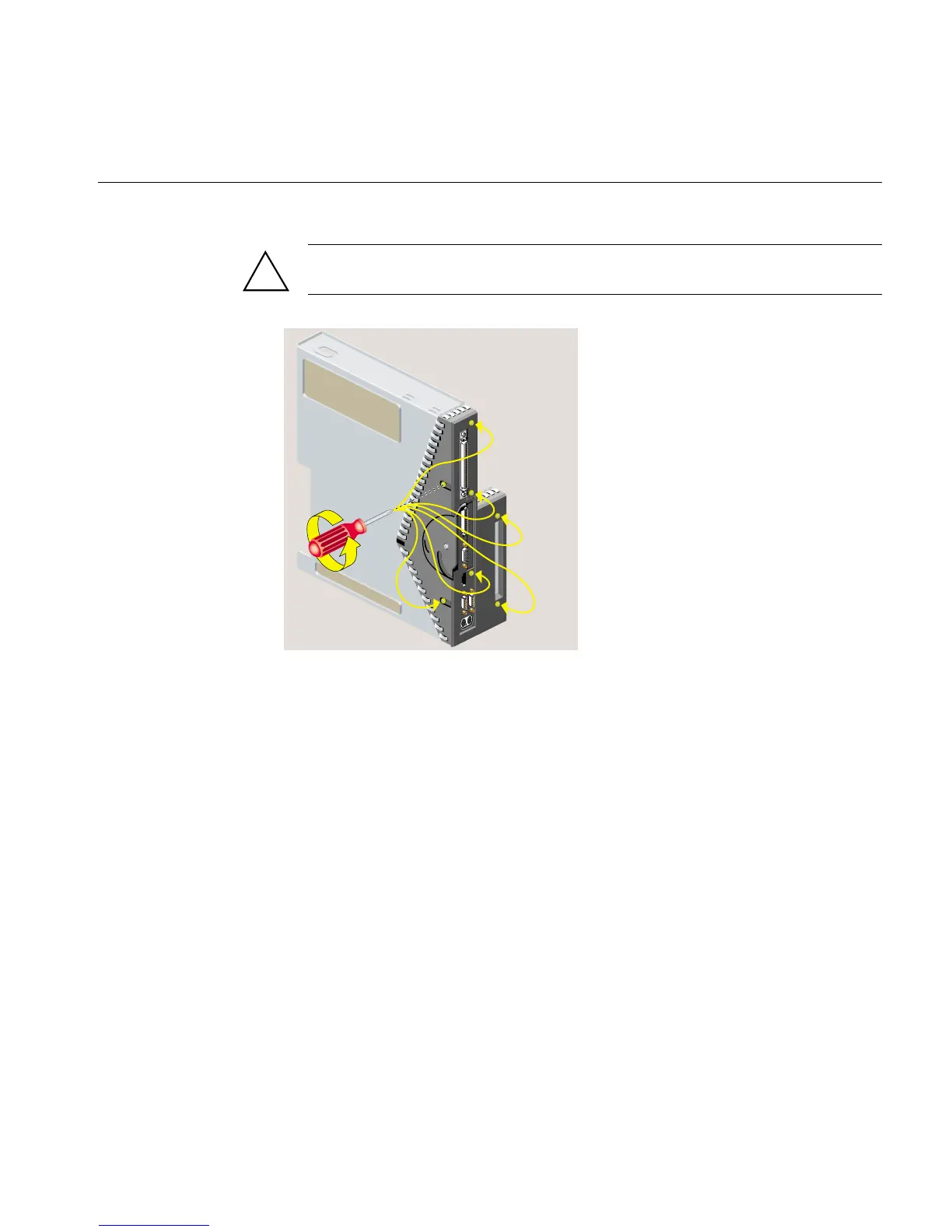
Caution: On the underside, remove only two screws. Do not remove the third screw
that attaches the lever to the face plate.
Figure 5-9 Removing Seven Screws from the Faceplate
3. Remove the faceplate by grasping it where the plastic comes to a “V” and pulling it
outward (Figure 5-10). The filler panel covering the I/O port falls away as you
remove the faceplate.
!



 To Next Page