10 007-4486-001
Chapter 1: Getting Started
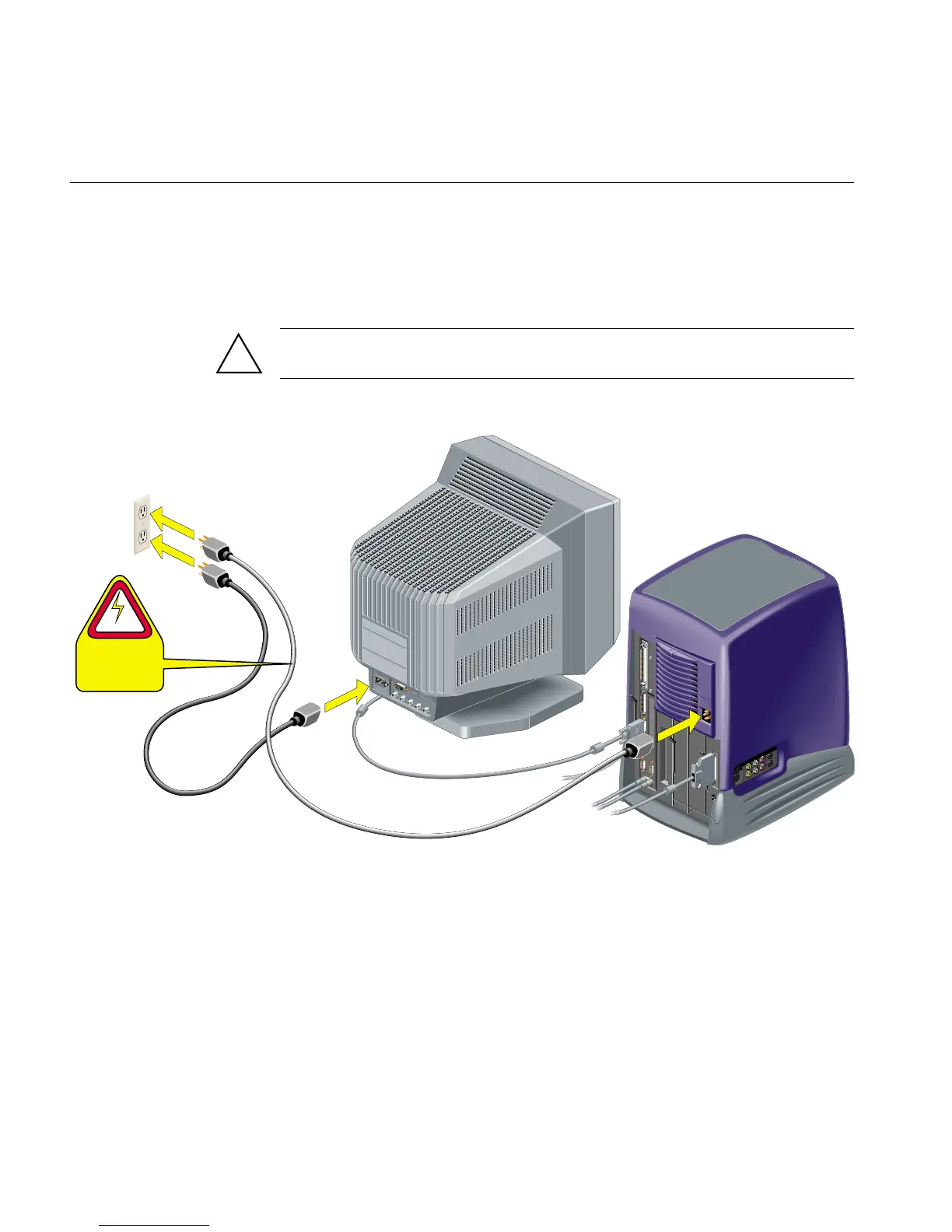
5. Connect the power cables as follows (Figure 1-9).
• Connect one power cable to the monitor and to a working wall outlet.
• Connect the other power cable to the workstation and to a working wall outlet.
Caution: Always remove the power cable before removing the system module to
upgrade or replace parts.
Figure 1-9 Connecting the Power Cables to the Monitor and to the Workstation
!
R
G
B
H
D
V
D
1
(
H
D
1
5
)
2
(B
N
C
)
CAUTION
Always disconnect
the power cable
before removing
the system module.



 To Next Page