104 007-4486-001
Chapter 4: Troubleshooting
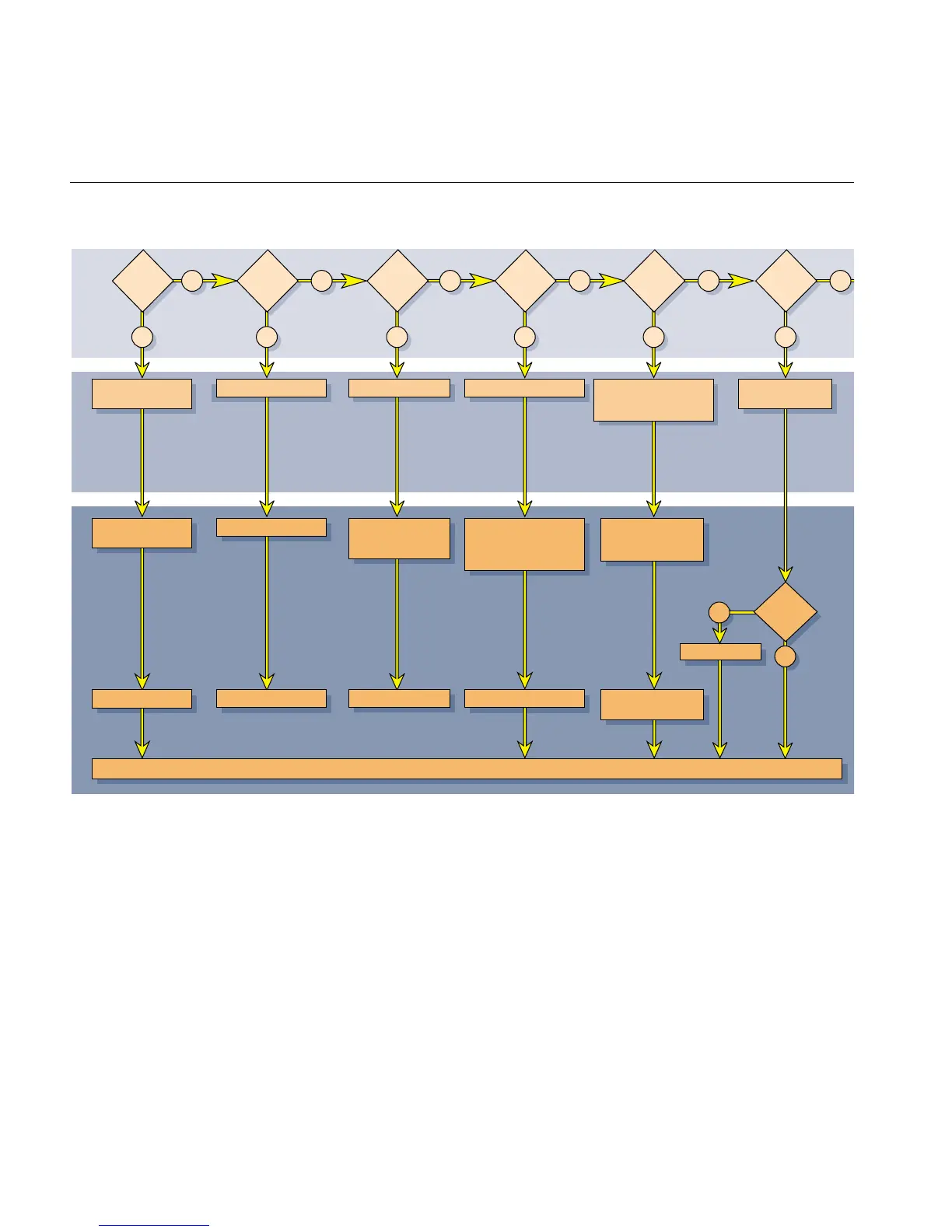
Figure 4-1 Diagnostic Flow Chart #1
No
No LED
Yes
No
Solid
red
LED
Yes
No
Blinking
amber
LED
Yes
No
No boot
tune
Yes
No
Solid
green
LED
Yes
SYMPTOMPOSSIBLE SOLUTION POSSIBLE CAUSE
SYMPTOMPOSSIBLE SOLUTION POSSIBLE CAUSE
• No power to system
• Power supply failure
• CPU module failure • Memory diagnostic failure • Volume set too low
• Headphones plugged in
• Speaker failure
• System diagnostics
successful
• Check power
connections
• Replace power supply
Contact your local SGI service provider. Have your system serial number ready for part replacement information
• Re-seat CPU module
• Replace CPU module
No
Solid
amber
LED
Yes
• System board failure
• Re-seat CPU module
• Re-seat DIMMS on
system board
• Replace system board
• Verify slots 1 and 2 are
populated
• Re-seat DIMMs on system
board
• Replace DIMMs
• Turn up volume
• Check if headphones
are connected
• Replace system board
• Replace chassis
• Record message
Yes
No
Error
code
message
?



 To Next Page