Chapter 7 — Importing and Exporting Cartridges Importing into a Storage or Cleaning Partition
November 2016 User Guide—Spectra T950 Library
232
5. ThenextstepsintheimportprocessdependonwhichTAPyou
selected.
If you selected the Center TAP ThetopTAPdooropensanda
FeedbackRequiredscreendisplaysinstructingyoutoplaceaTeraPack
intheTAP.
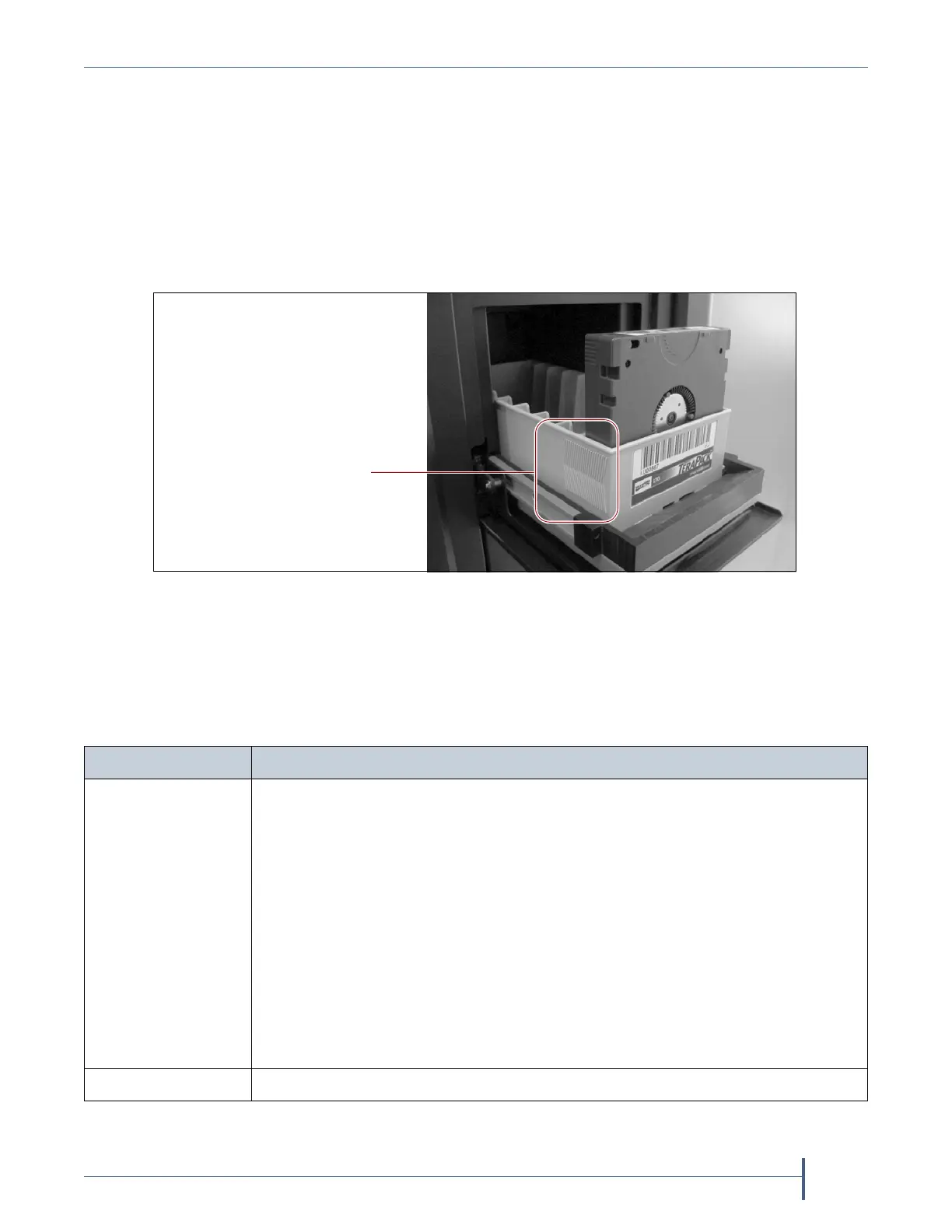
a. InsertamagazineintothetrayontheopenTAP ,makingsurethatit
isorientedwiththetexturedsurfaceoneachsidetowardthe
outsideofthelibrary,asshownin
Figure147.
b. Returntotheoperatorpanelandselecttheappropriateoptionon
theFeedbackRequiredscreen.
Note: Ifyouwaitmorethan10minutestorespond,thelibrarytimes
outanddisplaysamessageontheoperatorpanel.TheTAPdoor
isleftopen.
Figure 147 Insert a magazine into the TAP, making sure that it is correctly oriented.
Insert the magazine so that
the textured surface on
each side is toward the
outside of the library.
Select... If...
Continue YouplantoimportanothermagazineaftertheonecurrentlyintheTAP .The
importprocesscontinuesasfollows:
1. TheTAPdoorclosesautomatically.Thelibraryretrievesthemagazinefrom
theTAPandmovesittoachamberintheselecteddestination.
2. Iftherearestillempty chambersavailableintheselecteddestination,the
secondTAPdooropens,readytoacceptthenextmagazine.TheTAPdoors
alternateasyoucontinuetoimportmagazines.
3. Theimportprocesscontinuesaslongasthereareemptychambersavailable
oruntilyouclickStop ImportingontheFeedbackRequiredscreen.Continue
toinsertmagazinesintotheTAP ,cli ckingContinueaftereachone.When
therearenoemptychambersremainingintheselecteddestination,the
processstopsautomaticallyand
theImport/ExportTeraPackCasesscreen
displays.
Stop Importing ThemagazineyouplacedintheTAPisthelastoneyouwanttoimport.



 To Next Page