Chapter 12 — Library Troubleshooting Discovering and Setting the BlueScale Vision Camera IP Address
November 2016 User Guide—Spectra T950 Library
375
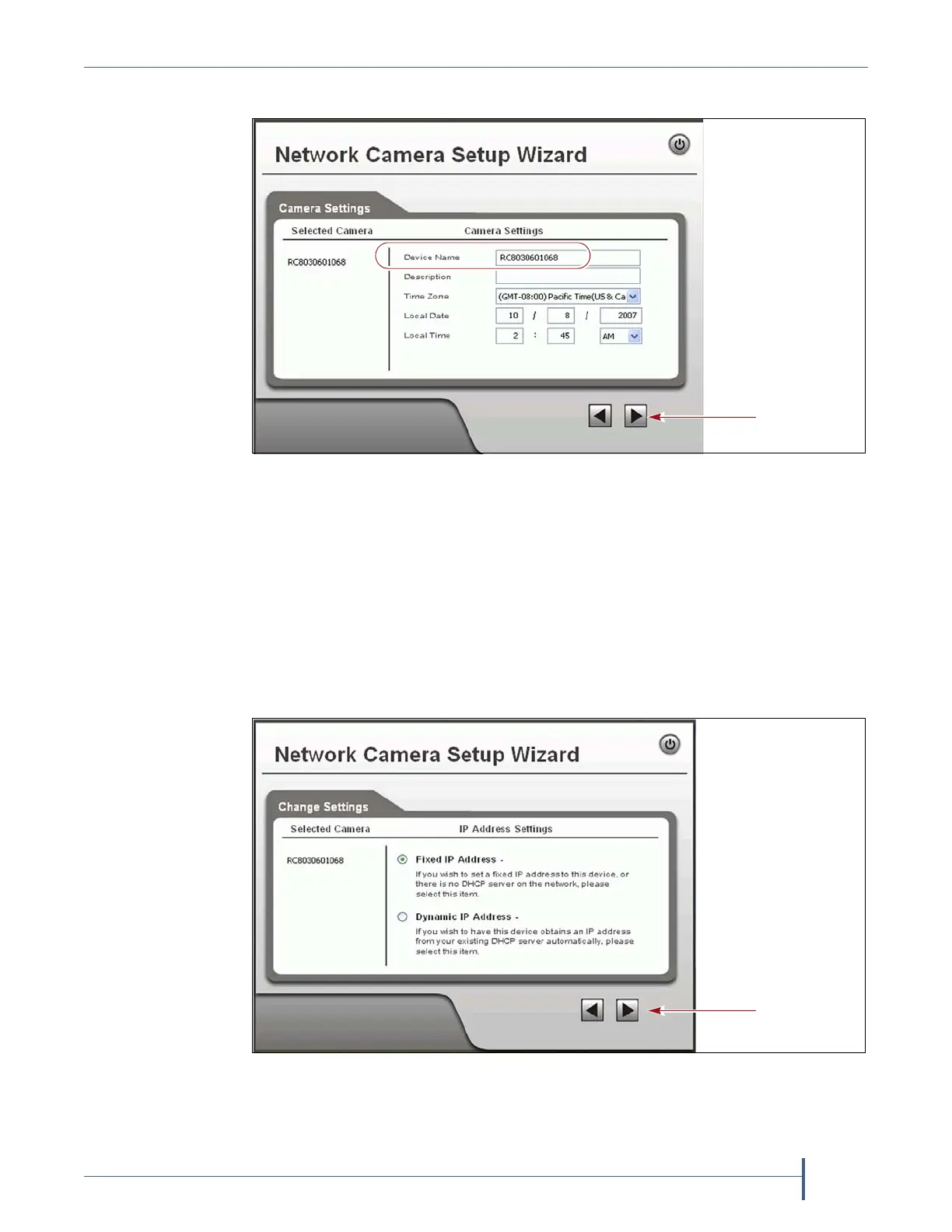
6. ClicktheforwardarrowtodisplaytheCameraSettingsscreen.
a. OntheCameraSettingsscreen,changetheDevice Nameto
somethingthathelpsyouidentifythecamerainyourenvironment.
ThedefaultnameforthecameraisSLnnnnnn,wherennnnnnisthe
lastsixdigitsofthecamera’s12digithexadecimalMACaddress.
b. Ifdesired,enteraDescriptionforthecamerasothatyoucaneasily
identifyit.
c. Ifnecessary,setthecorrectTime Zone,Local Date,andLocal Time.
7. ClicktheforwardarrowtodisplaytheIPAddressSettingsscreen.
Figure 236 Enter a description for the camera and set the date and time.
Figure 237 Select Fixed IP Address to configure the IP address for the camera.



 To Next Page