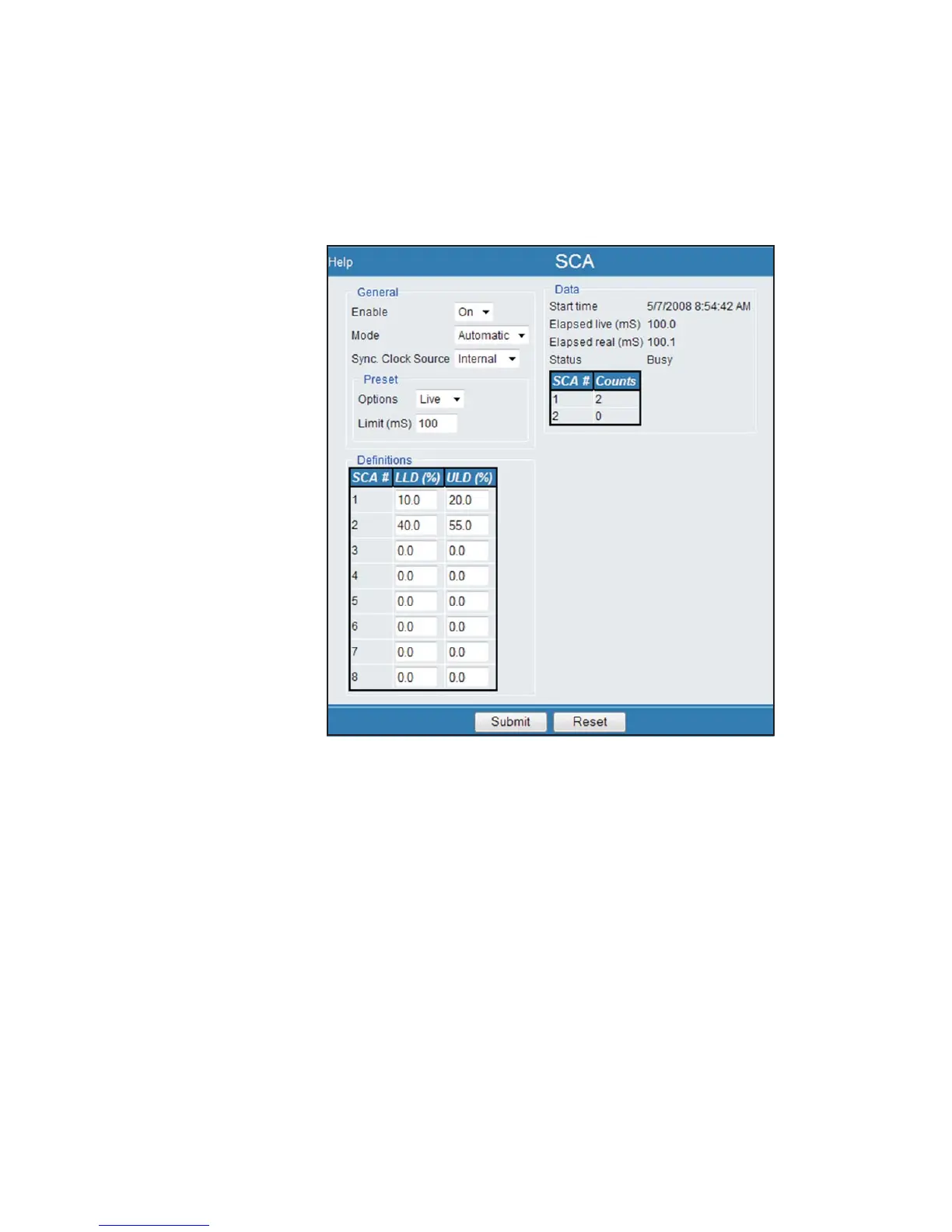
SCAs Enabled
Enabling the SCAs will change the webpage contents to display the status of the SCAs
and the last SCA buffer entry. The following figures show examples of the Table in
-
formation shown, depending on the Sync source used.
The Start Time, Elapsed Time and Status are displayed, as well as the SCA number
and Counts. The Definitions table identifies the LLD and ULD data.
Notice that - in the example shown in the figure above - only two SCAs are displayed
in the Data section because according to the rules defined in the Definitions section,
an SCA is defined by having LLD and ULD not equal to zero.
The data that is displayed is automatically updated every 100ms. You do not need to
perform a page refresh.
User’s Manual 101
SCAs | SCAs Enabled MCA Settings
Figure 76 - SCA Enabled, Internal Sync used



 To Next Page