4.
When the file has successfully transferred, press the Execute button to
update the Lynx. The Lynx update will then commence and should not be
interrupted. When done, it will terminate its processes appropriately.
After the update is completed, you will need to log back into the Lynx system.
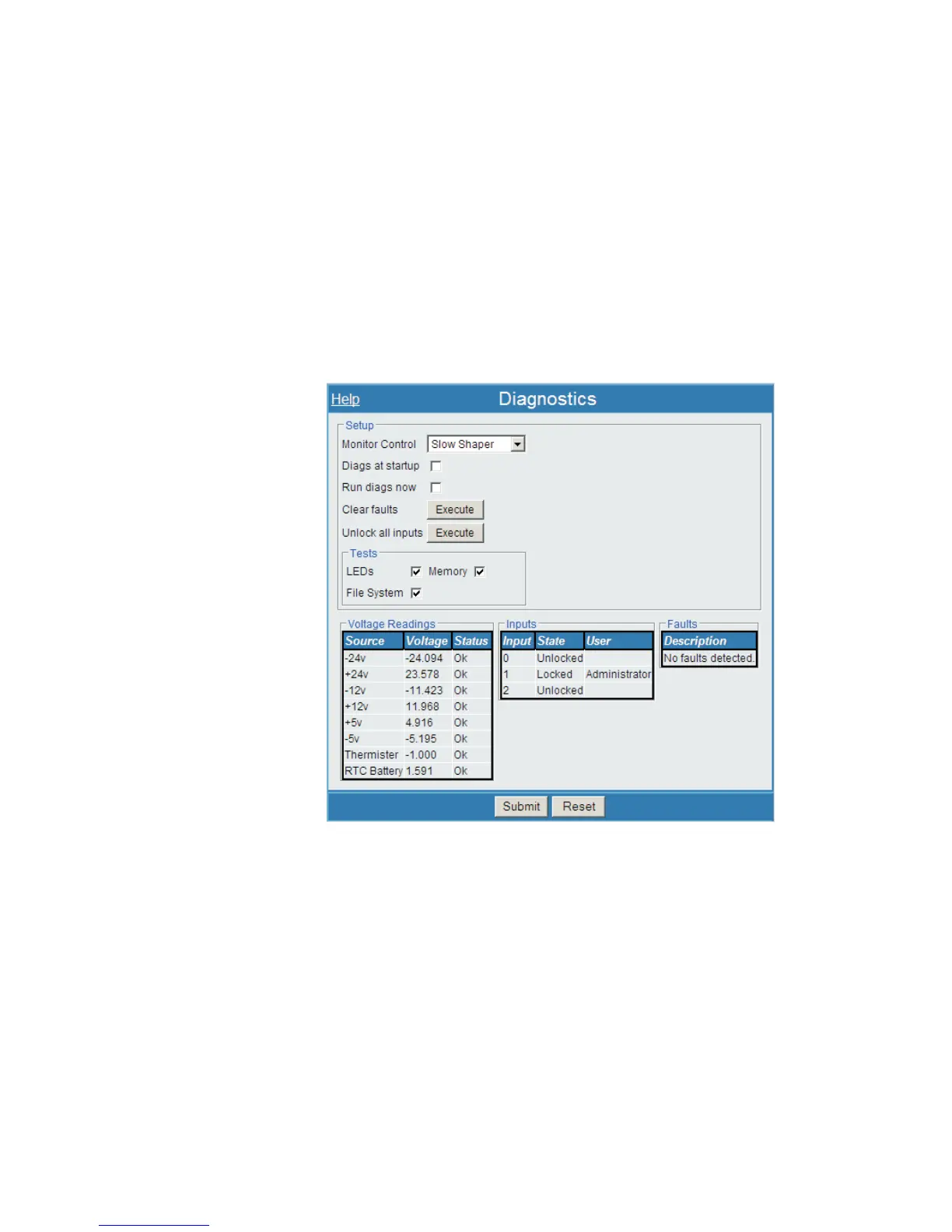
Diagnostics
The Diagnostics page executes various diagnostic features on the Lynx system hard
-
ware. These system tests are generally run while the Lynx is offline, and will provide
'results' information to help diagnose a suspected problem with the Lynx unit. Faults
are reported to a fault log, as well as presented on a status display.
Monitor Control
Sets up the monitor output signal, labeled MON OUT on the back of the device. You
may access these output signals using a DSO to review the output signal patterns. This
feature is input-specific, and will be accessible to some inputs, and not on others.
Using the pull-down menu, selecting any of these options will allow you to access the
following signals: Slow Shaper, Fast Shaper, or ADC after delay.
User’s Manual 137
Diagnostics | Monitor Control Maintenance
Figure 105 - Diagnostics Setup Page



 To Next Page