Baud Rate
Select the communications speed of the port, from 300 baud to 256 Kbaud, from this
pull-down list. This setting must match your RS-232 device or the Modem.
Starting Address
Defines the network starting address that is used when a connection is made. This is
the network address used to access the Lynx using a RAS Account (10.0.0.1).
Subnet Mask
The subnet mask for the RAS Starting Address.
User Name
The user name for logging in via RAS. A preset name of user is defined.
Password
The user password for logging in via RAS. A preset password of password is de
-
fined. The example in Appendix B of this manual demonstrates usage of this entry.
See page 175 for more details.
HTTP
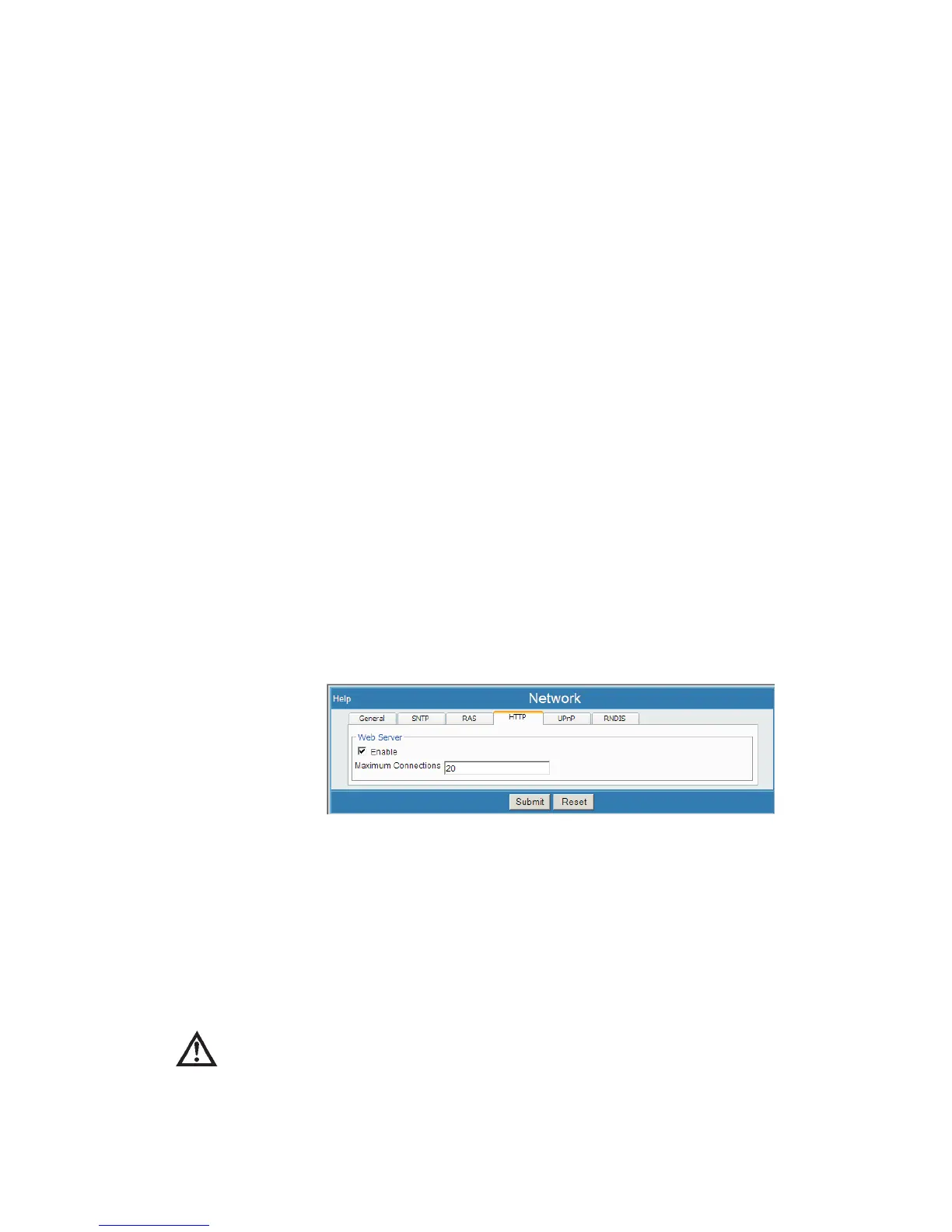
Select Network, then select the HTTP (Hyper Text Transport Protocol) tab. This
allows Lynx to operate as a web server, allowing users to connect with the Lynx using
their familiar Web browser and without needing other special 'client' software.
Enable
This enables or disables the Lynx as a Web Server. When enabled, you are able to
connect with and configure the Lynx using an Internet browser. Factory setting en
-
ables HTTP and enables the Lynx web server functionality.
CAUTION If you Disable HTTP access to the system, you cannot
reconnect using a network connection, as this disables the
Web server. However, you may still be able to access the
system using Genie 2000.
User’s Manual 111
Network | Enable Setup
Figure 84 - Web Server, Network (HTTP tab) Setup Page



 To Next Page