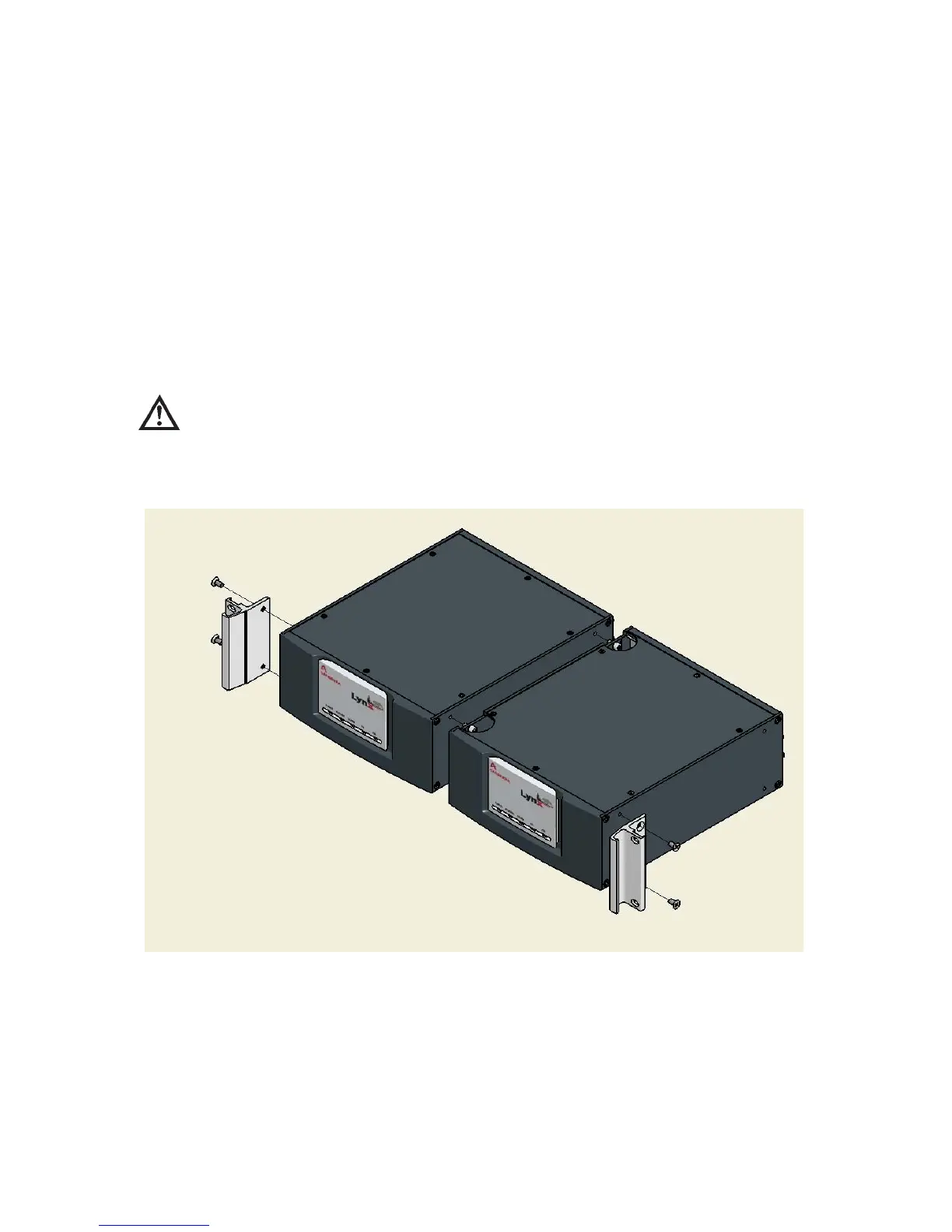
Rack-mounting Two Units
Remove the contents of the Rack Mount kit from its packing material.
You will join two Lynx units side-by-side. Of two units, the one positioned to the
right as you are facing them must have its cover removed to join the units.
Note You will also need an Allen Wrench (4 mm or 5/32") and a #2 Phillips
screwdriver. You will also use mounting hardware from your rack system to
mount the joined components into your rack. You will not use the filler
piece.
CAUTION You must remove the top cover of only one of the Lynx units.
In doing so, take care to prevent electro-static discharge, and
while handling the equipment, you should minimize your
contact with or near its internal components.
•
Remove the Phillips-head screws from the top plate of one Lynx unit (this will
become the right-side unit), and remove the cover and set it aside.
Appendix D - Rack-mounting Your Lynx
196 Lynx™ Digital Signal Analyzer
Figure 141 - Rack Mounting Two Lynx units



 To Next Page