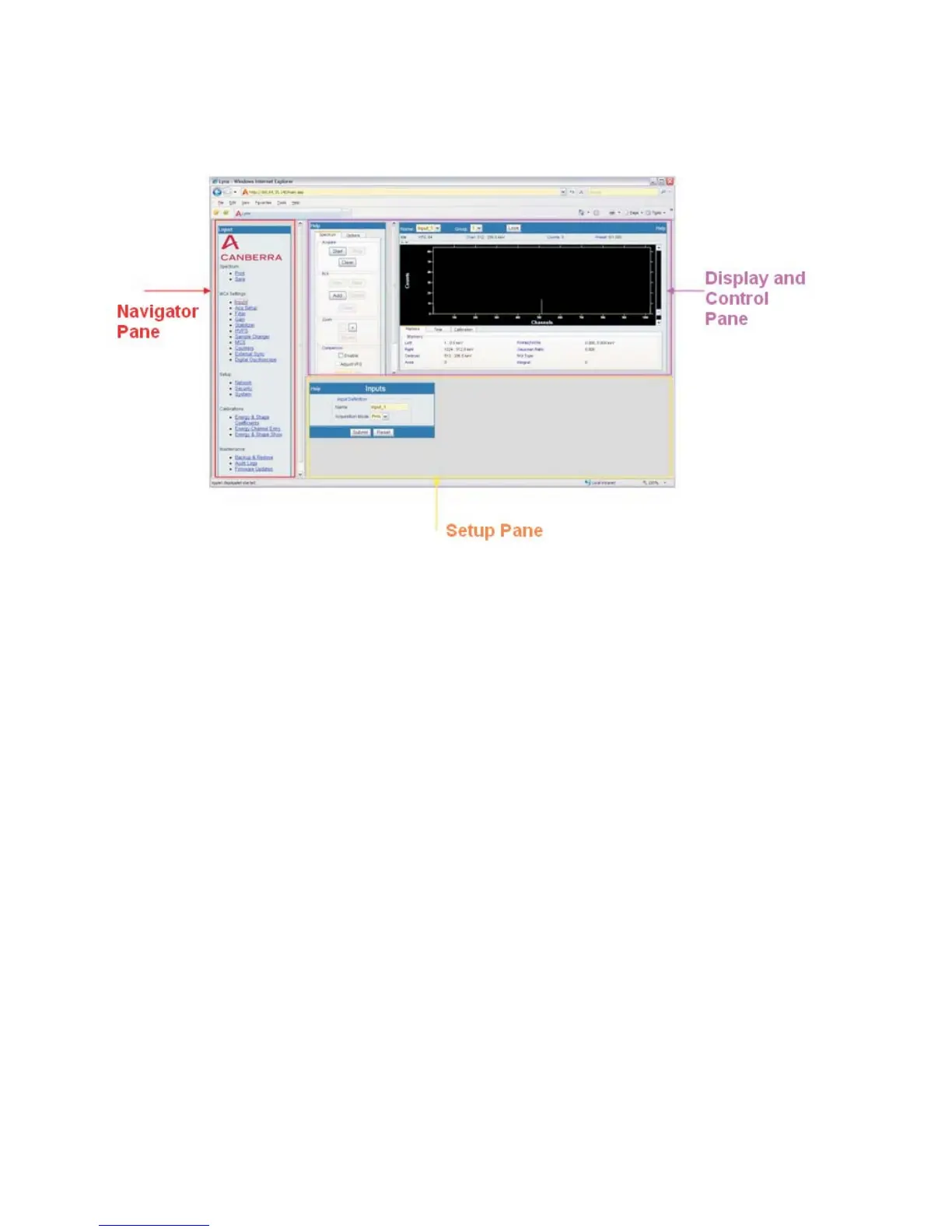
The three frame regions of the Lynx' webpage are shown below.
Other Common Features
Most Lynx interface windows will use these common features.
Accelerator Keys
Most familiar Accelerator keys used with the Genie 2000 software interface are found
in the Lynx system. For example, use the Insert key to mark your region of interest
(ROI) using Lynx, just as you do with Genie 2000.
Note The spectral display must have focus for these features to work as intended.
Rollover highlighting
Each Menu option (a link) will change its visual display when the cursor is rolled over
the selections, to identify which item is currently targeted. If you select (left-click) a
highlighted link using your mouse, that menu item will launch.
Scrollbars
Each frame of the Lynx webpage uses a preset size for its initial setting. You may
resize the windows using familiar web-browser scrollbar features and by drag-select
-
ing the border of a frame you wish to temporarily resize.
Chapter 4 - Web-based Operation Webpage Controls
64 Lynx™ Digital Signal Analyzer
Figure 52 - Webpage regions (panes)



 To Next Page