Universal Plug and Play
The Lynx device registers for Universal Plug and Play (UPnP) during start up. This
means that once a device (in this case, the Lynx) is running and plugged into your net
-
work, other computers on the network are informed that it's present and running.
Note In order to use the uPnP feature, it must first be set up and active on your
Windows XP (or newer) PC operating system. Earlier versions of Windows
do not support this protocol.
For a networked computer to be detect the Lynx when it is connected to the network,
your PC must have UPnP services installed.
Add Universal Plug and Play to your PC
If not installed, you can add uPnP by following the steps below:
1.
Press the Start button on Windows XP. Select Settings, then select the
Control Panel.
2.
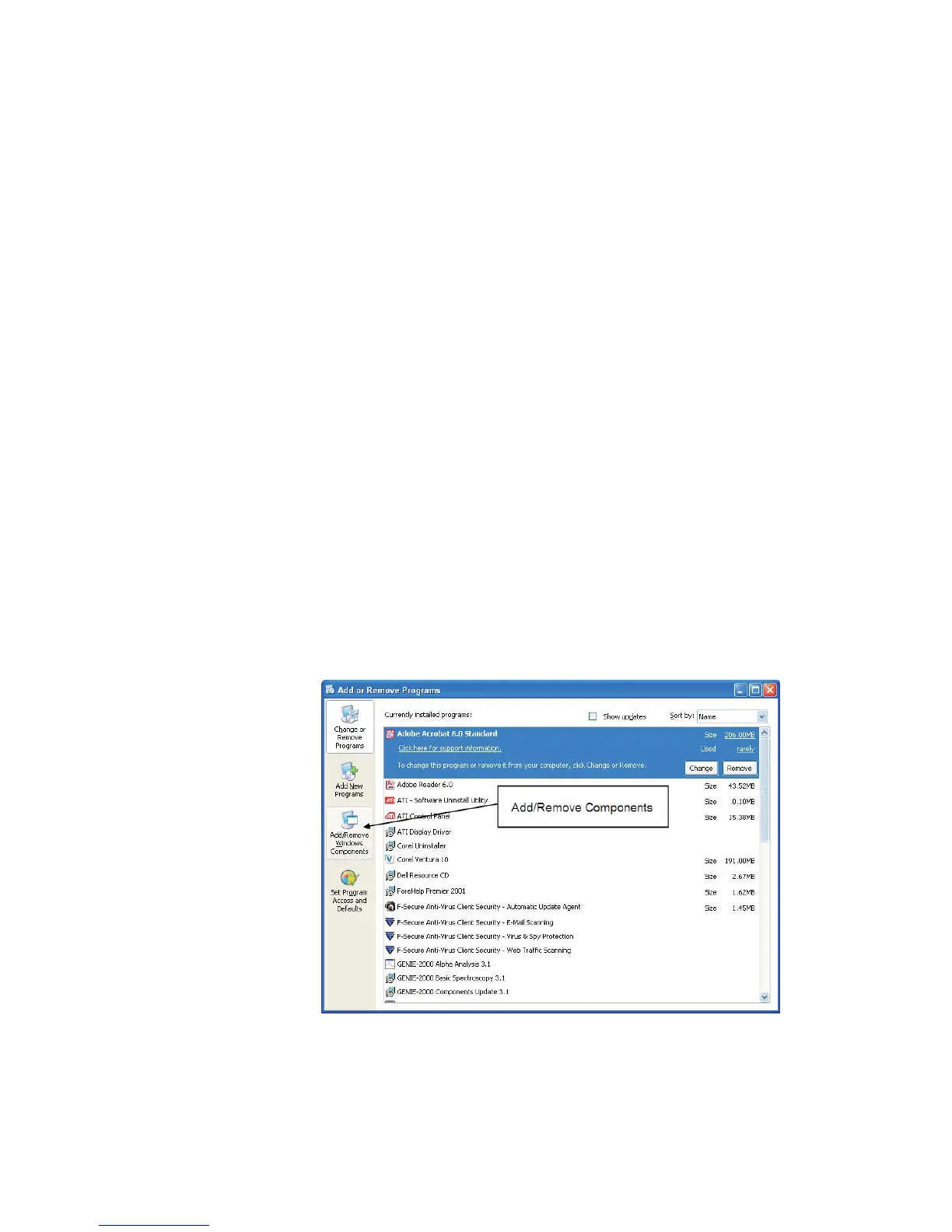
Select the Add or Remove Programs icon. This brings up the Add or
Remove Programs list, including options groups in the left border.
3.
Select the Add/Remove Windows Components icon (Figure 108) in
the left-hand border.
User’s Manual 163
Universal Plug and Play
Figure 108 - Add/Remove Windows Components icon



 To Next Page