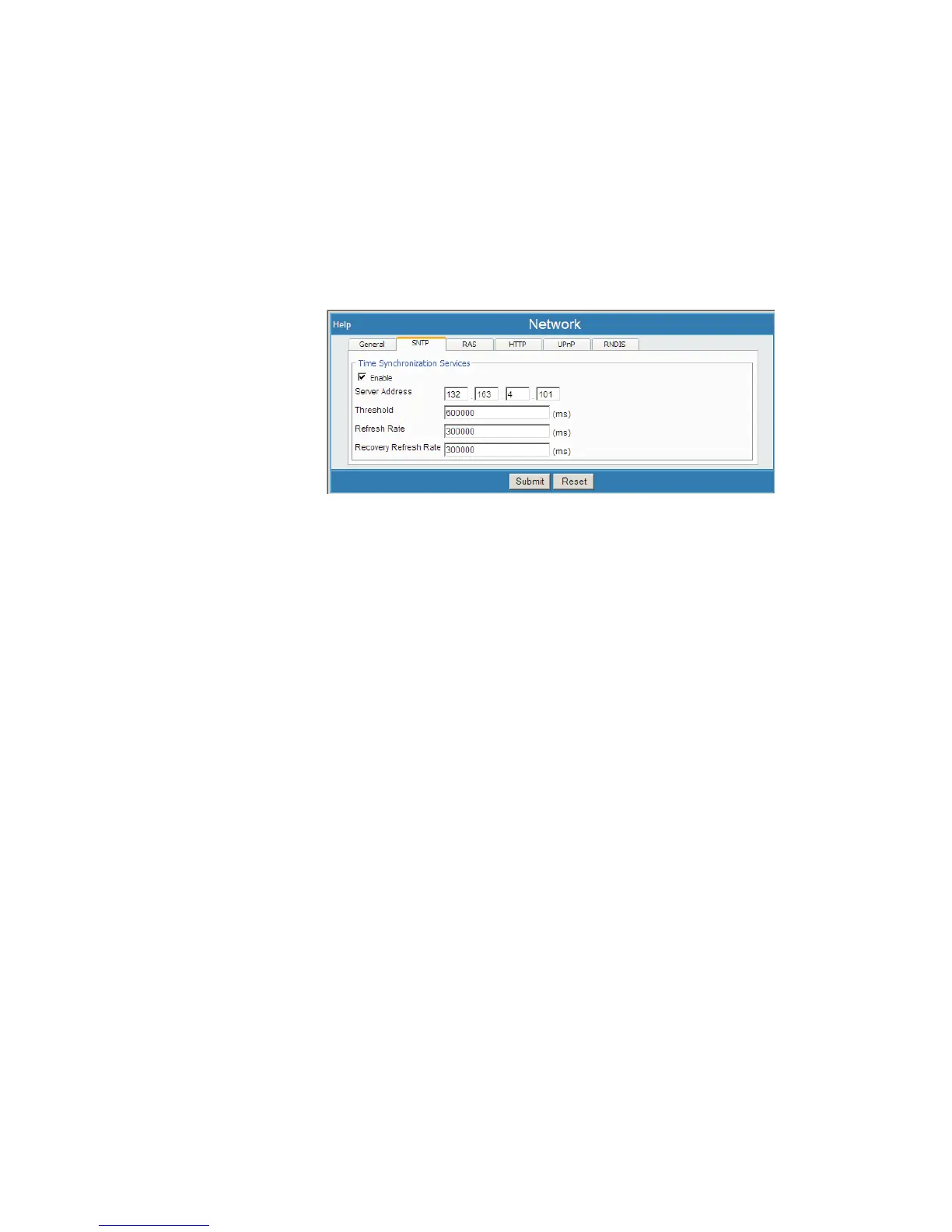
SNTP
Simple Network Time Protocol (SNTP) options set up a time synchronization
server. This makes the Lynx' time-of-day match some other 'standard'. If all of your
devices point to the same standard, then all will be synchronized to the same time.
Default settings enable this option and have an external time server assigned.
Select Network, then select the SNTP tab. You will see the following options:
Enable
This enables or disables the SNTP service. When the Enable box is checked, the
time on the device is periodically synchronized with an external time server.
If disabled, the Lynx time may differ from your PC's time, which might indicate a mi-
nor variance for acquisitions that are based on a time duration or setting.
Server Address
The network address (URL) of the time server.
Threshold
Defines the threshold duration (in milliseconds) in which the time is synchronized.
When the difference in time on the device and the server exceed this value the time is
adjusted.
Refresh Rate
Defines the period (in milliseconds) of how often Lynx synchronizes with the server.
Recovery Refresh Rate
Defines the period (in milliseconds) of how often the Lynx re-synchronizes with the
time server, if the synchronization process failed in a previous attempt.
User’s Manual 109
Network | Recovery Refresh Rate Setup
Figure 82 - Network (SNTP tab) Setup Page



 To Next Page