MCA Settings
This menu group lets you define the multichannel analyzer (MCA) setup parameters
using the Lynx DSA. Some of the parameters are dependent on the MCA you are us
-
ing. Only those parameters or options that are applicable to your Input will be offered.
Inputs
Choose one Input or the other using the Spectral Display's Input selection for Name.
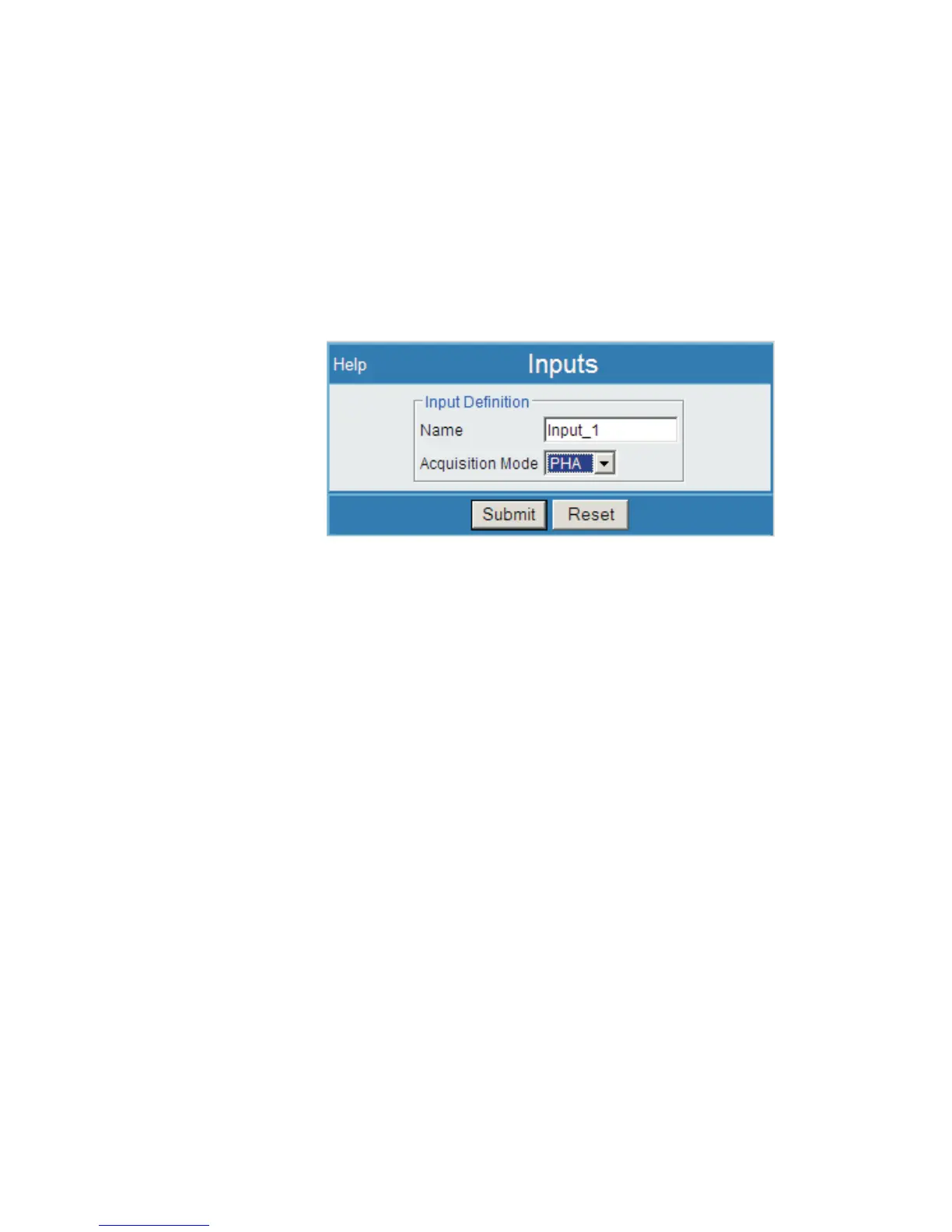
Then, select the Inputs link under the MCA Settings heading and you will see:
Default settings have Input_1 as a PHA input, and its options include any type except
for MCS input; Input_2 is an MCS input.
Name
Default names are Input_1 and Input_2, respectively. You may rename the Inputs, if
desired. Use a simple, alphanumeric Name entry, avoiding special characters and sym
-
bols; the 'space' and underline are allowed.
Note
The length of your Input Name entry (4-14 characters is suggested) will af
-
fect pull-down menus, and displayed and printed output in other areas.
To Change an Input's Name
1.
Using the Spectral Display's Input Name field, select the Input (1 or 2) to be
renamed. If open, the Inputs page will refresh with the current selection.
2.
Using the Name field on the Inputs page, type over the existing Name
entry. Use of 4-14 characters is suggested.
3.
Press Submit to keep the name change, or Reset to discard any change.
User’s Manual 77
Inputs | Name MCA Settings
Figure 63 - MCA Settings | Inputs showing Input_1



 To Next Page