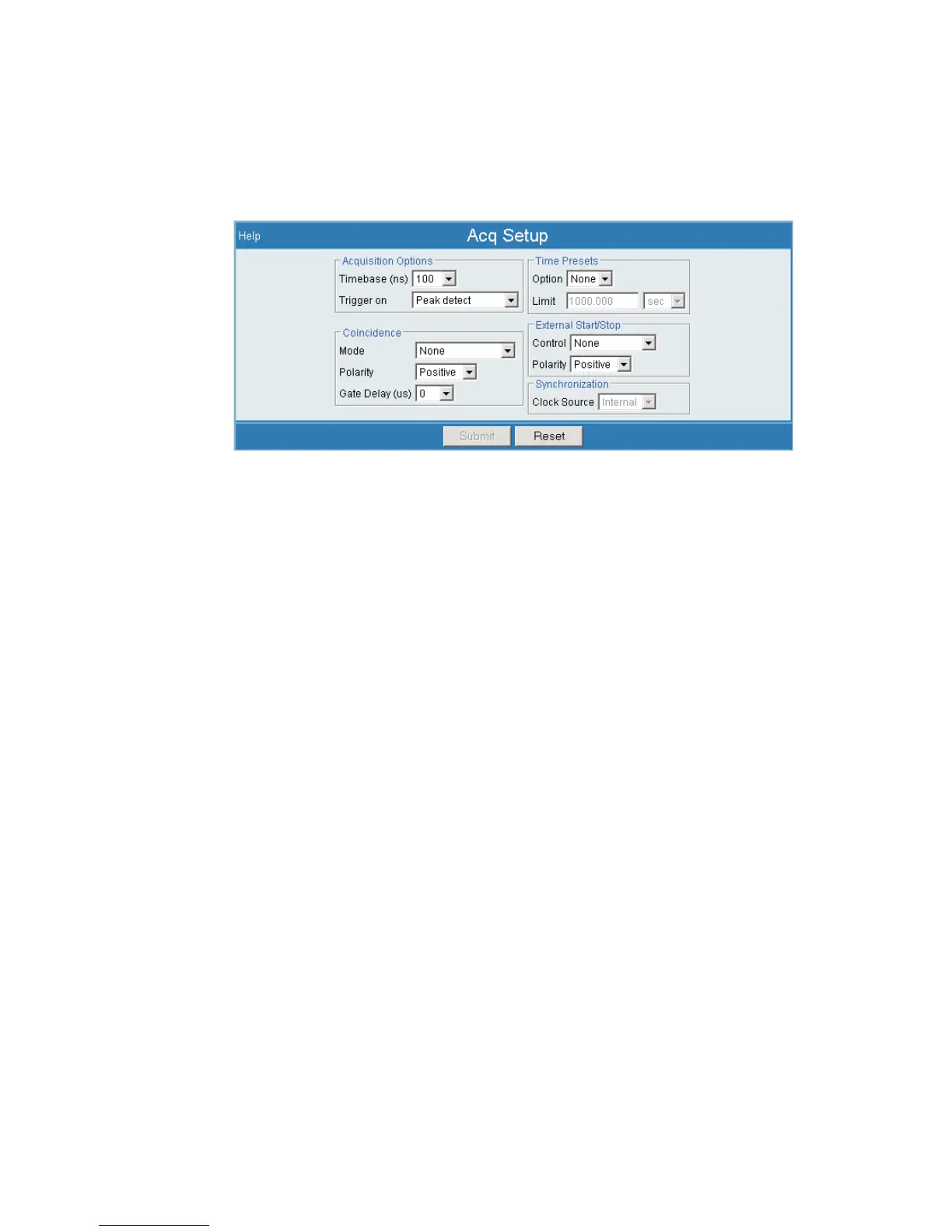
Acquisition Options
When the input is configured for the List modes, the Acquisition Setup page does not
display the Computation Preset group; instead, it displays Acquisition Options.
Timebase
This defines the time base to use for acquiring list data.
Trigger on
Defines how list events are triggered. Options are Peak Detect and Fast
Discriminator.
Synchronization
When the input is configured for MSS or the List modes, the Acquisition Setup form
adds the Synchronization selection box (as seen in Figure 65) to identify the Clock
Source. Synchronization settings also apply to SCA and Auxiliary Counter opera
-
tion. Related External Synchronization settings are discussed starting on Page 103.
If the External Sync source Status is set to Independent, you may select Inter
-
nal or External for Sync input sources (Clock Source) here. Other External Sync
status settings prevent user selection in this Synchronization option.
•
If External is selected for Clock Source, the input source is defined by your
External Sync input definition.
•
If Internal is selected here, the Lynx's internal 1µs clock is used for
synchronization.
Chapter 4 - Web-based Operation Acquisition Setup
82 Lynx™ Digital Signal Analyzer
Figure 65 - Acquisition Options and Synchronization Options in Acq Setup



 To Next Page