Adding an MCA
The Edit menu, at the top of the MCA Input Definition Editor's main window, is used
to add MCA hardware to or delete MCA hardware from an MCA Input Definition.
After starting the MID Editor, the steps continue as follows:
2.
From the MID Editor's menu headings, select Edit….
3.
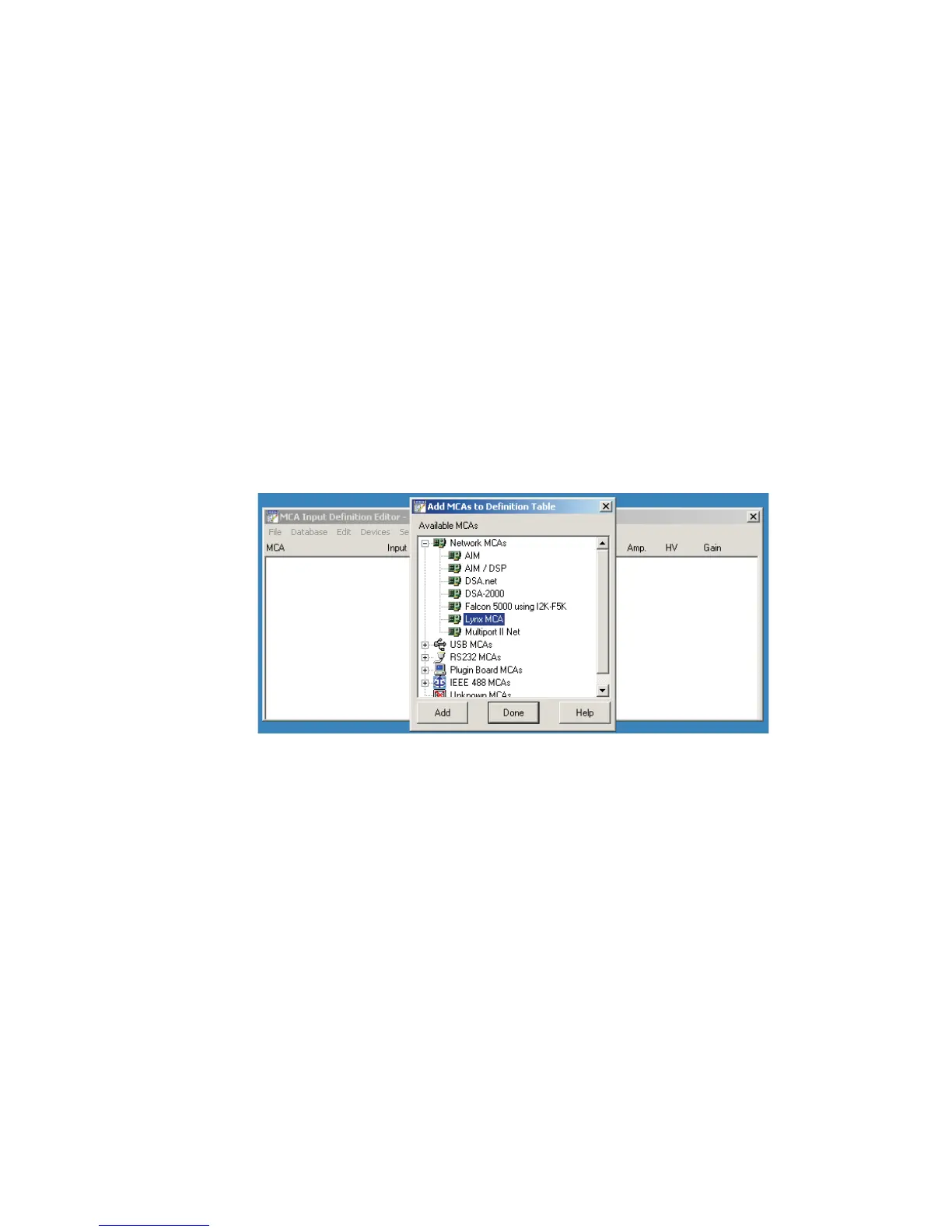
Select ADD MCA. The Add MCA list opens.
4.
Select your Lynx MCA from the list of available MCAs on your site.
You may need to expand an MCA listing by pressing the + symbol at the
beginning of the list of Available MCAs. The Lynx MCA is found in the
Network MCA group shown below.
5.
Click ADD to add it to the MCA Input Definition Editor list.
6.
Click Done to return to the main MID window, which will close the
Available MCA list.
You can add more Lynx MCAs to the definition at any time using these steps.
Chapter 3 - System Setup
28 Lynx™ Digital Signal Analyzer
Figure 19 - Add your Lynx MCA from MCA pull-down List



 To Next Page