3.
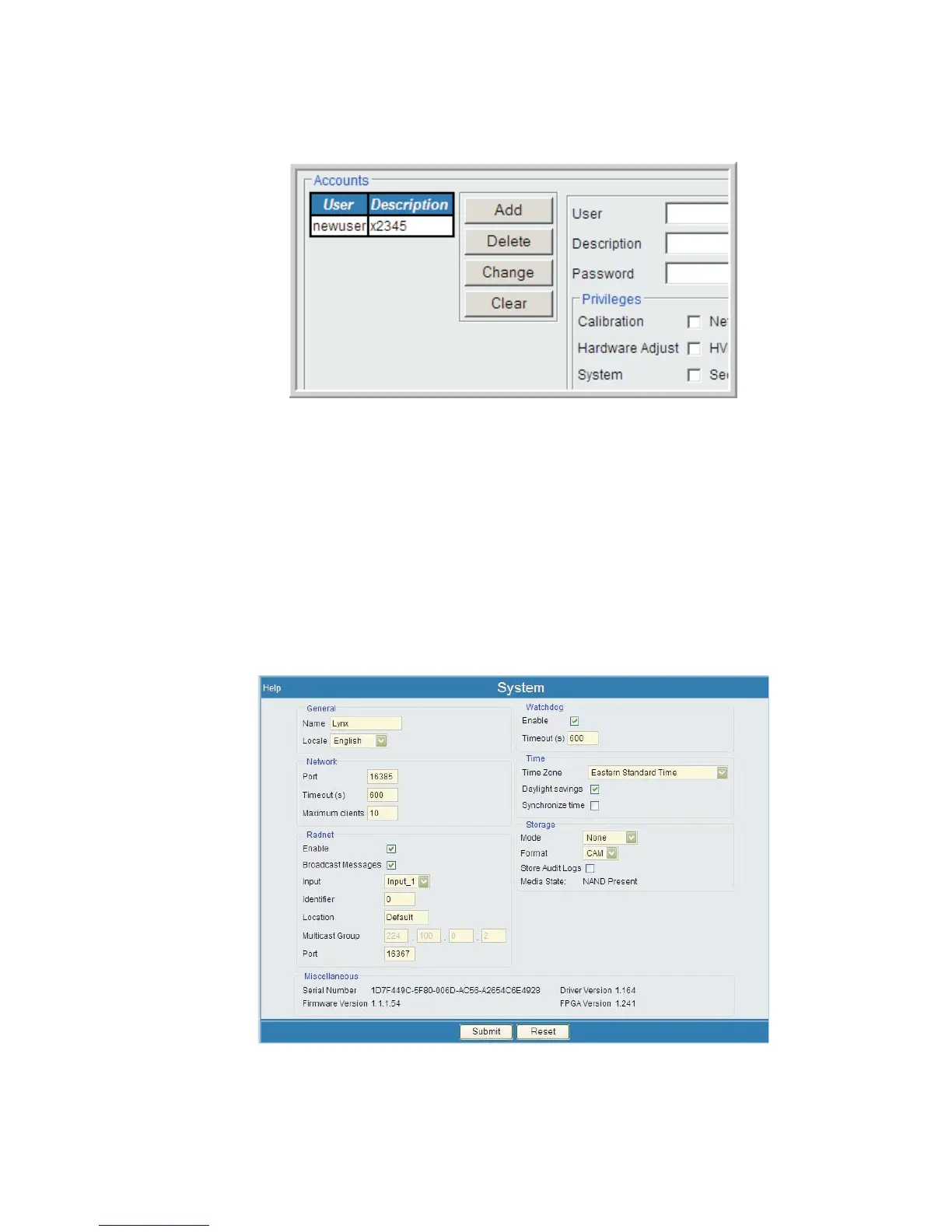
Finally, press Submit to save this user ID to the Lynx system.
After this user name is submitted, the User name and description appear in white in
the Accounts list. This new user identify is now complete.
System
The System page displays the current Firmware Version and other significant sys-
tem-wide information. This page also allows you to view or modify several parameters
used by the system.
Chapter 4 - Web-based Operation Security
122 Lynx™ Digital Signal Analyzer
Figure 92 - New User Account has been Submitted
Figure 93 - System Setup Page



 To Next Page