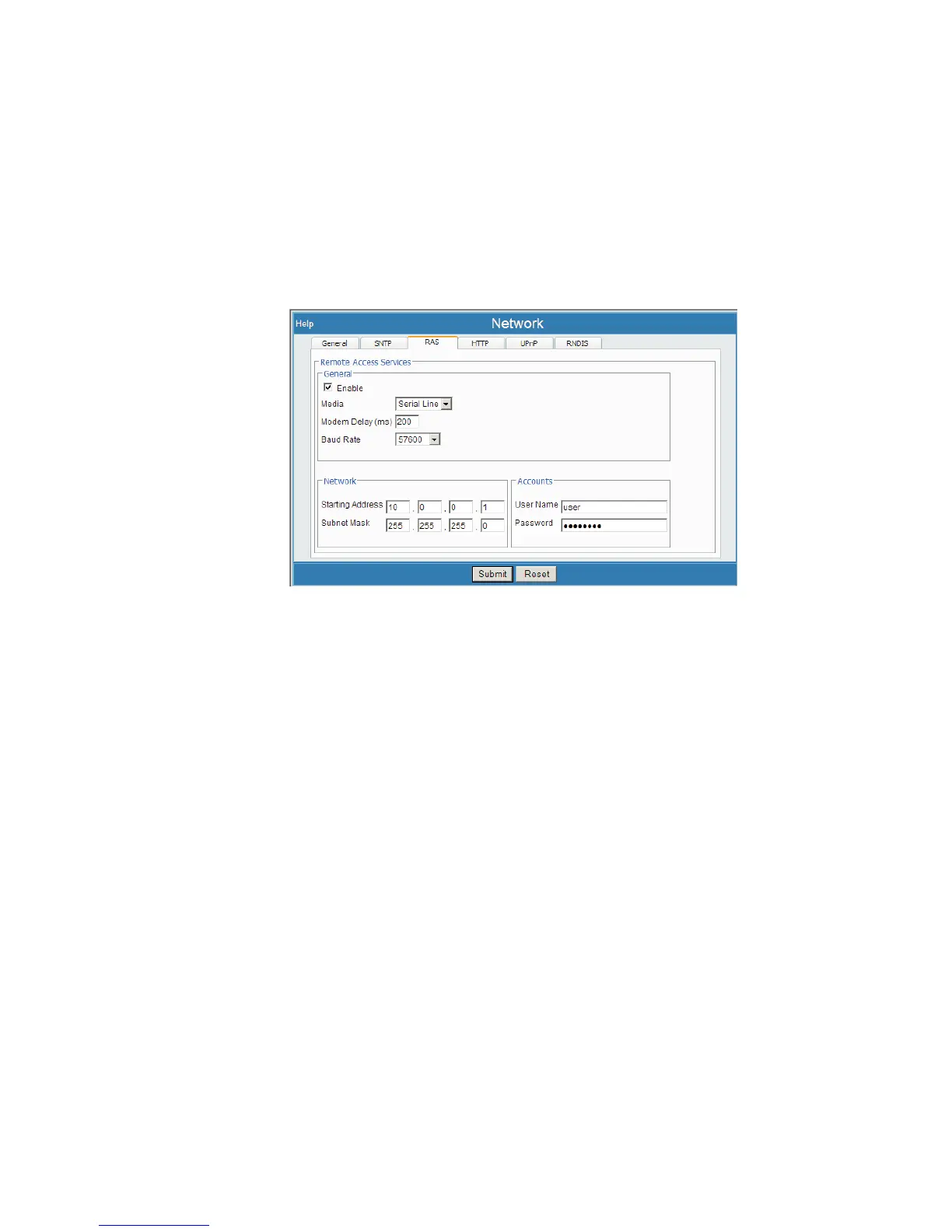
RAS
This defines network settings for Remote Access Services. RAS is used for RS-232
connections to the Lynx, for either wired or modem service. Some default RAS net
-
work parameters have been set up, but may be changed as required to work with your
serial device. Windows Users also set up a RAS Account to connect with Lynx.
Select Network, then select the RAS tab.
The default setting is serial line. Enter in the Parameter Settings for your intended
RS-232 Serial Line or Modem Connection. The 'other end' of this serial connection
must match the settings you enter here, entered into a Windows RAS Account.
Enable
This checkbox enables or disables this service. When enabled, the Lynx listens for in
-
coming connection requests on the serial port. When a connection request is
recognized, it will them prompt the communication device (external modem or serial
terminal) for login information.
The Enable checkbox may be unchecked to temporarily disable RAS, without affect
-
ing or clearing any of the other settings on this page.
Media
Defines the media type. Options are Modem and Serial Line. Default settings assign
this for a serial line connection (still otherwise not configured upon default).
Modem Delay (ms)
This is the modem delay parameter, in milliseconds.
Chapter 4 - Web-based Operation Network
110 Lynx™ Digital Signal Analyzer
Figure 83 - Network (RAS tab) Setup Page



 To Next Page