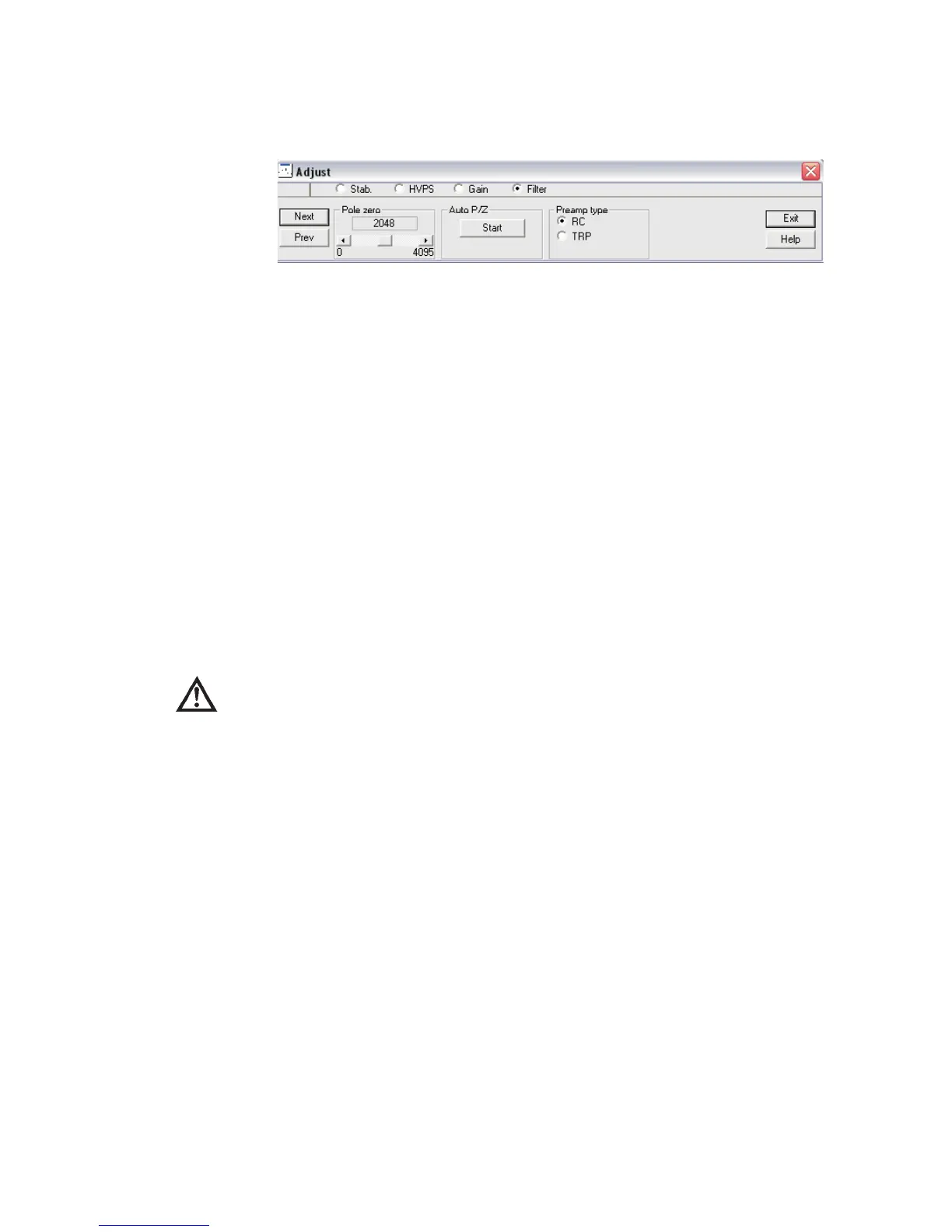
Then, select the Filter radio button to edit the Filter settings.
17. Completion of the Definition and Setup of the Lynx DSA.
Once the system has been setup and adjusted for HV, Amplifier Gain, or Filter adjust
-
ments made for the Rise and Flat-Top, typical calibrations would be performed on the
system as any other MCA style system.
Saving the Input Definition
After completing a definition, use the MID Editor’s File | Save (or Save as) command
to save the Definition file.
As a reminder, you’ll see an asterisk (*) next to the name of the current definition in
the Title Bar when a changed definition has not been saved.
CAUTION If you change an existing Input Definition, saving it will set its
calibrations to default and will clear the Acquisition Start time.
The File Descriptor
When a Definition is saved for the first time, the Save As file dialog box is automati
-
cally opened. In that dialog box, you’ll see a File Descriptor field, which lets you store
a 32-character description with your file to make it easier to locate when you want to
use it again.
Changing the Summary View
Before going on to see how to edit an existing Input Definition Table, one that you’ve
built previously and saved to disk, there’s one more menu to look at.
The Summary menu has two commands: By MCA and By Input, which change the
order in which the information in the Input Definition Table is displayed. By MCA
means that the first column of the table will display the MCA type that is being used
for each entry. If you choose By Input, the MCA and Input columns will be reversed
in the display and the Inputs will be sorted alphabetically.
MCA Input Definition (MID) Editor
User’s Manual 39
Figure 37 - MVC Window, Filter settings



 To Next Page