Maintenance
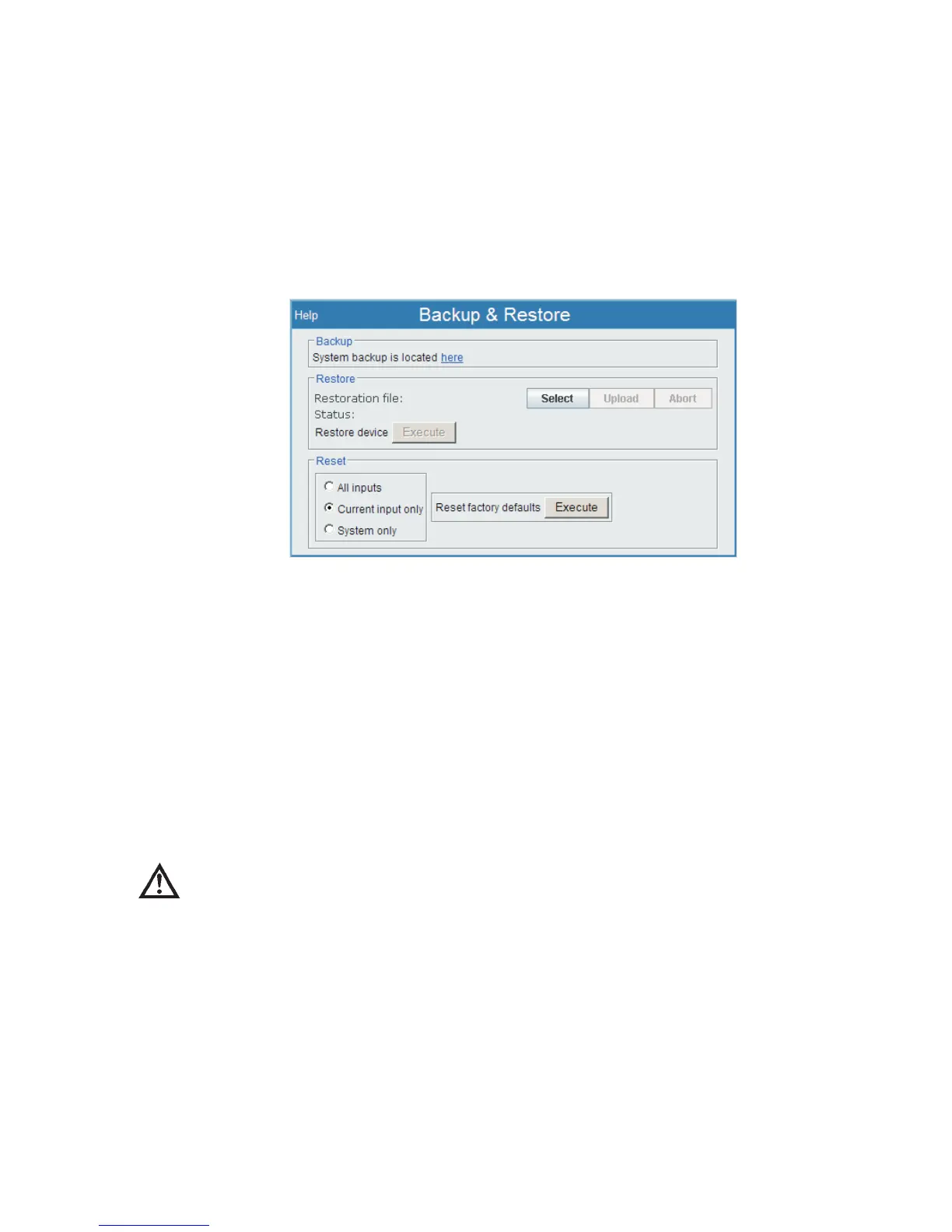
Backup and Restore
This page allows you to perform a system backup, restore or reset to factory
defaults operations. When you first access the page, you may be prompted to press
the Enter key or spacebar to begin.
Backup & Restore lets you obtain a copy of your Lynx system's saved operational
and setup parameters, and make a Backup copy of them to your PC. This process
does not keep spectral data, and does not affect your MID files or any CAM data. You
may Restore a Lynx system to the settings in that Backup copy using the Restore
procedure at a later time.
Using Backup and Restore also allows you to reconfigure Lynx to its original settings
by using the Reset options on this page.
CAUTION The Restore and Reset procedures can cause Lynx settings to
change, possibly undesirably. Use these procedures only if
necessary.
Backup
A Backup will copy all of the setup information and place it on your local system as
a file which can be restored later, if restoration is required.
Note This backup file is only useful for the Restore process (which follows). Do
not attempt to 'edit' this backup file. You may rename it, if you wish.
Chapter 4 - Web-based Operation Maintenance
132 Lynx™ Digital Signal Analyzer
Figure 100 - Backup & Restore Setup Page



 To Next Page