The red Status label (e.g., Fault) may be reviewed by double-clicking the label. A De
-
scription window will open below, and a Clear button to clear that Status record.
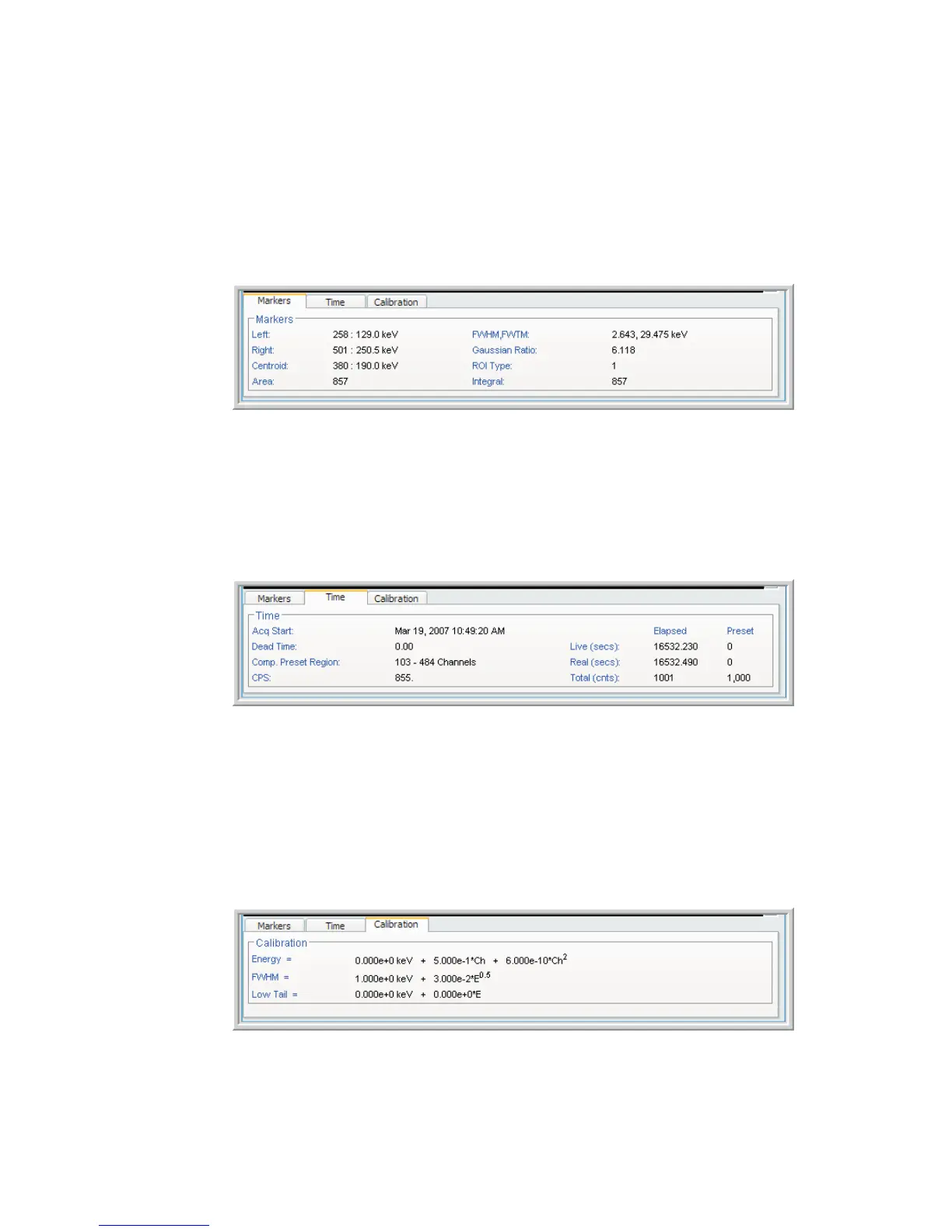
Marker tab
The marker tab displays the computational values based on the spectral content and
ROI cursor location.
Time tab
The Time tab displays current time or sweeps information.
Calibration tab
The calibration tab provides information about the current energy and shape calibra
-
tion in use.
Chapter 4 - Web-based Operation Spectrum Controls
68 Lynx™ Digital Signal Analyzer
Figure 55 - Spectrum Controls, Marker tab
Figure 56 - Spectrum Controls, Time tab
Figure 57 - Spectrum Controls, Calibration tab



 To Next Page