3
Press ▲ or ▼ to select Paper Details, and then press the OK button.
4
Press ▲ or ▼ to select the type of paper, and then press the OK button.
5
Press ▲ or ▼ to select Cutting Mode, and then press the OK button.
6
Press ▲ or ▼ to select Manual, and then press the OK button.
7
When "Perform the detection of paper leading edge?" is displayed, select Perform(recommend).
8
Print the job.
The printer stops advancing the paper after printing.
9
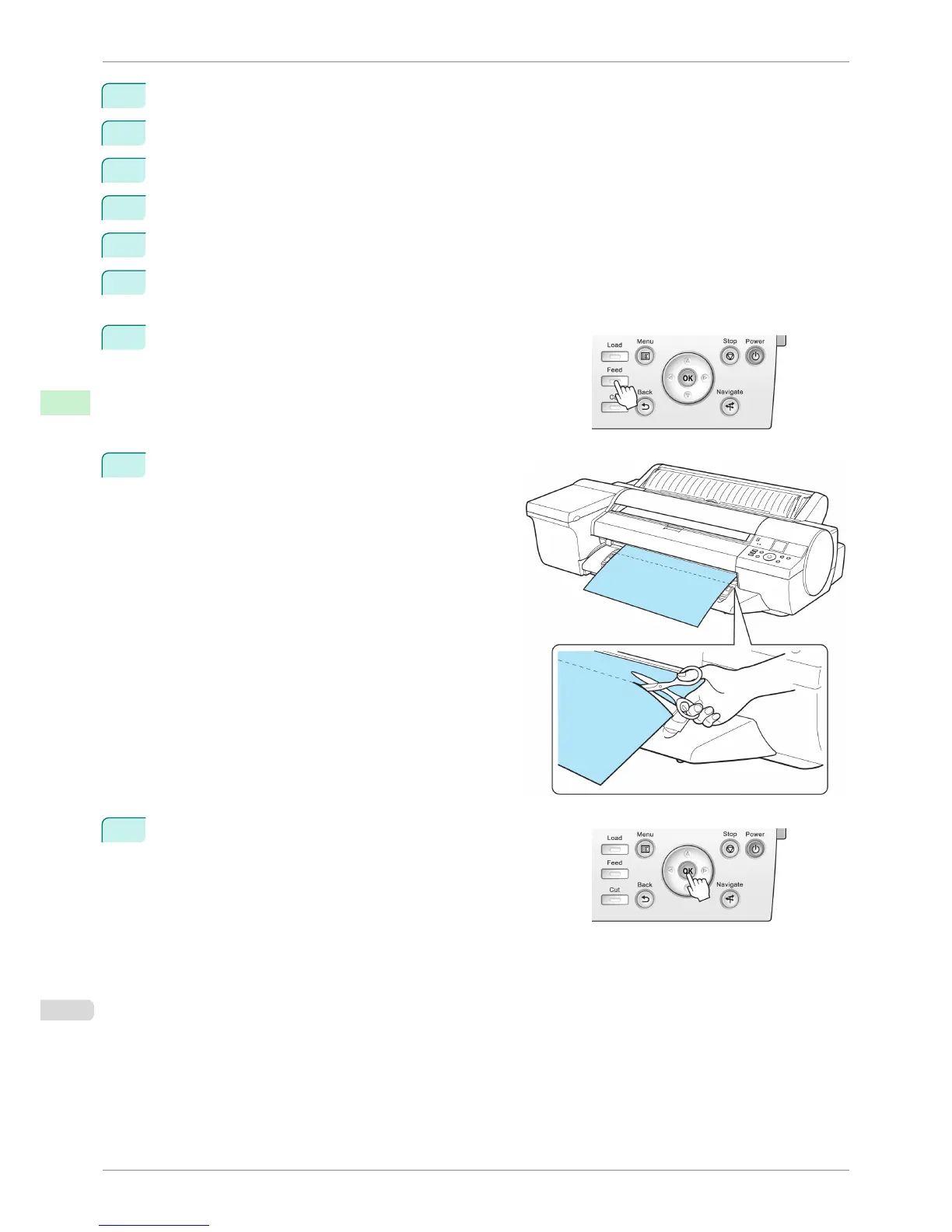
Press the Feed button.
Roll paper is fed to the specified cut position and then automati-
cally stopped.
10
Cut the roll paper manually with scissors or the like.
11
Press the OK button.
After the roll is rewound, it stops automatically.
Specifying the Cutting Method for Rolls
iPF6400S
User's Guide
Handling and Use of Paper Handling rolls
486













 To Next Page