Product Manual — Doc. 9045M DM NAX® • 107
Install the Device
The DM-NAX-AMP-X300 can be placed or mounted on a flat surface or installed in a rack.
Place on a Flat Surface
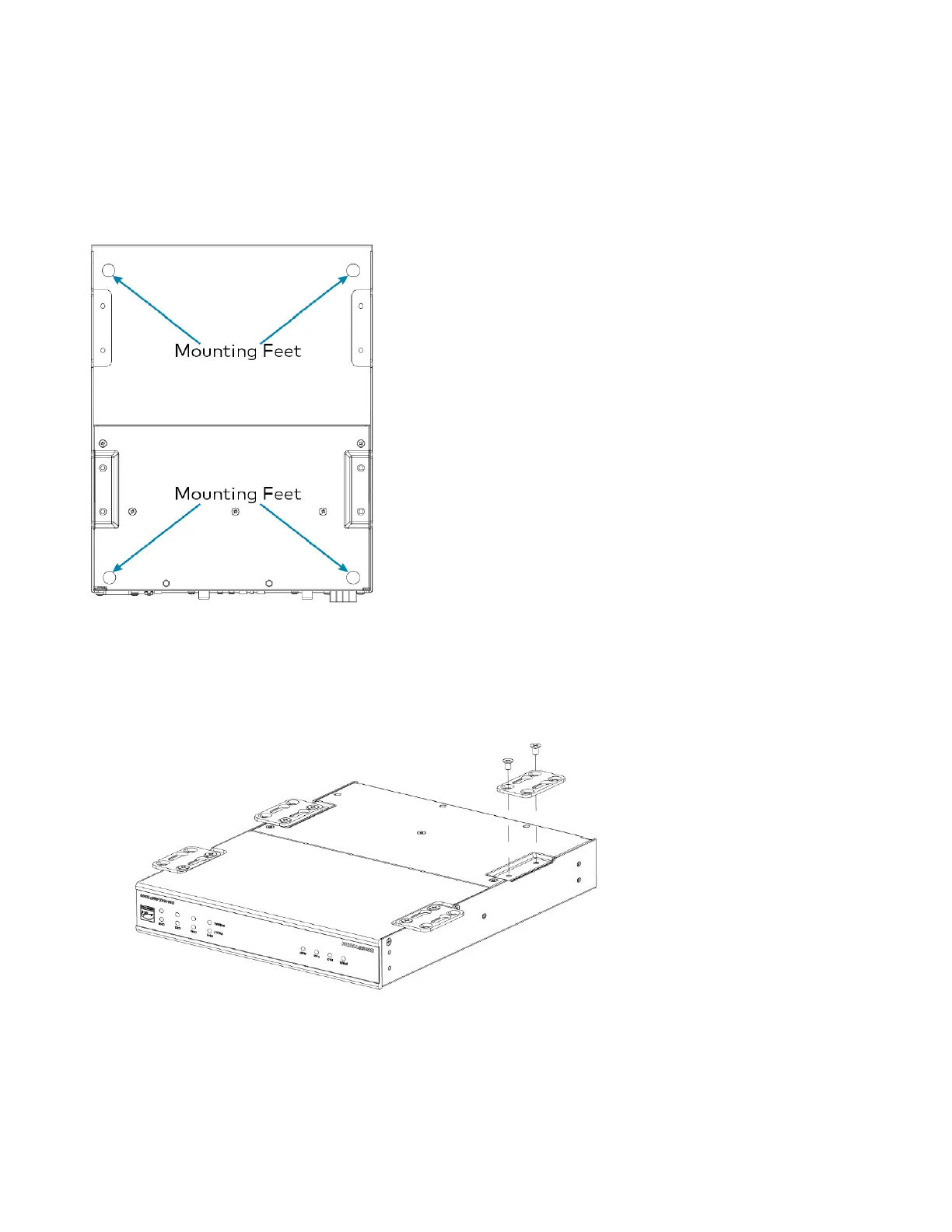
Place the DM-NAX-AMP-X300 on a table or other flat surface. Attach the four adhesive feet as shown
below.
Mount on a Flat Surface
To mount the DM-NAX-AMP-X300 on a flat surface:
1. Use the eight included 8-32 x 5/16 in. screws to attach the four joining plates to the underside of
the device as shown in the illustration.



 To Next Page
 Loading...









