112 • DM NAX® Product Manual — Doc. 9045M
l
Lo-Z: Set the switch to LoZ to use the amplifier with 4 Ω or 8 Ω low impedance loudspeakers.
l
70V:Set the switch to 70V to use the amplifier in a 70V distributed audio system.
l
100V:Set the switch to 100V to use the amplifier in a 100V distributed audio system.
Lo-ZModes Selection Switch
When operating in Lo-Z mode, the DM-NAX-AMP-X300 outputs can operate in stereo, as summed
outputs or as bridged outputs. Set the Lo-Z Modes selection switch to the desired setting and connect
the outputs as required.
Select stereo, summed, or bridged operation:
l
STEREO: The input signal received on each channel is sent to its respective output for use in
applications where left and right channel separation is required.
l
SUM: The input signals sent to a channel pair (1 + 2 or 3 + 4) are summed and sent to their
respective individual outputs.
l
BRIDGE: The input signals sent to a channel pair (1 + 2 or 3 + 4) are summed and sent to a bridged
output (1 + 2 or 3 + 4) for use in high power applications.
NOTE:
l
If the Rear Panel Lockout indicator is enabled, the web user interface settings will override the
both switch selections.
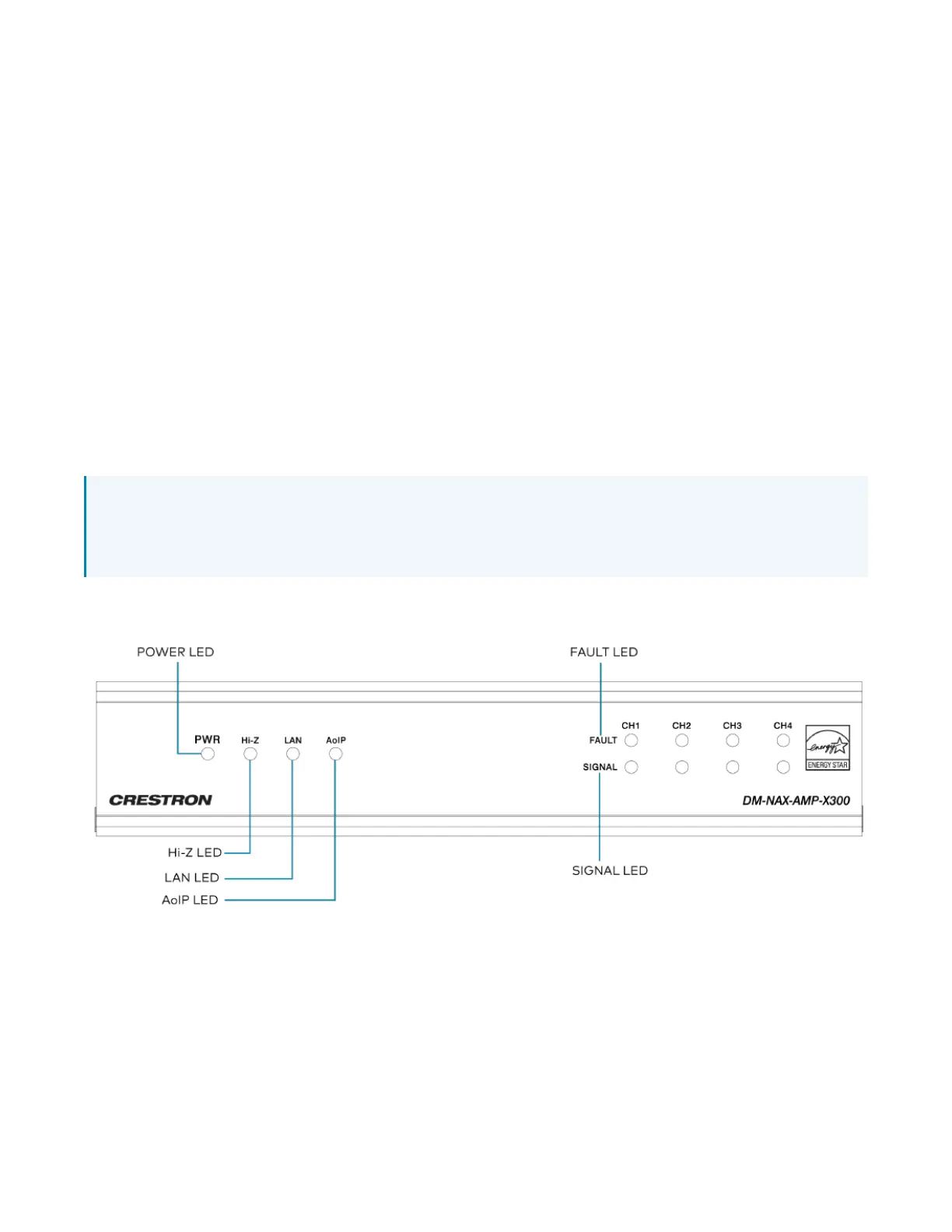
Observe the LEDIndicators



 To Next Page
 Loading...









