Product Manual — Doc. 9045M DM NAX® • 296
Streaming Services
The DM-NAX-4ZSA-50 features five built-in media streaming players, each of which can play back a
discrete media stream from a cloud-based service or local casting device. User Profiles can be created
for each user of the DMNAX device with discrete credentials, enabling multiple users access to media
streaming services without interfering with other users' recommendations, favorites, or playlists.
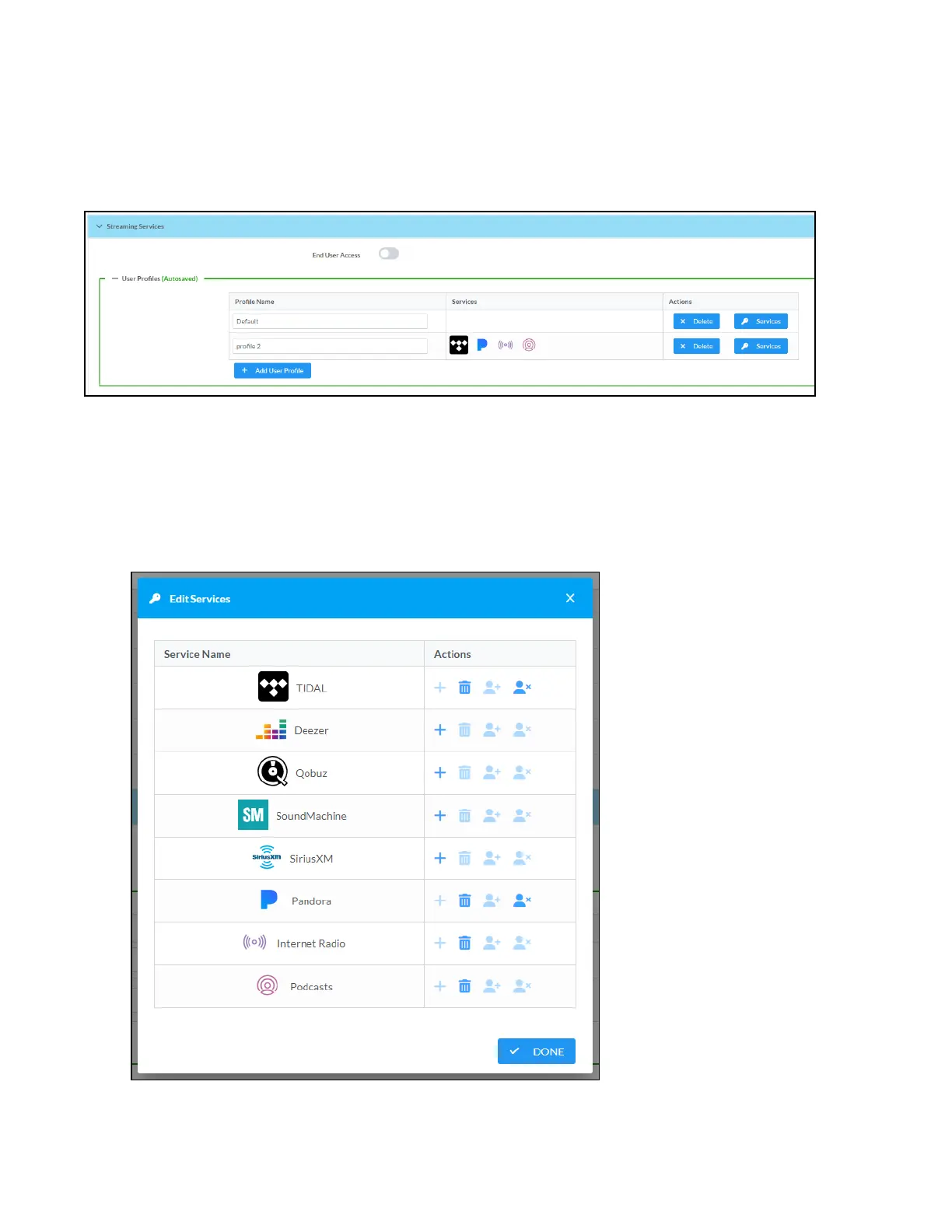
To configure Streaming Services:
1. Click the + Add User Profile button to create a new user profile. Each user profile can contain a
unique set of accounts for all supported streaming services.
2. Enter a name in the Profile Name field. Click Save to create the User Profile. Once the profile is
created, you have the option to either Delete the profile, or add Services to it.
3. Click Services in the Action column and an Edit Services window appears.



 To Next Page
 Loading...









