467 • DM NAX® Product Manual — Doc. 9045M
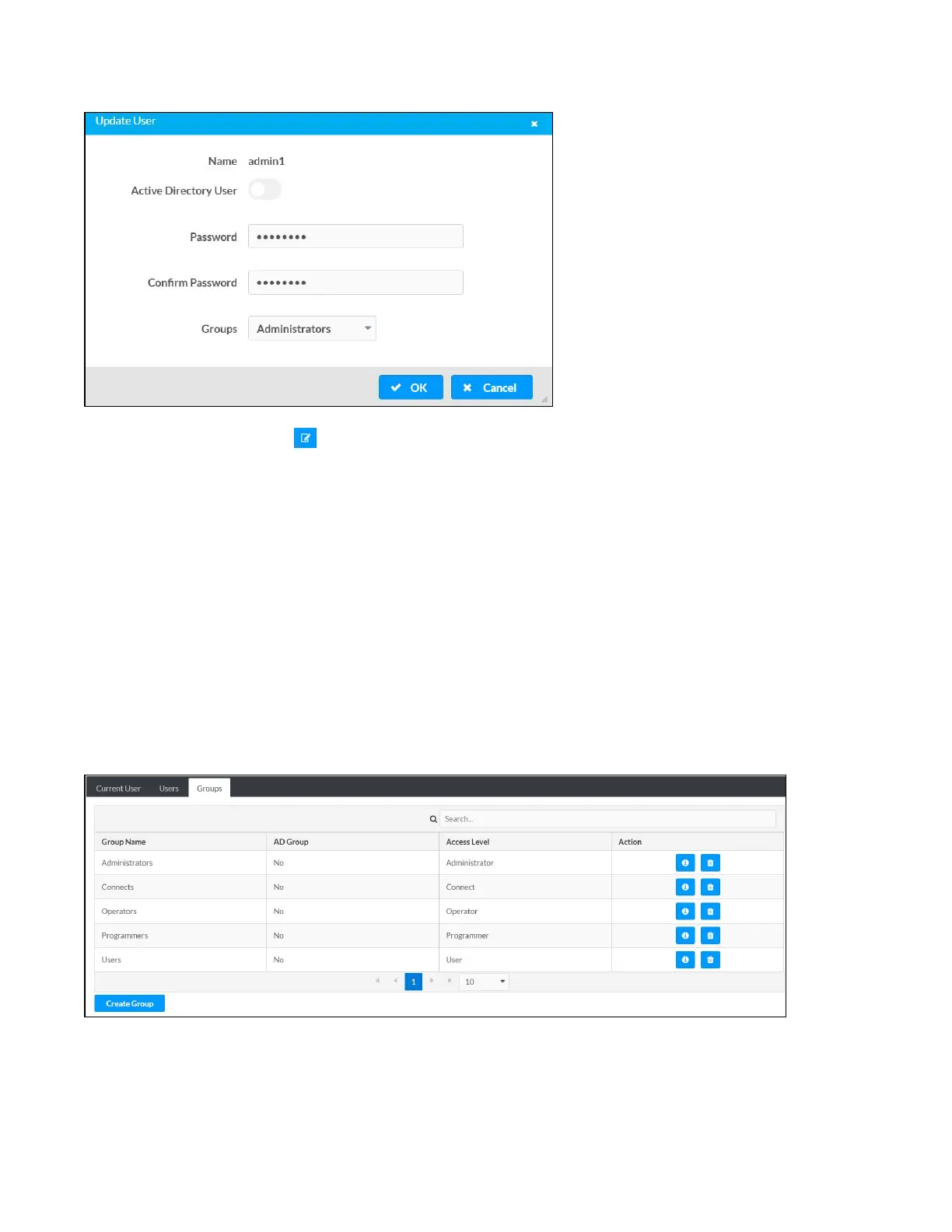
Update User Details
1.
Click the edit button ( ) in the Actions column to update information for the selected user.
2. Enter a password in the Password field; re-enter the same password in the Confirm Password
field.
3. Select one or more groups to assign the user to from the Groups drop-down list.
4. Click OK to save or click Cancel to cancel the changes.
The Update User dialog also displays the following read-only information for the selected user.
l
Name: Displays the name of the user.
l
Active Directory User: Displays whether the user is an Active Directory user.
Groups
Click the Groups tab to view and edit group settings. The Groups tab can be used to add local and Active
Directory groups, remove local and Active Directory groups, and preview information about a group.
Use the Search Groups field to enter search term(s) and display groups that match the search criteria.
If groups listed in the Groups table span across multiple pages, navigate through the groups by clicking a
page number or by using the left or right arrows at the bottom of the Groups pane to move forward or
backward through the pages.



 To Next Page
 Loading...









