Product Manual — Doc. 9045M DM NAX® • 210
Chimes
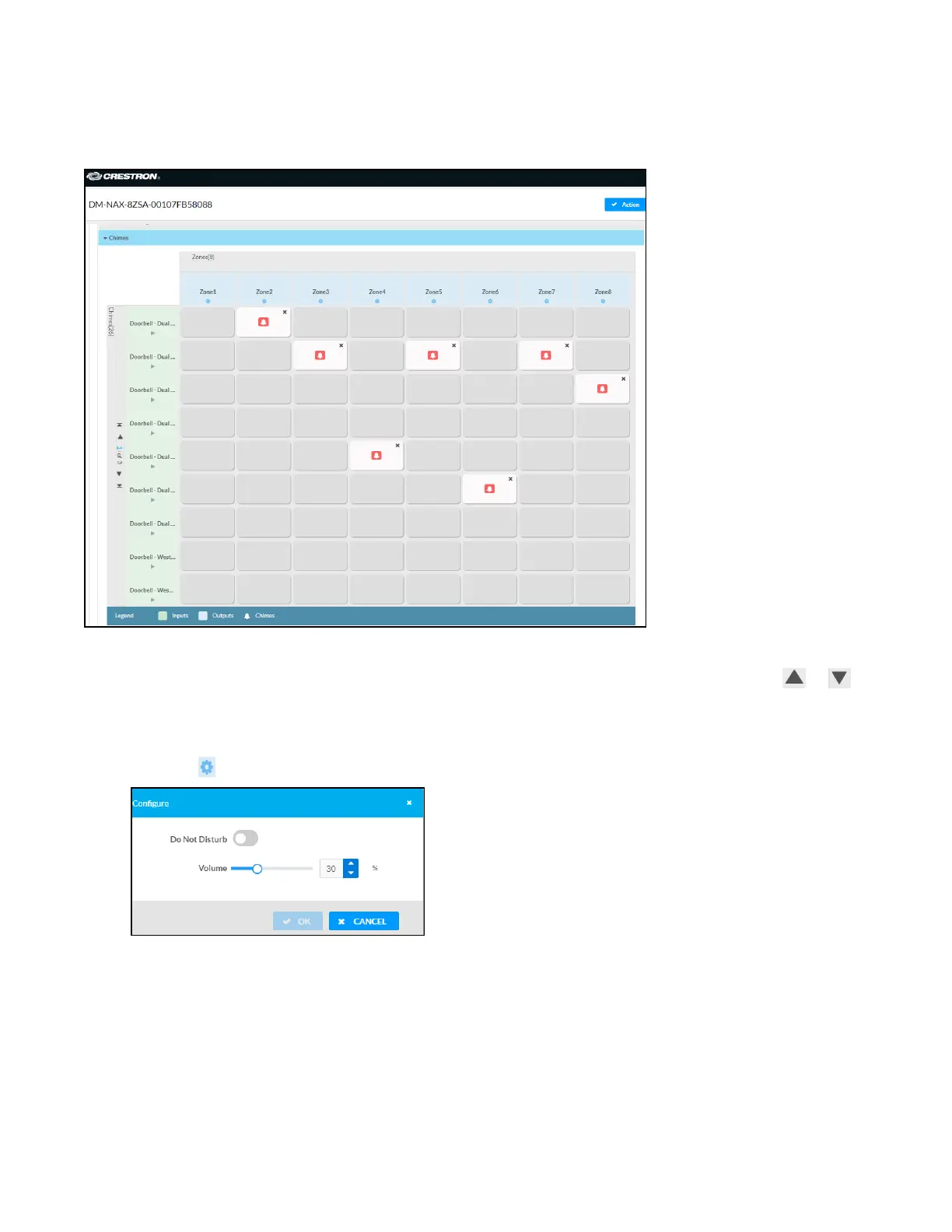
The Chimes section allows the built-in chime files to be assigned to any of the output zones on the
device.
For each chime file, click the cells corresponding to the desired Zones for playback of that specific chime
sound. You can assign multiple chimes to the same zone. To view all available chimes, use the or
arrows at the left of the matrix to change pages.
To configure the chime volume of a zone:
1.
Click the icon corresponding to the zone. A Configure window appears.



 To Next Page
 Loading...









