249 • DM NAX® Product Manual — Doc. 9045M
View User Details
Click the information button ( ) in the Actions column to view information for the selected user. The
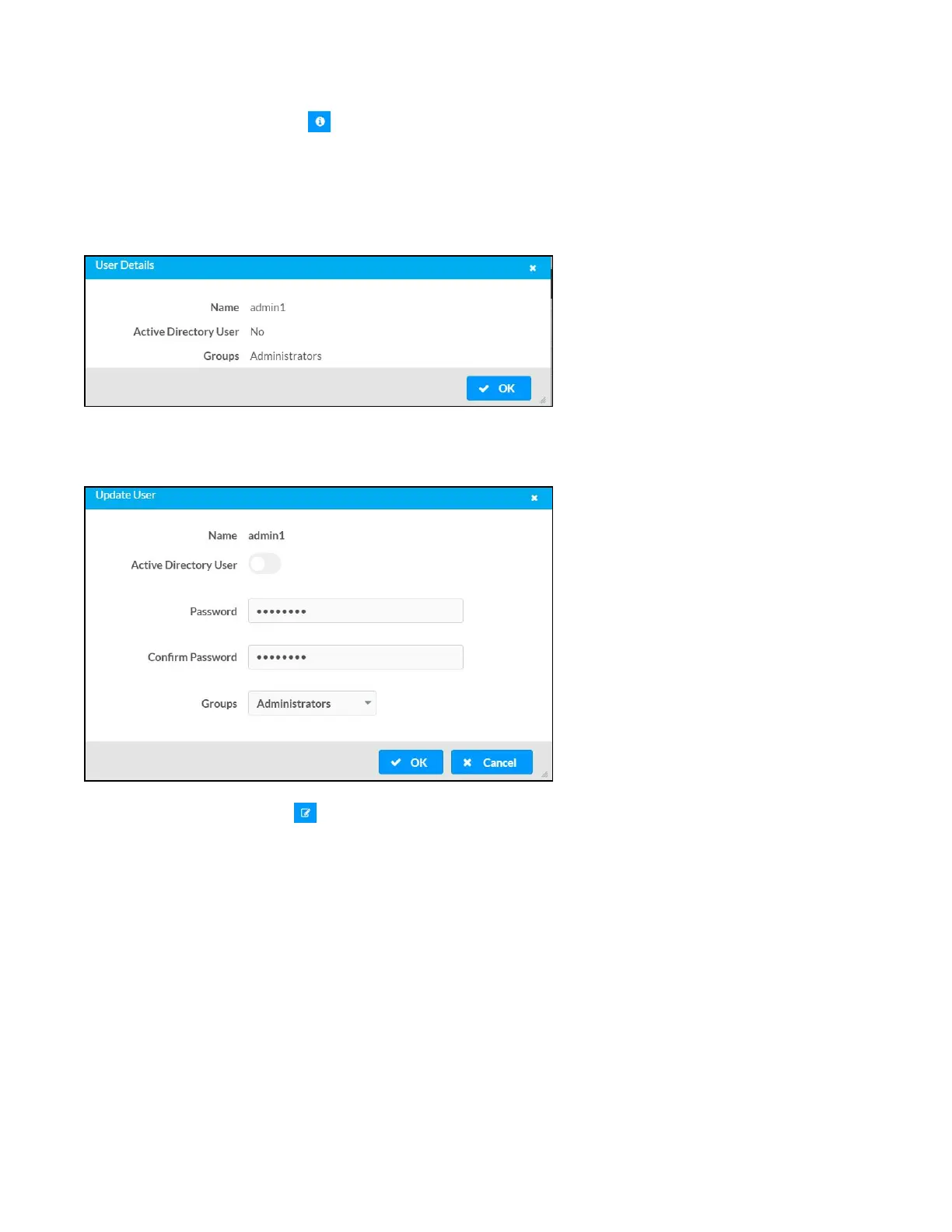
User Details dialog displays the following information for the selected user.
l
Name: Displays the name of the selected user.
l
Active Directory User: Displays whether the user is an Active Directory user.
l
Group: Displays group(s) the selected user is part of.
Click OK to close the User Details dialog and to return to the Users tab.
Update User Details
1.
Click the edit button ( ) in the Actions column to update information for the selected user.
2. Enter a password in the Password field; re-enter the same password in the Confirm Password
field.
3. Select one or more groups to assign the user to from the Groups drop-down list.
4. Click OK to save or click Cancel to cancel the changes.
The Update User dialog also displays the following read-only information for the selected user.
l
Name: Displays the name of the user.
l
Active Directory User: Displays whether the user is an Active Directory user.



 To Next Page
 Loading...









