577 • DM NAX® Product Manual — Doc. 9045M
Create a New Local User
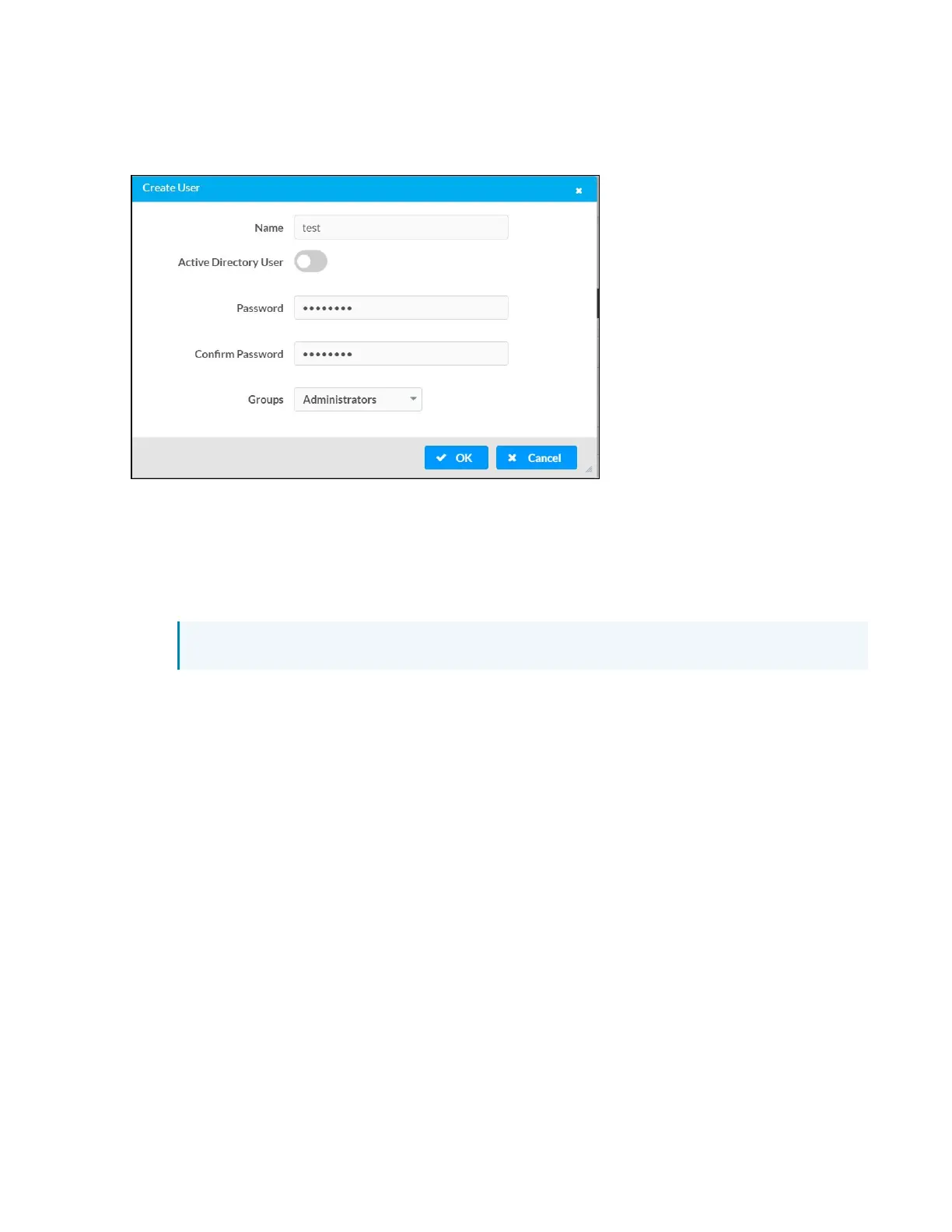
1. Click the Create User button in the User tab.
2. In the Create User dialog, enter the following:
a. Enter a user name in the Name field. A valid user name can consist of alphanumeric
characters (letters a-z, A-Z, numbers 0-9) and the underscore “_” character.
b. Enter a password in the Password field; re-enter the same password in the Confirm
Password field.
c. Assign the access level by selecting one or more groups from the Groups drop-down list.
NOTE: Make sure that the Active Directory User toggle is disabled.
3. Click OK to save or click Cancel to cancel the changes.



 To Next Page
 Loading...









