Product Manual — Doc. 9045M DM NAX® • 562
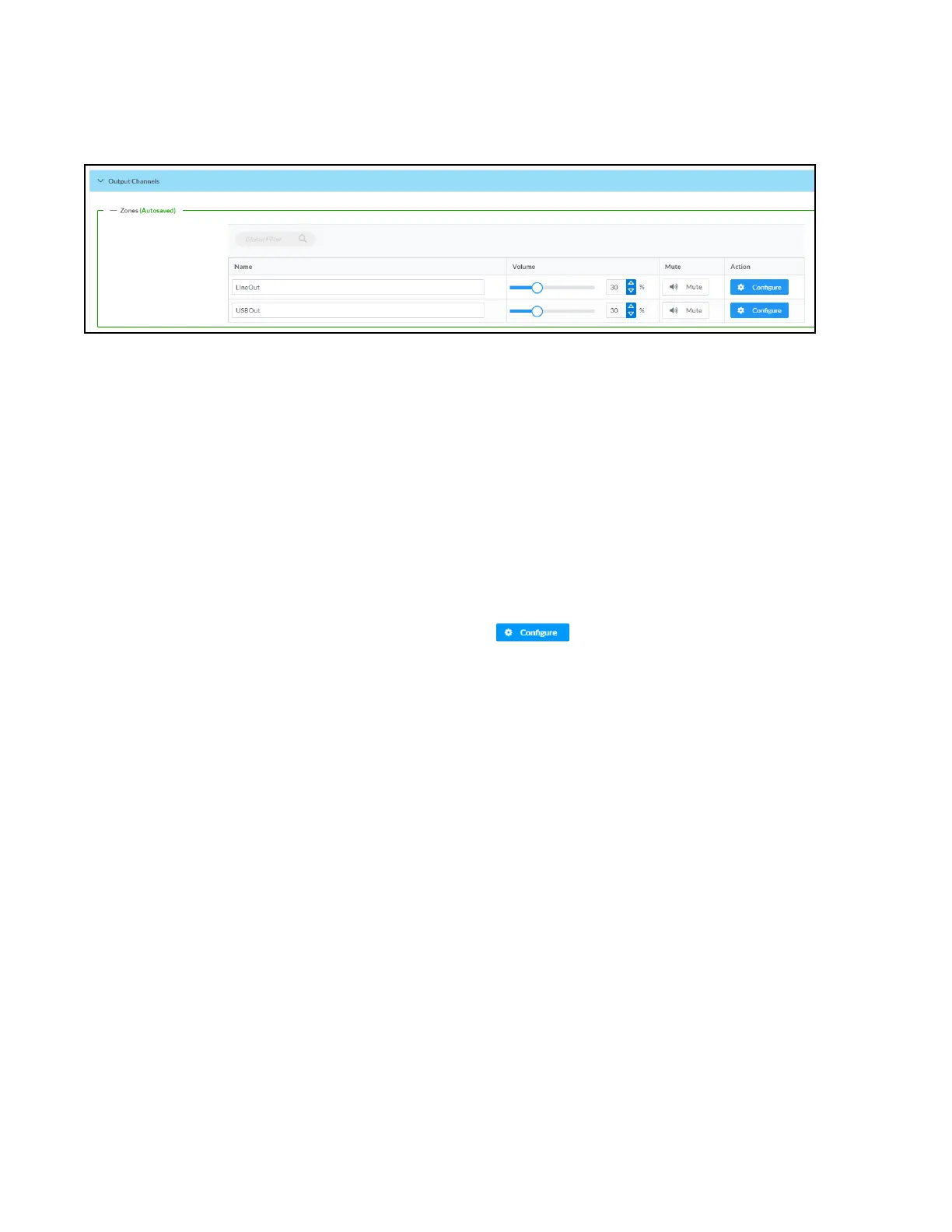
Output Channels
The Zones section contains the Volume and Mute settings for all zone outputs of the device, as well as a
Configure option for more advanced settings within each zone.
Give each zone a friendly name using the Name column of the Zones table. If the device is paired with a
control system, these names may be overwritten by the control system's program.
To configure the zone volume, do one of the following:
l
Move the Volume slider to the right to increase or to the left to decrease the zone volume.
l
Click the % arrows to increase or decrease the zone volume. Values range from 0 to 100%,
adjustable in increments of 1%.
l
Manually enter a value in the Volume field.
To mute all audio output from a zone, click its respective Mute button. To unmute the zone, click the
Muted button.
Zone Settings
To configure zone settings, click the Configure button ( ). The Edit Zone window appears.
Zone
Click Zone to access the settings for Tone, Balance, and Delay.



 To Next Page
 Loading...









