66 • DM NAX® Product Manual — Doc. 9045M
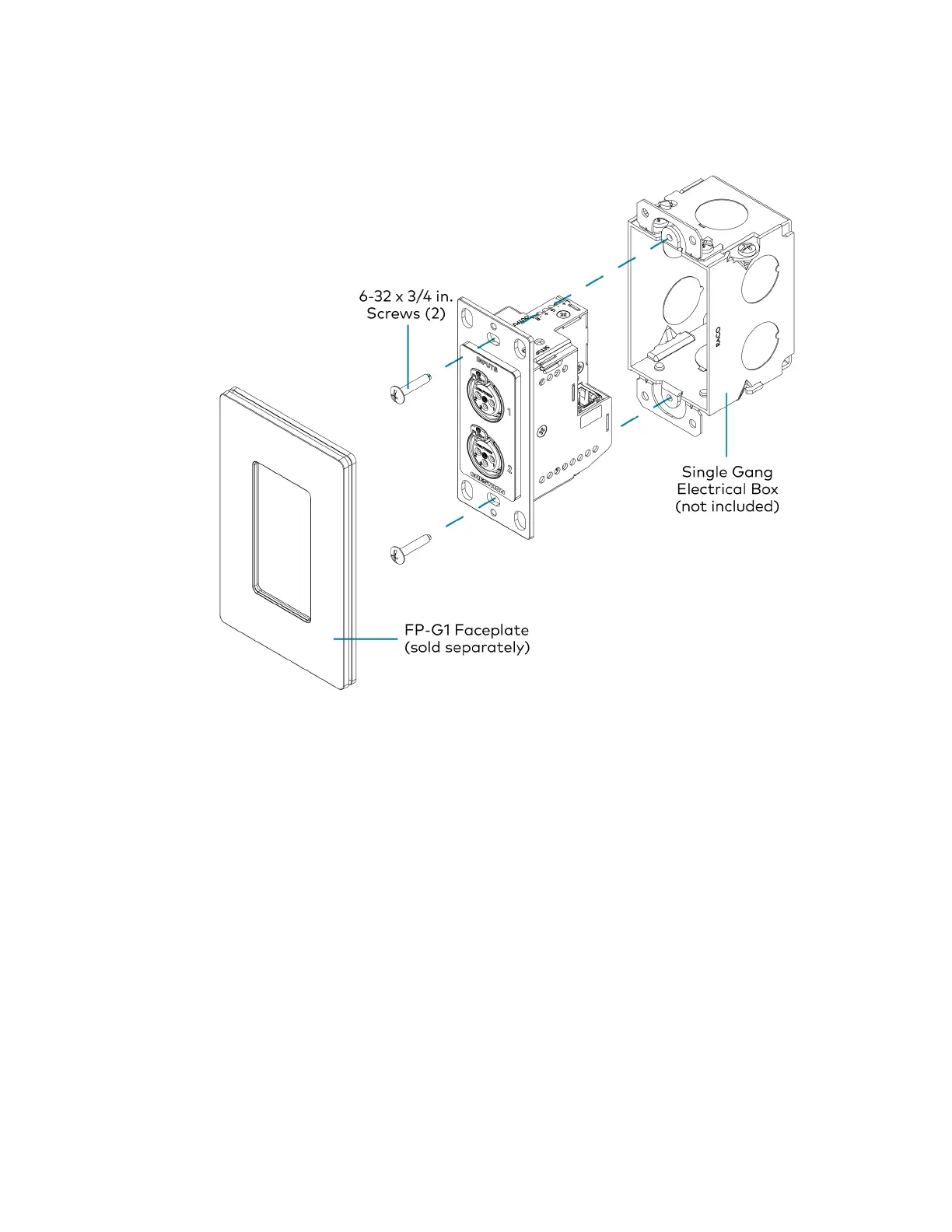
1. Make connections to the rear of the device. For details, refer to Top Panel on page 69.
2. Using a Phillips screwdriver and the two included 6-32 x 3/4 in. truss head screws, attach the wall
plate to the electrical box.
3. Using a Phillips screwdriver and two 6-32 x 1/4 in., flat head screws (not included), attach a FP-G1
decorator style faceplate (sold separately) to the wall plate.
Mounting onto a Rack Rail
To mount the wall plate onto a rack rail, follow the instructions below.
1. Position the wall plate horizontally so that the holes in the left or right mounting flange align with
the holes in the rack rail.



 To Next Page
 Loading...









