Field Service Ver. 1.0 Aug. 2005 11. Tech. Rep. Mode
161
bizhub 200/250/350Adjustment / Setting
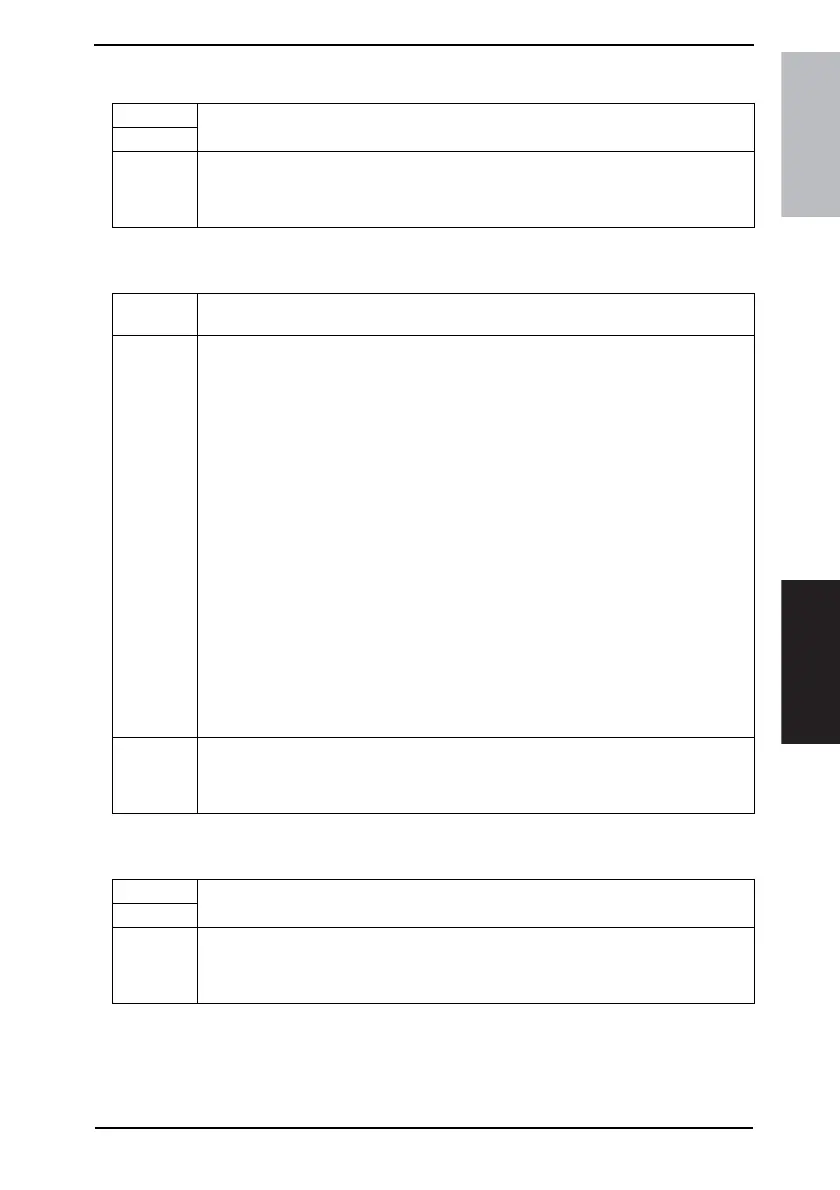
11.7.5 Jam Counter
11.7.6 Special Parts Counter
11.7.7 Service Call Counter
Functions
• To display the number and frequency of misfeeds.
To clear the data for any counter.
Use
Setting/
Procedure
Checking the counter reading
☞ 160
Clearing the counter reading (all and a specific one)
☞ 160
Functions
• To display the number of times that each PM part is used.
To clear the data for any counter.
Use
• When any maintenance part is replaced.
• PC Life: Is the ratio of the PC Drum rotation compared to PC Drum Life.
Clear this counter when the PC Drum Unit or developer has been replaced.
• I/C Life: Displays the number of prints according to the length of the paper.
• Developer: Number of times that the Developing Unit is replaced.
Automatically counts up when the PC Life counter is cleared.
• Bypass: Number of sheets of paper fed from the Manual Feed Tray.
• Tray 1: Number of sheets of paper fed from the Tray 1.
• Tray 2: Number of sheets of paper fed from the Tray 2.
• Tray 3: Number of sheets of paper fed from the Tray 3.
• Tray 4: Number of sheets of paper fed from the Tray 4.
• LCT Parts 1: Number of sheets of paper fed from the LCT.
• Other PM Parts 1: Number of sheets of paper fed.
• Other PM Parts 2: Number of sheets of paper fed.
• Other PM Parts 3: Number of sheets of paper fed.
• ADF Take-Up: Number of document pages fed through the take-up section of the ADF.
• ADF Reverse: Number of document pages fed through the turnover unit of the ADF
• IR 1: Number of IR scans.
• IR 2: Number of IR scans.
• Toner Pages:Number of pages equivalent to the number of black dots on A4 original
with B/W 5%
• Fusing Unit: Number of pages fed out.
Setting/
Procedure
Checking the counter reading
☞ 160
Clearing the counter reading (all and a specific one)
☞ 160
Functions
• To check the number of malfunctions that have occurred for each type of malfunction.
To clear the data for the counter.
Use
Setting/
Procedure
Checking the counter reading
☞ 160
Clearing the counter reading (all and a specific one)
☞ 160











 To Next Page