11. Tech. Rep. Mode Field Service Ver. 1.0 Aug. 2005
162
bizhub 200/250/350
Adjustment / Setting
11.7.8 Application Counter
11.7.9 Maintenance Counter
11.8 Settings in the Function
11.8.1 F1
11.8.2 F2
• This test is for factory adjustment only and should NOT be used.
11.8.3 F7-1
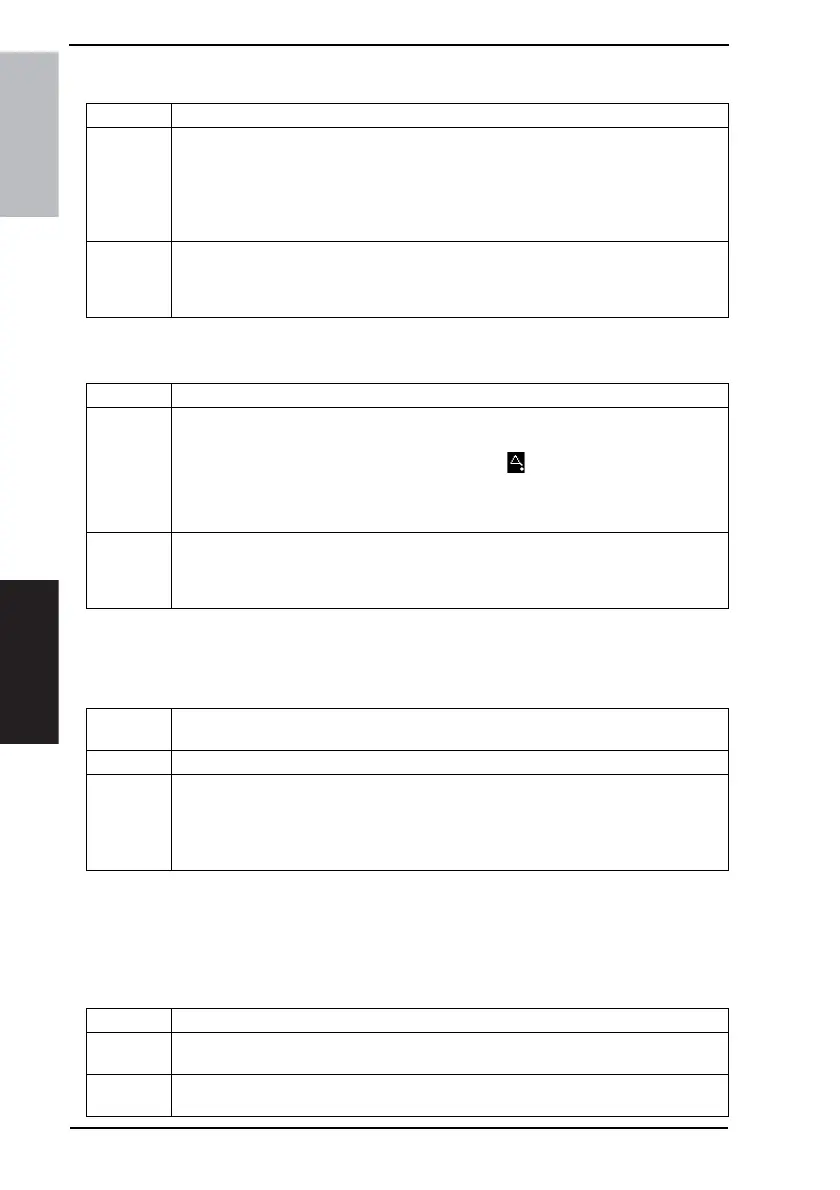
Functions • To display or clear the readings of application counters.
Use
• Copy: Number of copies made
• Printer: Number of printed pages produced via computer
• List Print: Number of printed pages of lists
• Fax Print: Number of printed pages received as fax and mail
• Fax Transmission: Number of pages of fax transmitted
• Mail Transmission: Number of pages transmitted by fax/scanner
Setting/
Procedure
Checking the counter reading
☞ 160
Clearing the counter reading (all and a specific one)
☞ 160
Functions • To set the counter value at which maintenance should be performed for any given part.
Use
<Maintenance Counter (Set)>
• Use the Keypad to type in the maintenance counter value.
• When the reading reaches a predetermined value, appears in the sub-message
display area.
<Maintenance Counter (Count)>
• Counts up when a sheet of paper is fed through the copier.
Setting/
Procedure
Checking the counter reading
☞ 160
Clearing the counter reading (all and a specific one)
☞ 160
Functions
• To check the paper feeding in the paper take-up/transport sections without printing on
the paper with the engine unit.
Use • When a paper misfeed occurs.
Setting/
Procedure
1. From the Tech. Rep. Mode screen, touch [Function] → [F1] in that order.
2. Select the paper source, and then press the Start key.
Touch [Duplex] to feed out the paper along the paper path for 2-sided copying.
3. The sequence is halted when the Stop key is pressed or there is no paper.
These pages are not counted with the counters.
Functions • To automatically adjust the Original Size Detecting Sensor.
Use
• When the Original Size Detecting Sensor is replaced
• When an optional sensor is mounted
Setting/
Procedure
1. From the Tech. Rep. Mode screen, touch [Function] → [F7-1] in that order.
☞ 109











 To Next Page