Field Service Ver. 1.0 Aug. 2005 11. Tech. Rep. Mode
179
bizhub 200/250/350Adjustment / Setting
10
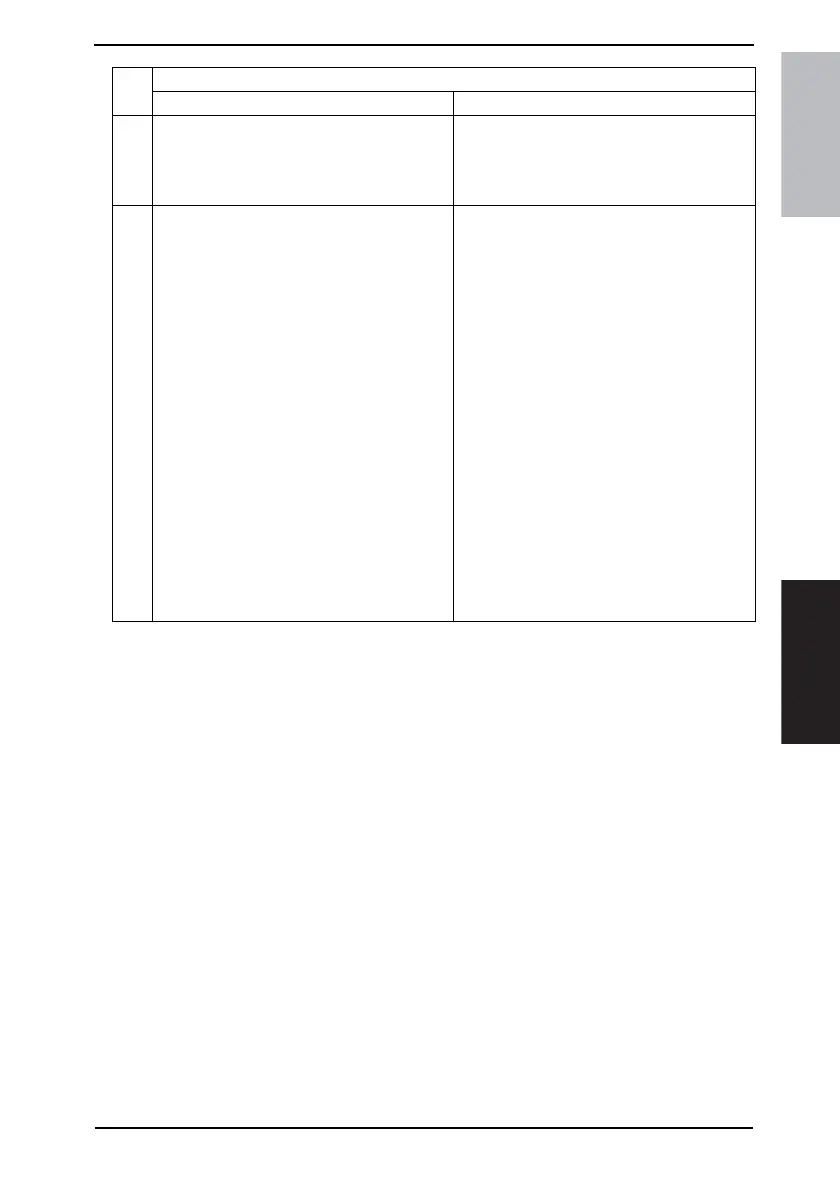
Setting the DIPSW for CS Remote Care
NOTE
• This setting is not normally necessary.
Take this step only when necessary in a
specific connecting condition.
To step 11
11
Executing the initial transmission
1. Select [Tech. Rep. Mode] → [CS Remote
Care], and touch [Detail Setting].
2. Touch [initial transmission] on the right bot-
tom of the screen to start initial transmission.
3. When the machine is properly connected
with the Center, CS Remote Care setting
screen will be displayed.
NOTE
• The initial transmission key at the right
bottom of the screen will be displayed
only when the Center ID, the Device ID,
Telephone number of the Center and the
Device telephone number have been
input.
☞ 186
Executing initial connection mail reception
The initial connection mail reception is per-
formed from the Center side to the e-mail
address of the local machine.
NOTE
• If a CS Remote Care-related screen is
open during reception of the initial con-
nection mail from the center, the data
being set up is discarded and the CS
Remote Care setting screen appears.
• For the initial connection mail transmis-
sion procedure, see the CS Remote Care
center manual.
• Transmission and reception of e-mail is
possible only between the center and the
machine which are initially connected.
• The initial connection is made from the
center, at which time the center mail
address is stored in the machine.
• After the initial registration has been
completed, the center mail address is dis-
played in E-Mail address which is
accessed as follows: Tech. Rep. Mode →
[CS Remote Care] → [Detail Setting] →
[Basic] → E-Mail address.
Step
Procedure
Using the telephone line modem Using E-mail











 To Next Page