EN
>> selection and setting of programs >> 19
Settings
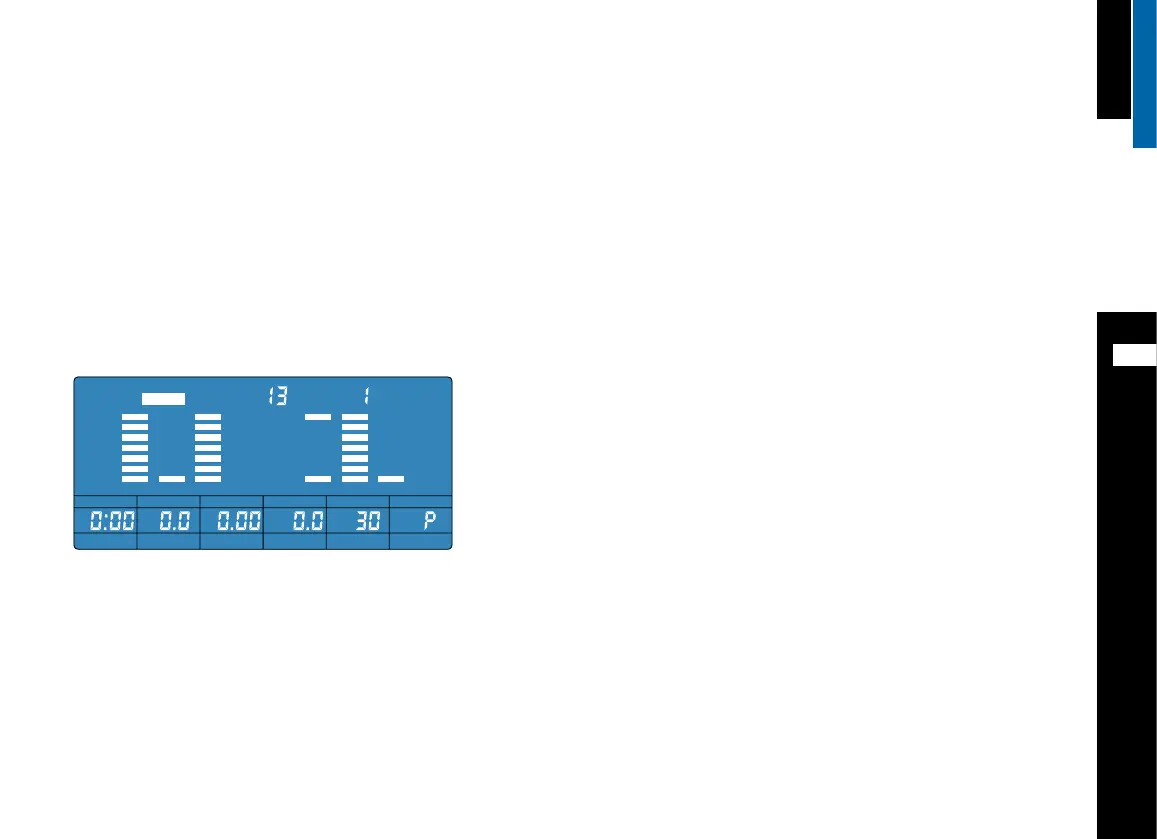
Workout time (TIME)/workout distance (DIST): After selecting
PROGRAM 13, TIME will blink. You can then choose to either set the workout
time or distance (DIST). The computer will skip distance if a time
was entered. If no time is chosen the distance setting is activated.
• Turn the selection key until the desired workout time appears. Confirm your
selection by pressing the selection button.
Calories (CAL): After setting the workout time or distance, calories (CAL) will
blink on the display.
• Turn the selection button until the desired amount of calories to be burned
appears. Confirm your selection by pressing the selection button.
AGE: After selecting the calories to be burned, AGE will blink on the display.
• Turn the selection button until your age appears. Confirm your selection by
pressing the selection button.
Time/resistance columns (1 – 10): After entering your age, the display
moves to the control panel with the time/resistance columns. The first
column will blink.
• Turn the selection button until the desired load level appears. Confirm your
selection by pressing the selection button.
• The display moves to the second time/resistance column. Repeat the proce-
dure for all 10 time/resistance columns.
Begin your workout
When all settings are complete the program display will blink. Start the work
out by pressing the function key ST/SP.
The program will start with a resistance level of 6 for all time/resistance
columns.
If you set one segment at the highest level, than you can adjust the resist-
ance during the workout. If not, you can’t adjust resistance.
User Program (P 13)
Features of this program
• The User Program allows you to design and store you own custom program
including load profile. Each one of the 10 time/resistance columns can be
selected and a load level set.
• You pre select the workout time, distance and the amount of calories to be
used.
• The computer calculates the optimum target heart rate based on your age.
This target heart rate is constantly displayed. Monitor your current heart rate
and adjust the load accordingly.
• The load can be controlled by adjusting the cadence or resistance.
Selection
Turn the selection button until PROGRAM 13 is displayed. Confirm your selec-
tion by pressing the selection button.
STOP PROGRAM
LEVEL
TIME SPEED
KPH AGE
DIST CAL HEART RATE



 To Next Page