130 Hog 4 Operations Manual
For example, to achieve a multiple patch point setup.
1. Setu p → Patch : Open the Fixture window.
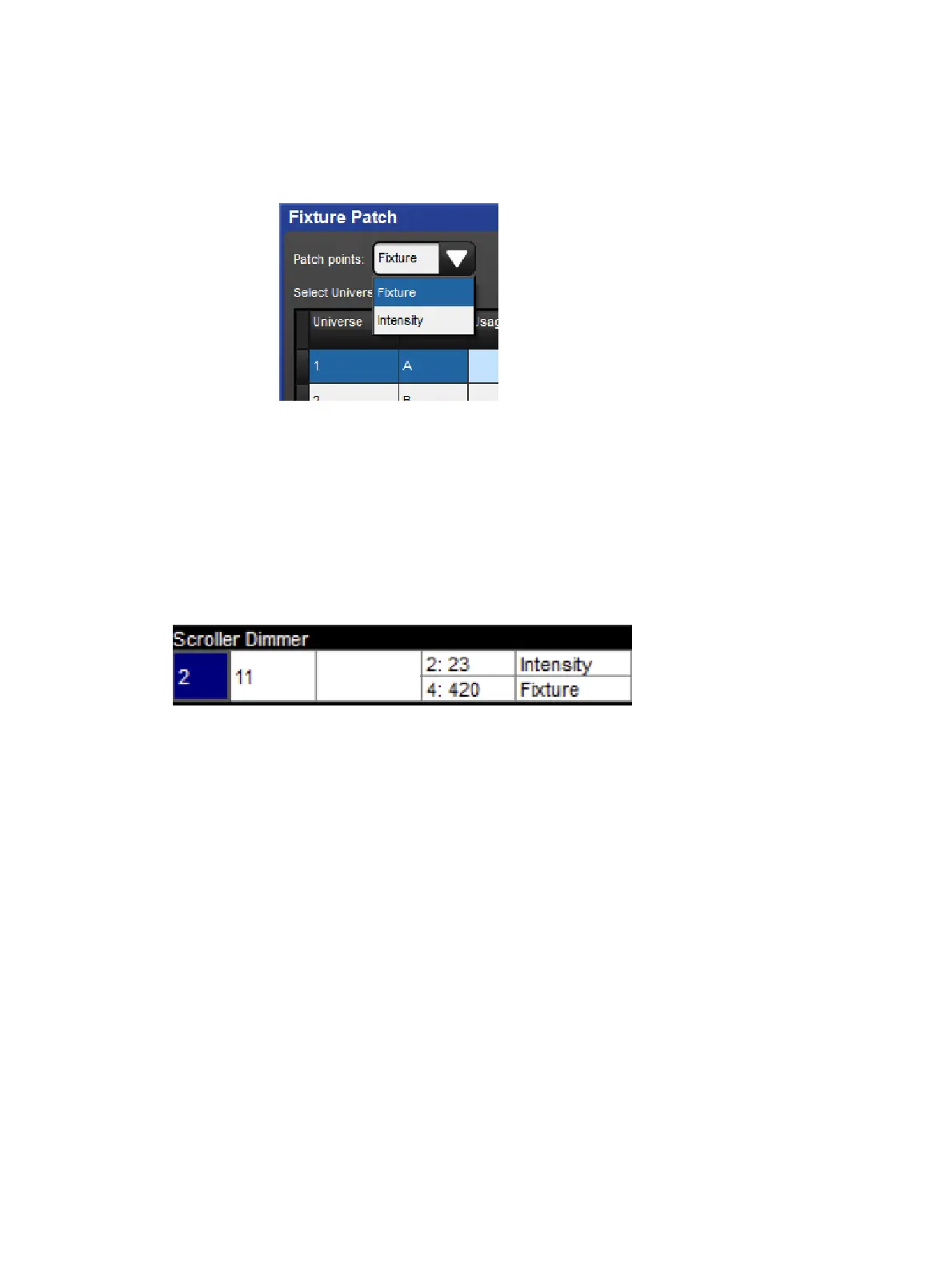
2. Fixture [Scro ller Dimmer] 1 @ : Opens the Fixture Patch window.
3. Select the Fixture Patch Point (for the scroller) from the drop down list in the top right
corner of the Fixture Patch window:
4. Click DMX 2 to select the second DMX universe.
5. [ 5 0 1 ] Enter : Enter the DMX address for the scroller.
6. Fixture [Scro ller Dimmer] 1 @ : Opens the Fixture Patch window again.
7. Click DMX 4 to select the fourth DMX universe.
8. Select the In tensity Patch Point (for the dimmer) from the drop down list.
9. [ 2 ] Enter : Enter the DMX address for the dimmer.
In the Fixture window, these types of fixture will span more than one row - one for each
Patch point; see image below
A Fixture with Multiple Patch Points











 To Next Page