140 Hog 4 Operations Manual
5.11.2 Parameter Configuration
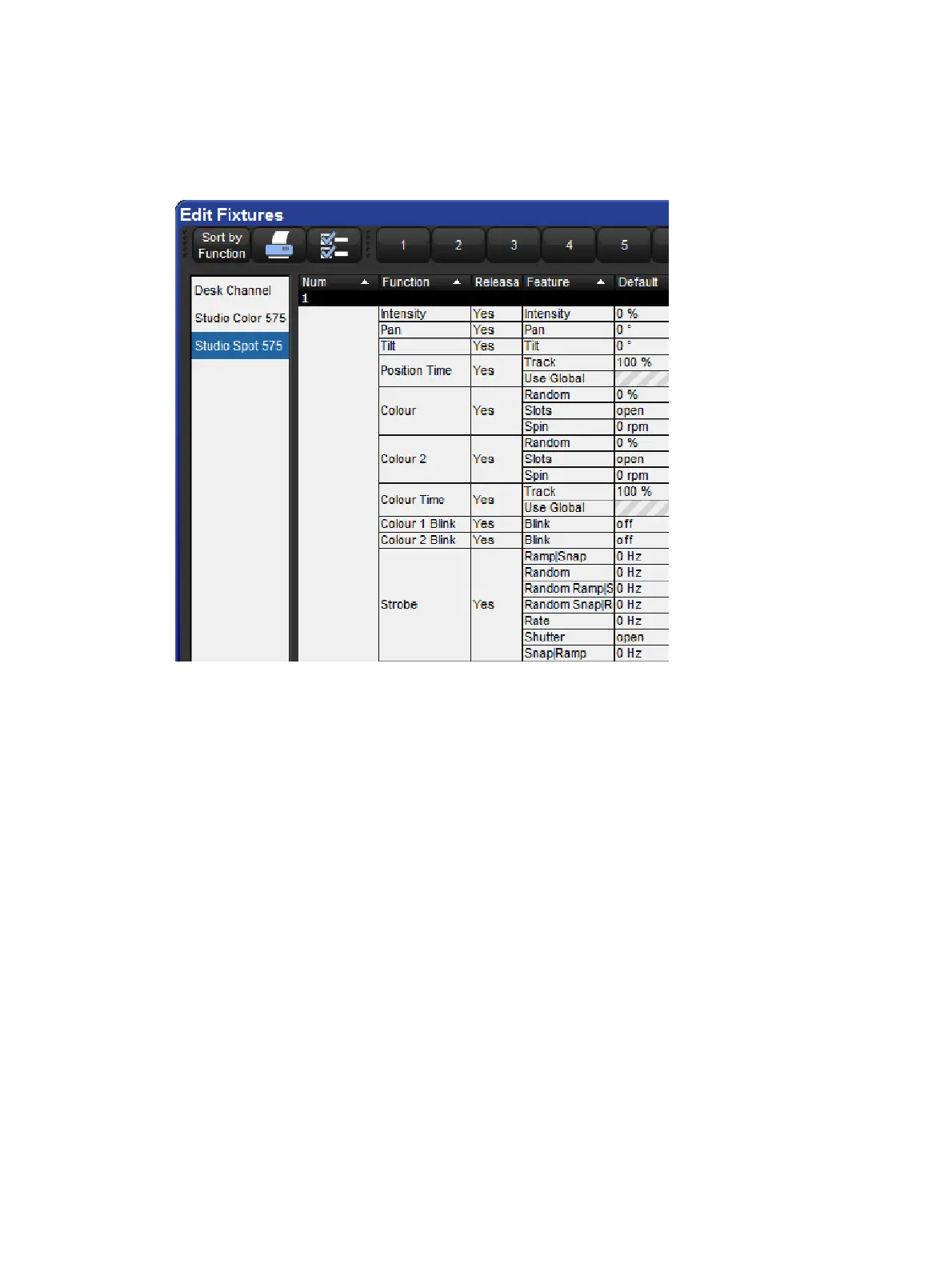
You can configure settings that are specific to individual parameters in the Edit Fixtures
window, as shown in the image below.
Setup → Patch → Edit Fixtur es
You can select a fixture type from the list on the left hand side of the window. The main part
of the window then shows the configurable settings for each fixture of that type. The
numbered buttons in the Jump Toolbar at the top of the window take you quickly to a
particular fixture of that type.
Pressing the So rt by Function button in the top left of the window changes the view, so that
the main list groups each parameter together for all the fixtures of the type selected in the list.
This is often the easiest way to work in the window, as you can easily click or press and then
drag to select a range of cells to edit. For example, you could assign in one action the default
value for the pan parameter of all the Studio Color 575 fixtures in the show.











 To Next Page