260 Hog 4 Operations Manual
13.4.2 Clock Triggers
To assign a cue to be triggered at a particular time and date using Hog 4 OS's internal clock:
1. List 1 Open : open the cuelist.
2. Select the Wait cell for the desired cue, and press Se t.
3. The Tr igger Toolbar will appear below the Wait cell.
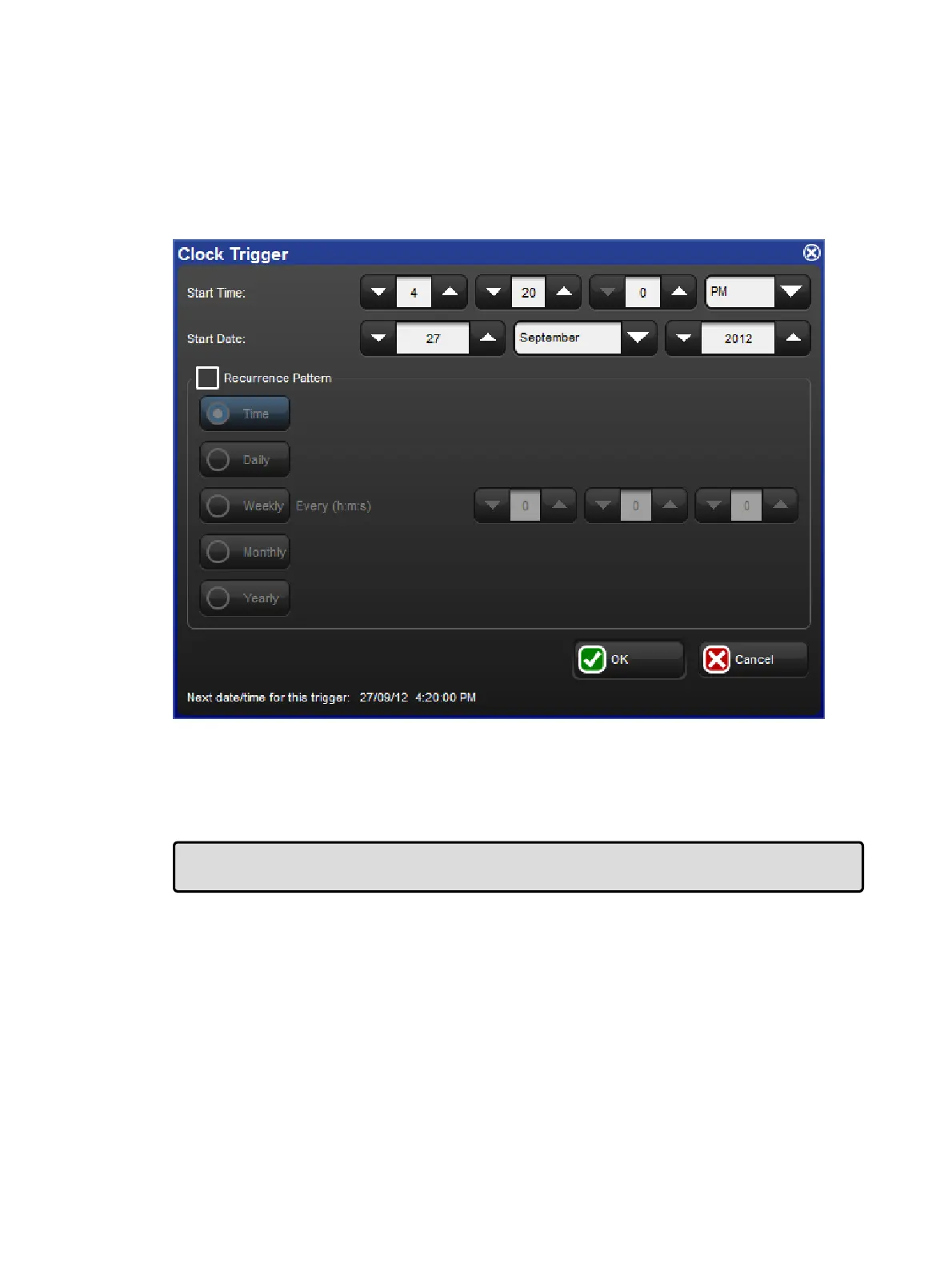
4. Select Clock; the Clock Trig ger window will open:
5. Adjust the Sta rt Time and Start Da te to assign a single shot trigger.
6. If you want the trigger to recur at regular intervals, check the Re currence Patte rn
check box. Then click the frequency (Time, Daily, Weekly, Monthly, Yearly) with which
you want the trigger to recur, and select options for the specified frequency.
7. Click OK.
Tip: The next valid trigger date and time is shown at the bottom of the Clock Trigger
window.











 To Next Page