270 Hog 4 Operations Manual
Size
The range over which the parameter value varies. This is described in terms appropriate for
the parameter, for example degrees for position parameters, or slots for slotted colour
parameters.
For example, applying a Sine wave with the default size of 5Hz to a base value strobe rate of
5Hz will vary it from 0Hz through to 10Hz. You can decrease this range by adjusting the size:
2Hz will give a range between 3Hz and 7Hz.
When combining effects, adjusting specific parameters' effect sizes will change the look of
the effect. For example, a circle effect comprising of a sine table on the pan and tilt can be
modified to look like an elipse by altering the size of either pan or tilt.
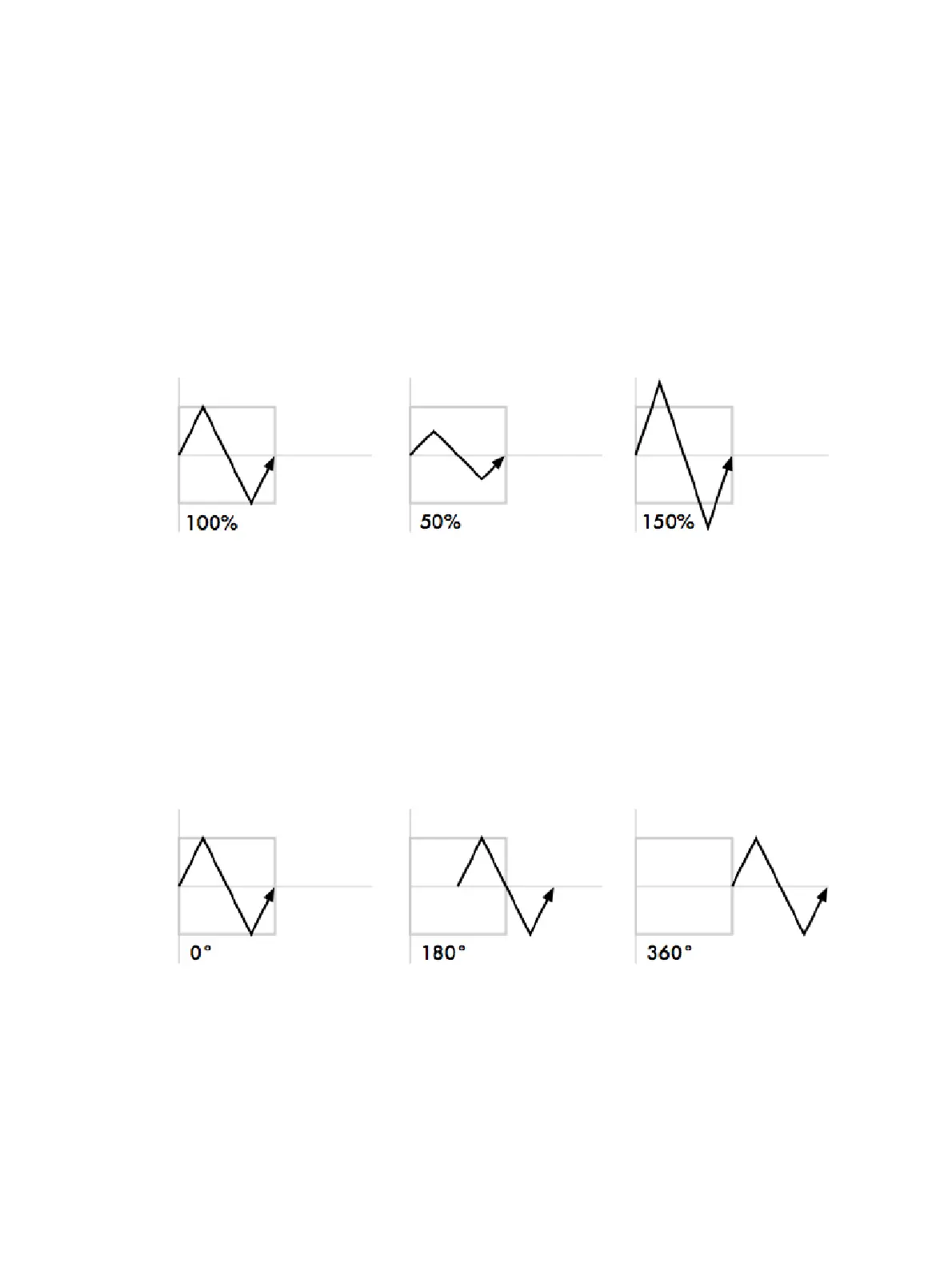
The following diagram shows how the value of a parameter assigned to the sawtooth table
changes over time, with different size values:
Offset
The offset sets the effect start and finish point for each effect, so they can be staggered. It is
assigned in degrees.
For example, to create an intensity ripple across a range of fixtures, divide 360 degrees by
the number of fixtures and offset each fixture by multiples of this amount. For example, with
six fixtures offset at 0, 60, 120, 180, 240, 300 degrees. The easiest way to do this is to use
fanning; see Fanning.
The following diagram shows how the value of a parameter assigned to the sawtooth table
changes over time, with different offset values:











 To Next Page