276 Hog 4 Operations Manual
14.1.8 Cue Timing and Table Effects
When you record a cue, scene or palette that includes effects values, each fixture parameter
has its fade, delay, and path value in the usual way; see Individual Parameter Timings.
These timings control how the fixture parameter changes from its starting value to its
underlying value in the cue or scene, as the cue or scene is played back.
You can assign separate effects timings (fade, delay, and path) to control how the effects
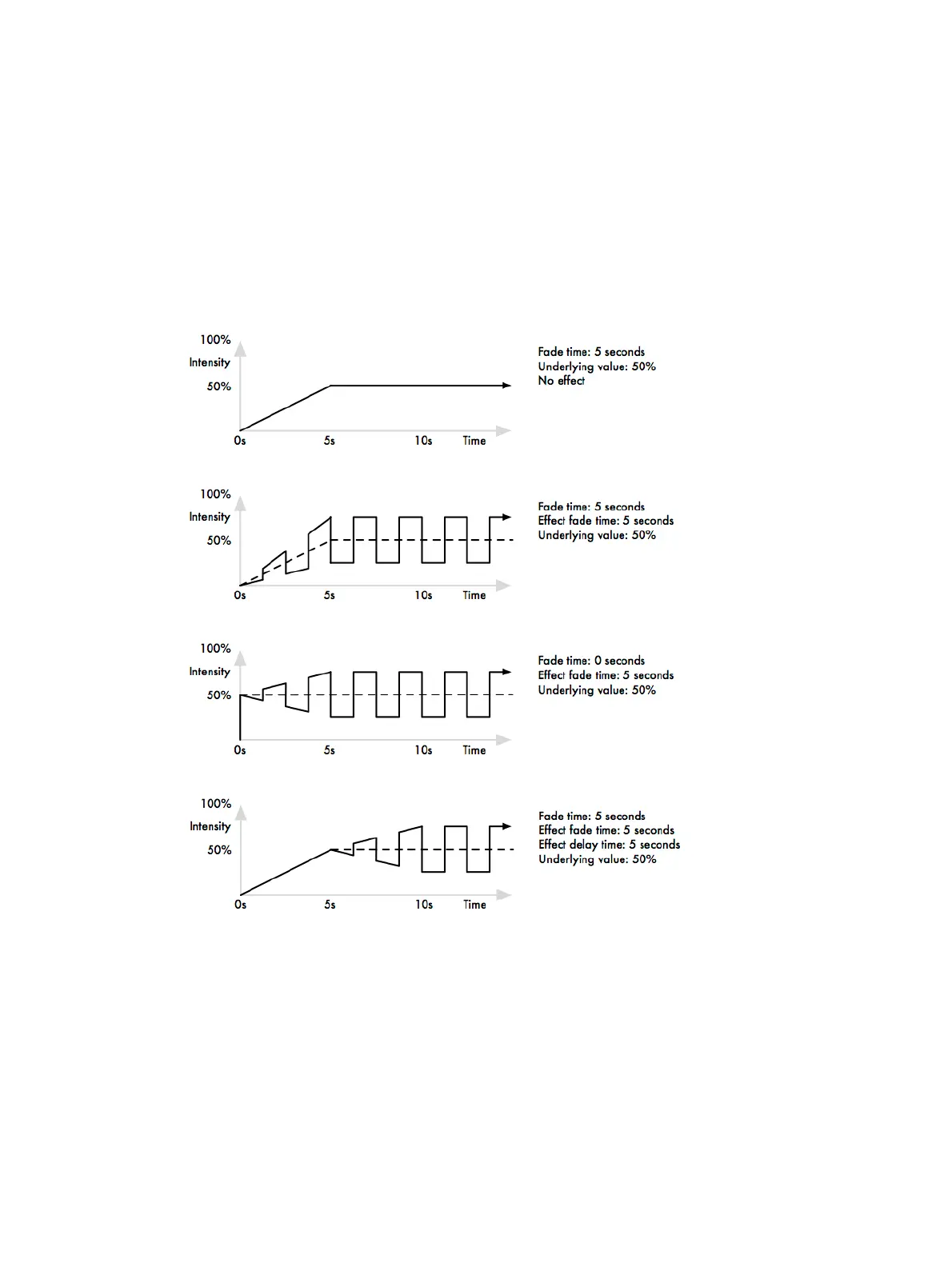
movement changes as the cue or scene is played back. The image below shows how
different timing values control how a parameter with a step effect changes during playback of
a cue.











 To Next Page