17. Playback 317
17.4.3 Resetting Cuelists on Release
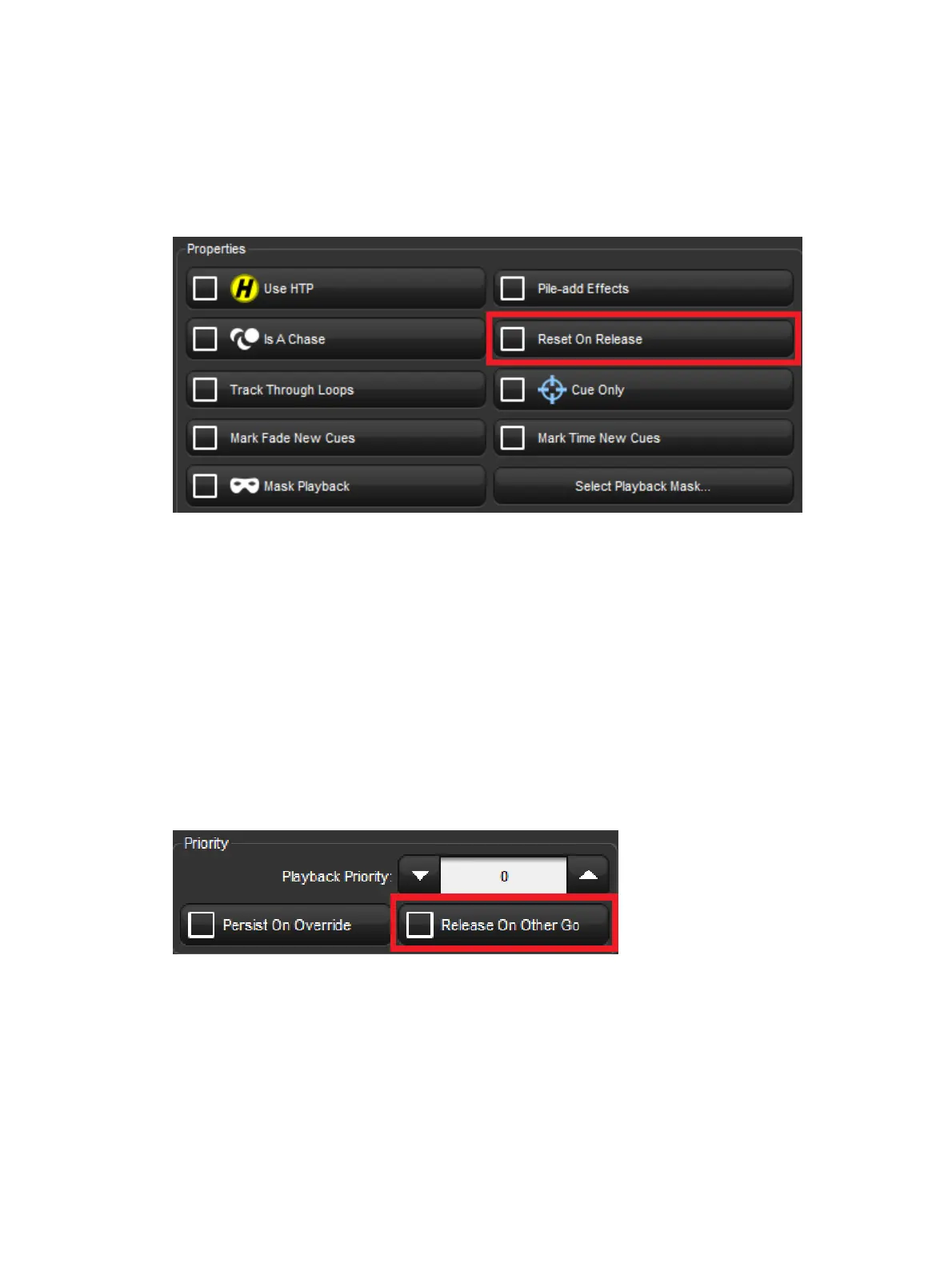
You can assign a cuelist to reset when released so it will proceed from the first cue when Go
is pressed again. You can assign Reset on Release in the Playback O ptio ns window of
each cuelist:
1. Open + Choo se → O ptio ns → Cuelist
2. Select Reset on Release:
Alternatively, you can turn on Reset on Release for all new cuelists in the Cu elist pane of
the User Prefe ren ces window:
Setup → Preferences → Cuelist
17.4.4 Releasing on Another Go
When running several cuelists or scenes in a show, you may want a cuelist or scene to
release when another cuelist or scene is triggered. This effectively gives the cuelist or scene
the lowest possible playback priority; for more on playback priority, see Changing a
Cuelist's Priority. You can enabled the Release on Other Go option in the Playback
Option s window of each cuelist:
1. Open + Choo se → O ptio ns → Cuelist
2. Select Release o n Oth er Go:
Alternatively, you can turn on Release on Other Go for all new cuelists in the Cuelist pane of
the User Prefe ren ces window:
Setup → Preferences → Cuelist











 To Next Page