30 Hog 4 Operations Manual
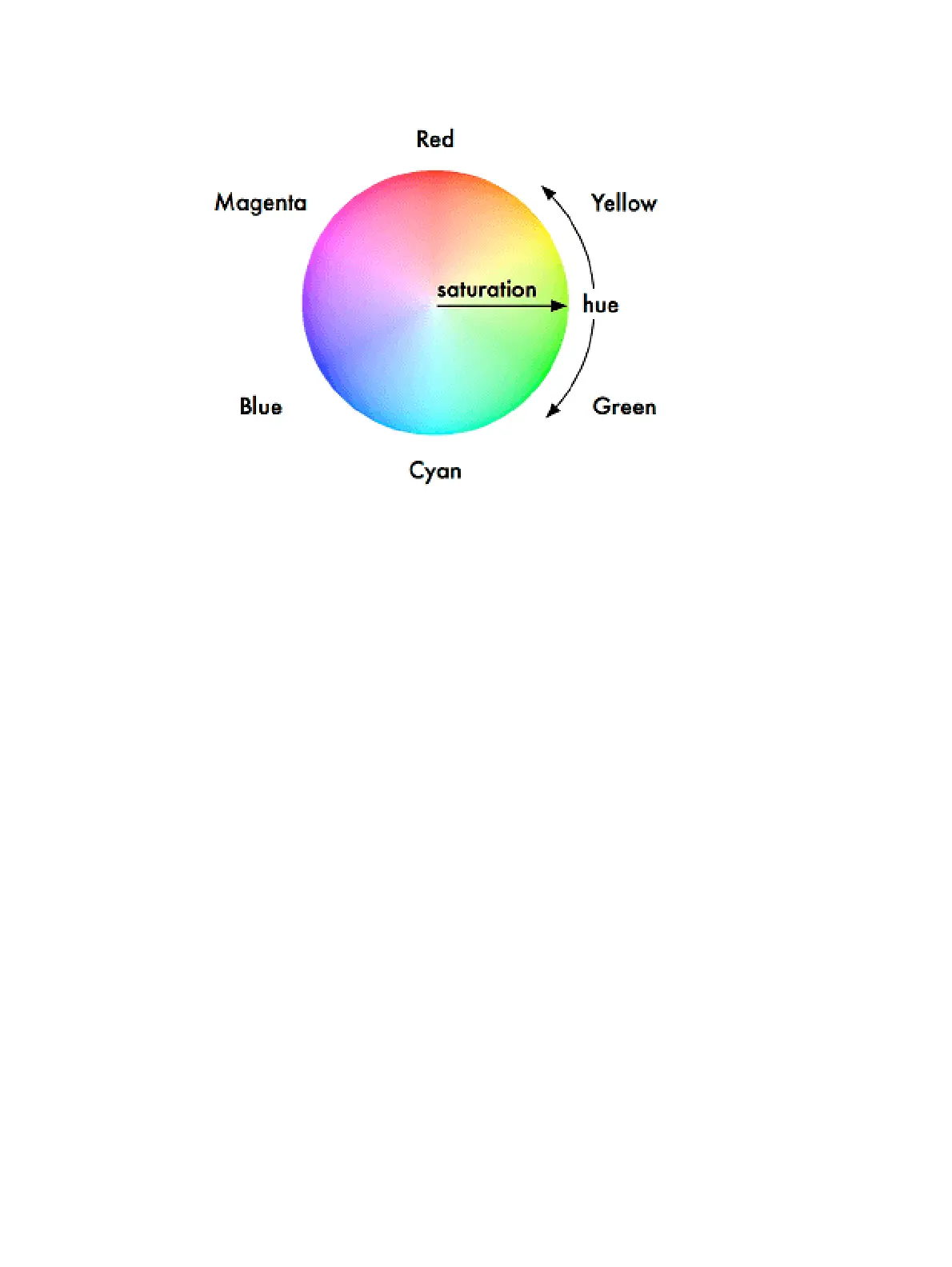
The HSI Colour Wheel
With these three pieces of information (hue, saturation and intensity), every possible colour
can be represented. As most fixtures already feature a dimmer to control the intensity, it is
only necessary to specify the Hue and Saturation to uniquely represent any colour.
The Hue and Saturation of White Light
White is defined as the colour with 0% saturation; the hue doesn't matter. However, while
tungsten and arc lamps both produce ‘white’ light, when you compare them side to side their
colours are considerably different. The tungsten lamp has a ‘warmer’ colour with a higher red
and yellow content, while arc lamps usually have a ‘cooler’ light with more blue in it. One
version of white is not more ‘correct’ than the other, so either may be chosen to be the
reference point depending on the situation. In a theatrical environment where tungsten
sources are more common tungsten white is likely to be most appropriate base. In other
environments predominantly using arc sources, it will be more convenient to use arc white;
for information on changing the white point, see Using colour Matching.
2.6.2 The Colour Matching System
The Hog 4 OS's colour matching system is based on a fixture library that contains colour
calibration data for the fixture types in use. This calibration ensures that fixtures of different
types can easily be assigned to the same colour, including to a chosen definition of ‘white’. It
can also be used for fixtures that have not been calibrated, but the colours that will be
produced may not match the colours from fixtures that do have calibration data.
You can choose colours using the parameter wheels to assign cyan, magenta and yellow
values or hue and saturation values, or you can use the on-screen visual colour picker; see
The Colour Picker.
It is preferable to program using Hue and Saturation whenever possible. The advantages are:











 To Next Page