330 Hog 4 Operations Manual
17.8.3 The Output Window
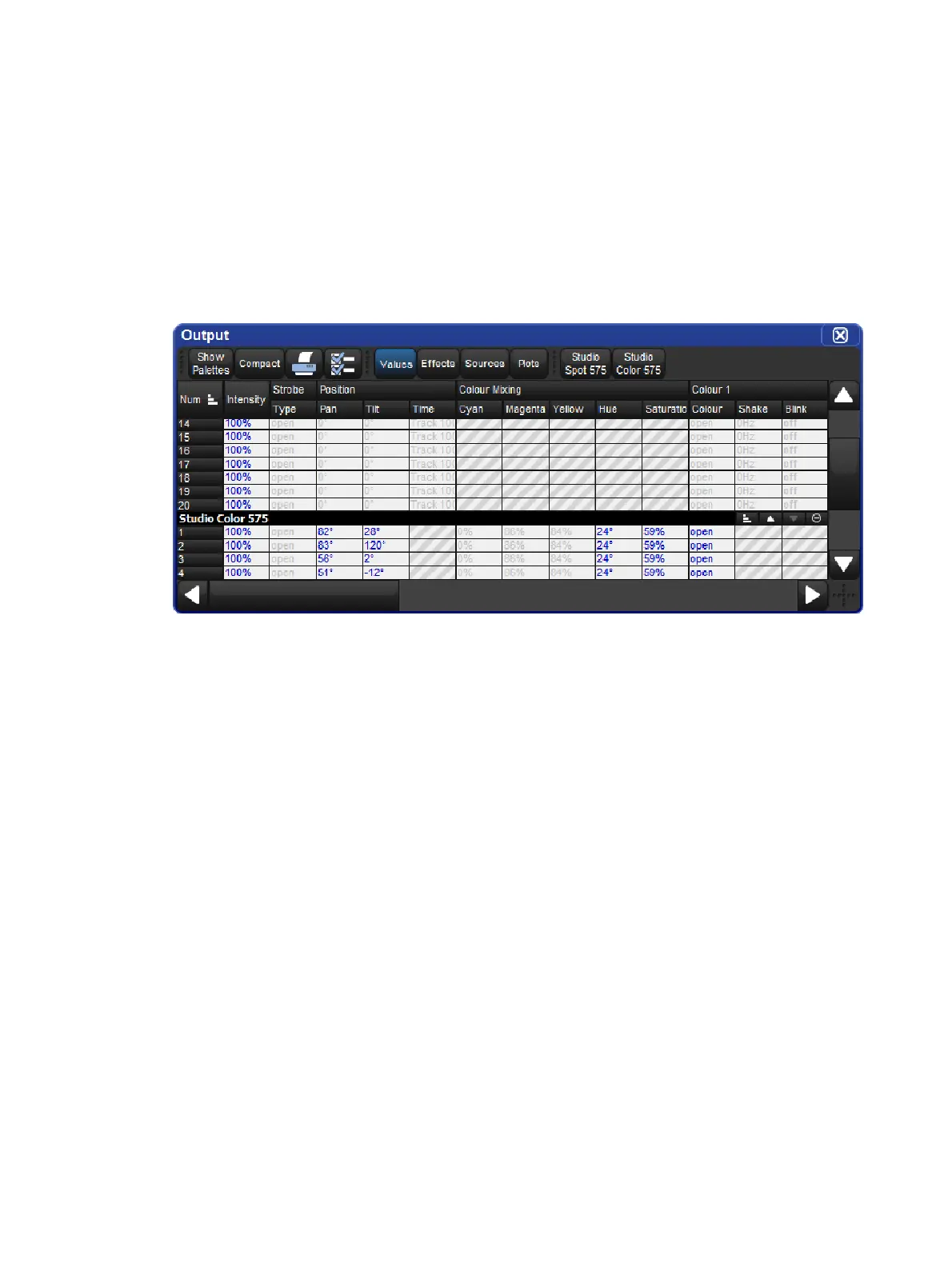
The Output window displays the output value of all parameters controlled by Hog 4 OS from
all cuelists, virtual cuelists, scenes, the Programmer and other editors, and parked
parameters. It provides an accurate indication of the status of shared parameter values when
multiple cuelists are running simultaneously.
To open the Output window:
Press and hold the Op en key, then select Ou tput from the Main Toolbar.
Or:
Select Output from the View Toolbar at the top of the left hand touchscreen.
The Output window by default displays raw parameter values; you can configure it via
buttons at the top of the window to display output information in the following ways:
Values: displays the raw parameter values.
Effects: displays the base value before the effect is applied, along with a percentage
indication of the effect cycle.
Sources: displays the source that currently has control of a parameter, for example,
the Programmer or a cuelist and cue number.
Plots: displays the name of the plot that has control of the parameter; if you want to
see the real world value being calculated by the plot for the parameter then choose
"value" instead of "plots"
Show Palettes: as with sources, displays the palette that is supplying the parameter
value.
Compact: Compacts the display of information in the window; see Compact Mode.











 To Next Page