17. Playback 339
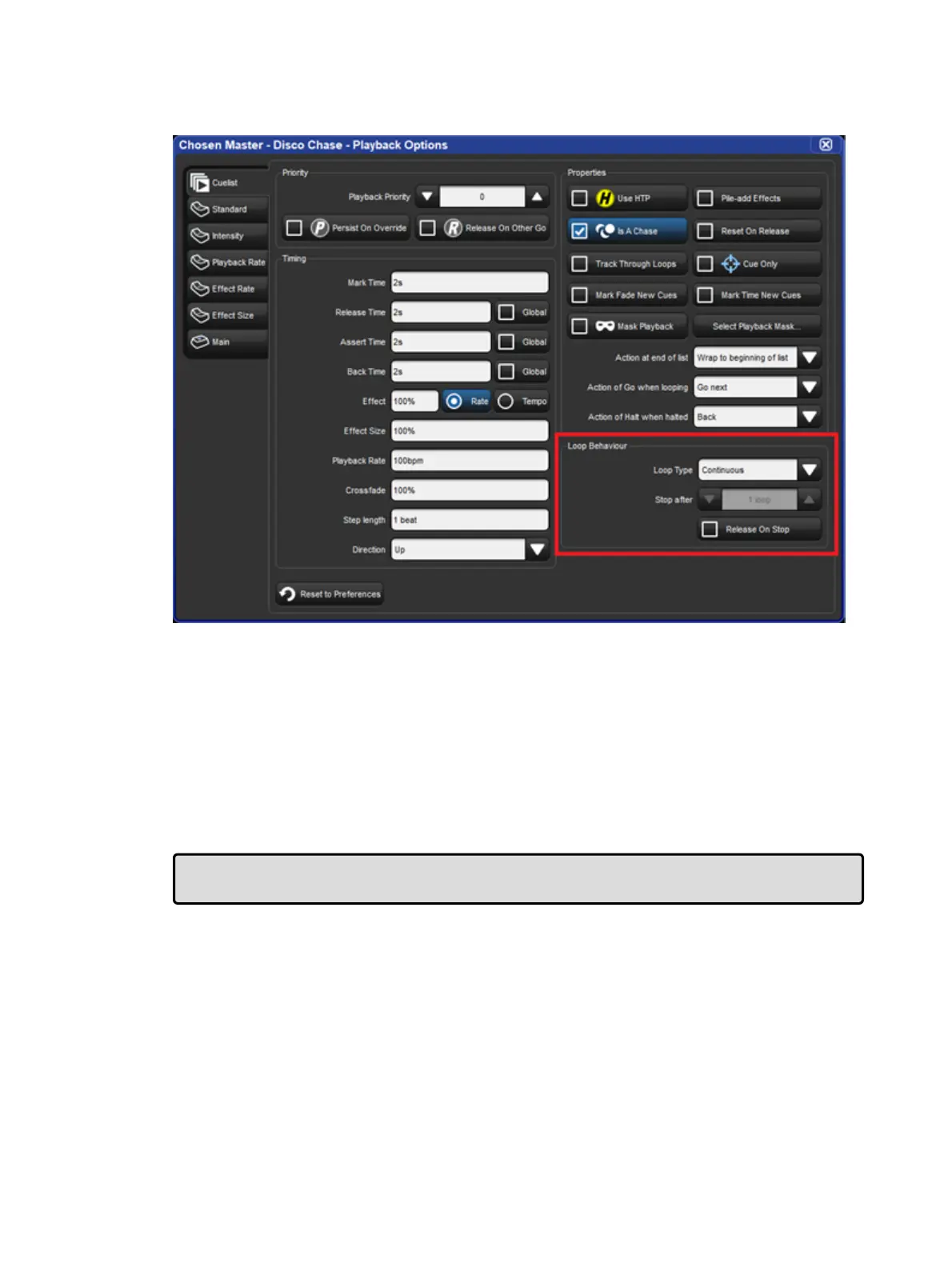
You can also configure the following loop types in the Cuelist pane of the Pla yback
Option s window:
Continuous: the chase steps indefinitely until paused or released.
Stop On Last: the chase stops at the last cue in the cuelist until released or triggered
again with a Go.
Release On Last: the cuelist chase is released when it reaches the final step.
Stop On First: the chase completes one cycle and stops on the first cue until triggered
again.
If any loop type other than continuous is chosen then you can assign the number of cycles
the chase completes before the loop behavior is actioned. Selecting Rele ase o n Stop
releases the chase cuelist either when it stops because of an actioned loop behavior or
because of a manual stop using the Pau se key.
Tip: The Playback Options of a master can be quickly accessed by holding Pig and
pressing the master's Ch oose key.
Adjusting Chase Rate with Tap Sync
A cuelist chase can be manually synced to a beat, such as a piece of music, using Tap Sync.
Once synced Hog 4 OS maintains the chase rate until a new one is assigned.
To adjust the rate of a chase using Tap Sync, hold down the Choo se key of the master the
chase is attached to, while pressing the master's Go key repeatedly to the required beat. Hog
4 OS will learn the speed of the chase from you, in a minimum of two beats; after this, you
can release the Choose key.
Note that you can only use Tap Sync with chases loaded onto physical masters, not virtual
ones.











 To Next Page