2.2 Installing the USB Driver
23
2
Chapter 2 Installing the Software
For WindowsXP
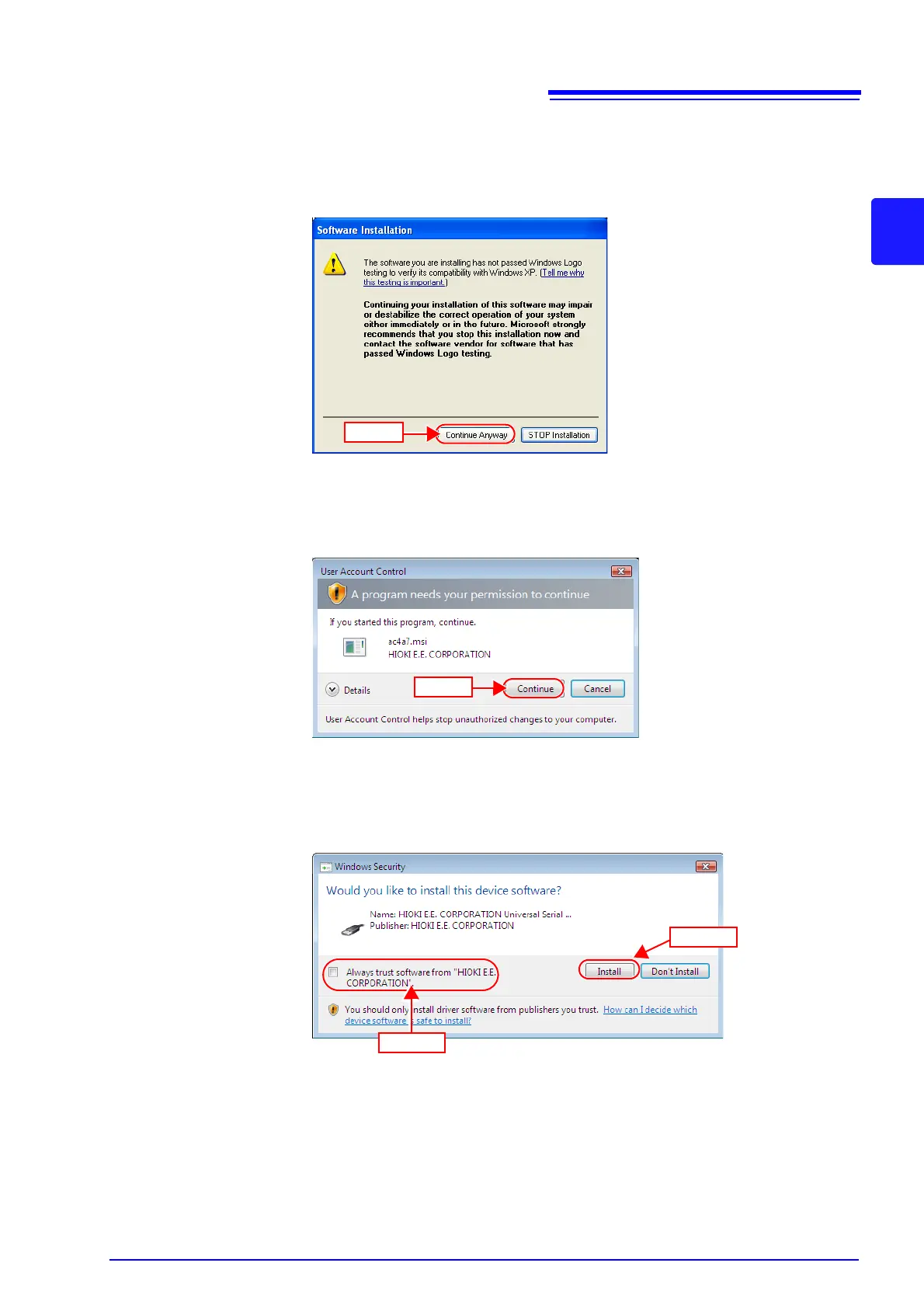
During the installation, a message saying that the software has not passed
Windows Logo testing will appear a few times, click [Continue Anyway]
to
continue installing.
For Windows Vista/7
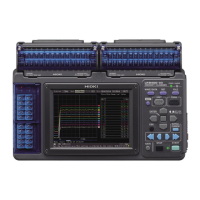
When a dialog box requesting your permission to continue the program
appears, click [Continue].
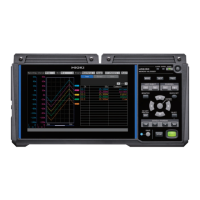
Sometimes another dialog box requesting your permission to install the
software may appear. When it does, check [Always trust software from
“HIOKI E.E. CORPORATION”] and click [Install] to continue.


 To Next Page