2.3 Connect the instrument and computer with the USB cable provided
26
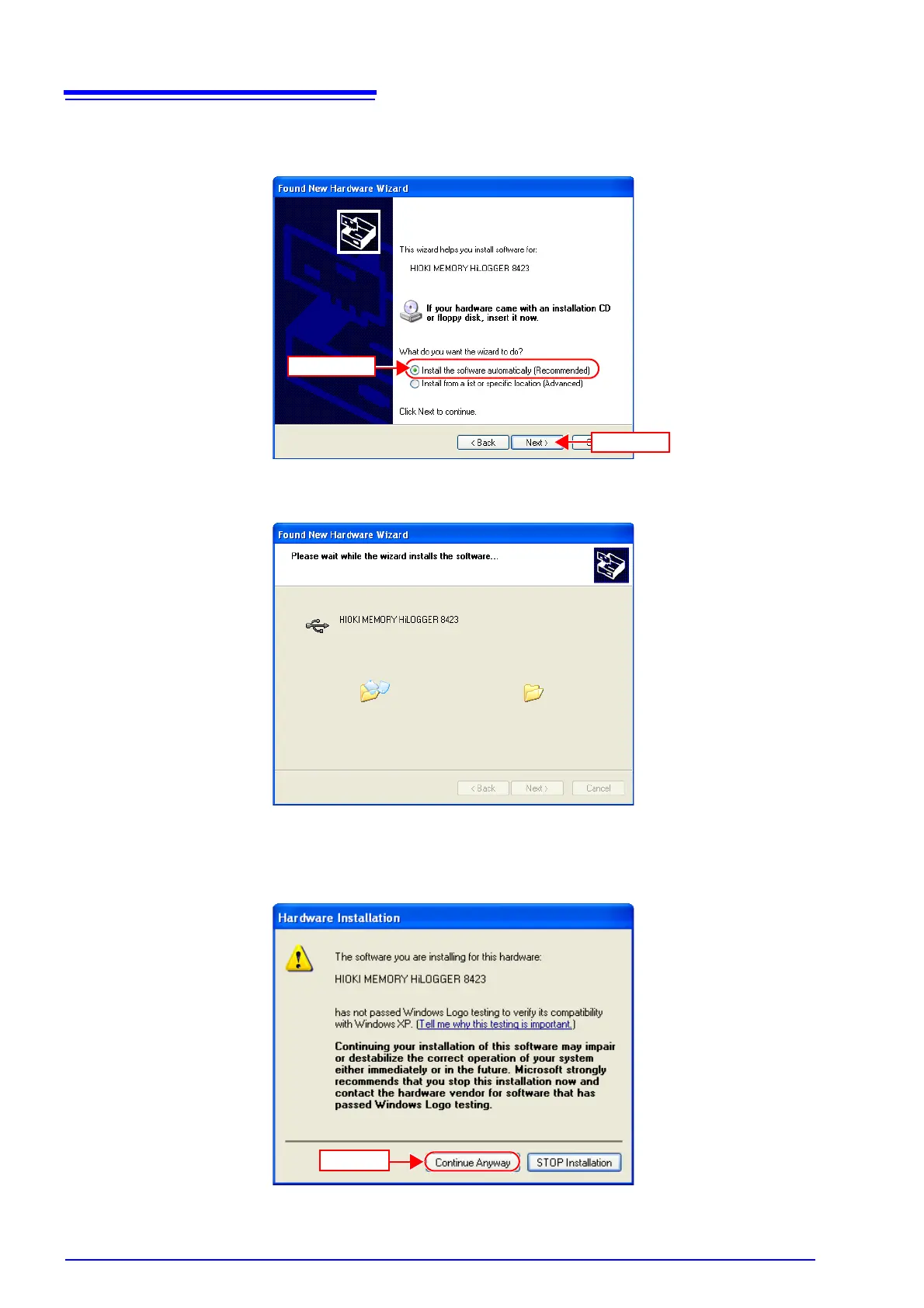
4. Check [Install the software automatically (Recommended)] and click
[Next].
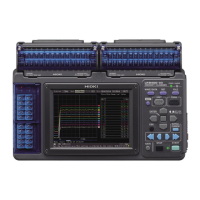
Please wait while the driver is being installed.
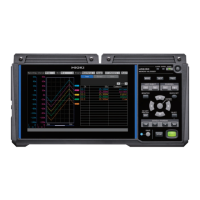
5. A message saying that the software has not passed Windows Logo testing
will appear a few times, click [Continue Anyway] to continue installing.


 To Next Page