v 2.0 — March 2023 Altanium Delta5
88 ART Process Screen
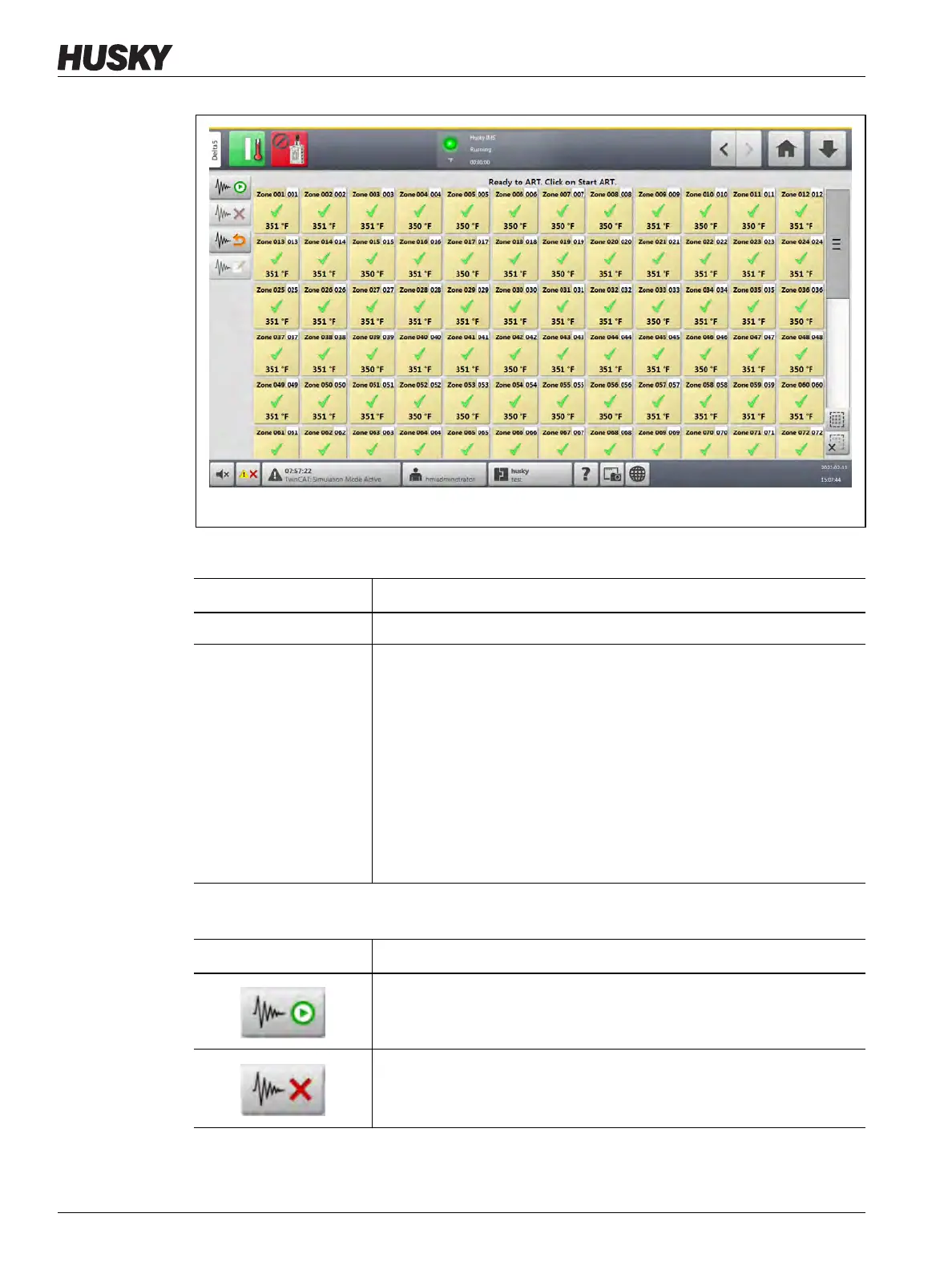
Figure 7-16 ART Process Screen
Table 7-17 ART Process Screen Item Descriptions
Item Description
Status Text The ART status is shown at the top of the screen.
Zone Selection Grid The selection grid shows the status of each zone.
Yellow highlight shows a zone that is selected.
A yellow caution triangle marks a zone that cannot have the ART process
started (for example, a zone set to manual regulation mode or a zone
with errors).
An hourglass shows that ART is in progress.
A green check mark shows that a zone that has completed the ART
process.
A question mark shows a zone that has not completed the ART process.
Table 7-18 ART Process Screen Button Descriptions
Button Description
Start ART Process
Starts the ART process.
Cancel ART Process
Stops the ART process.



 To Next Page