v 2.0 — March 2023 Altanium Delta5
138 Heats Setup - Control Page 1
10.3.1 Heats Setup - Control Page 1
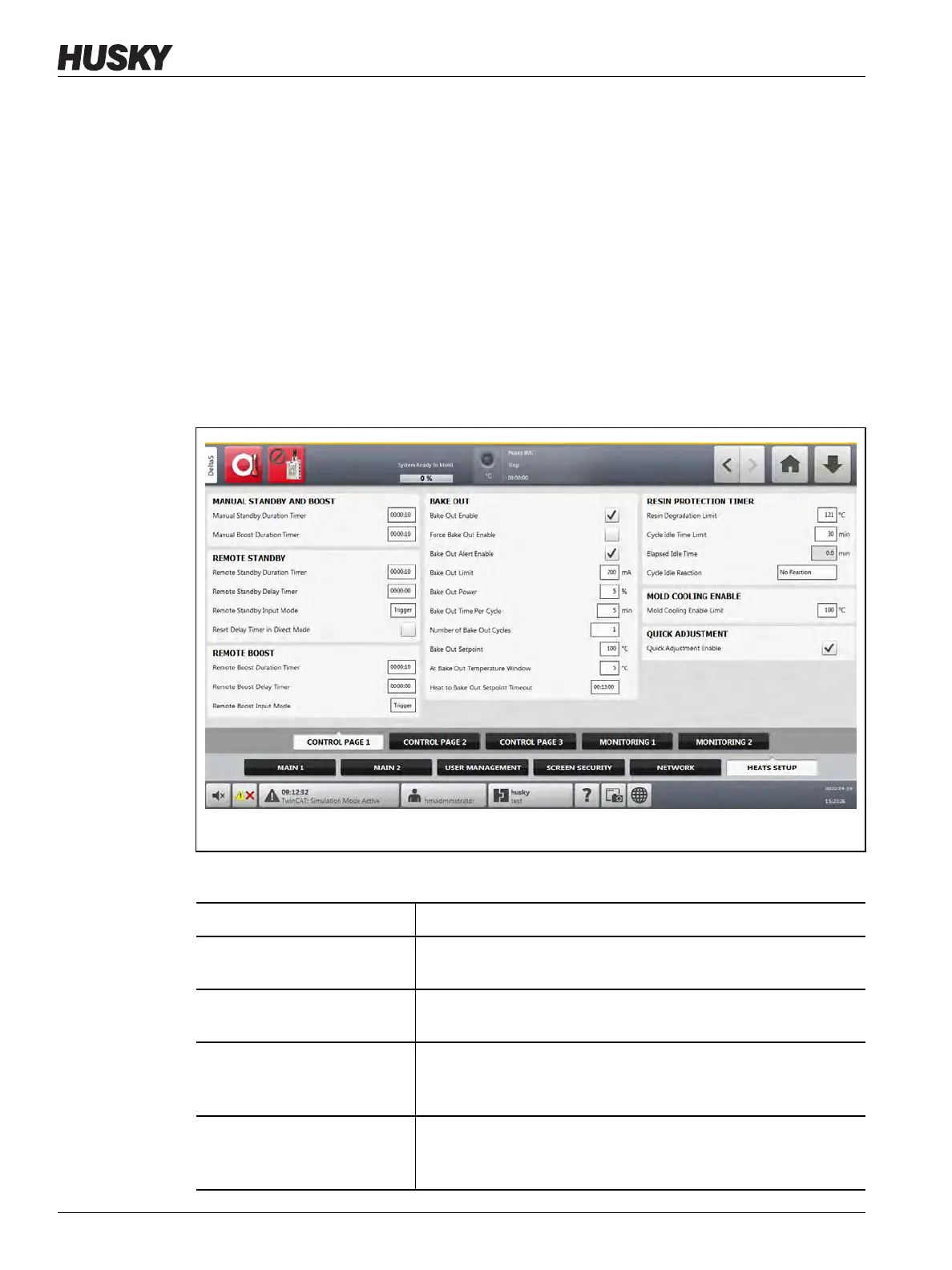
On the Control Page 1 tab of the Heats Setup screen, temperature configurations are set for
the categories that follow:
• Manual Standby and Boost
• Remote Standby
• Remote Boost
• Bake Out
• Resin Protection Timer
• Soft Start
• Mold Cooling Enable
The Control Page 1 tab is shown in Figure 10-16 with the configuration settings for each
category. The configuration settings are described in Table 10-8.
Figure 10-16 Heats Setup - Control Page 1
Table 10-8 System Setup Screen - Heats Setup - Control Page 1
Item Description
Manual Standby Duration
Timer
The zone temperature decreases for a given time duration or until
a set standby temperature is achieved.
Manual Boost Duration Timer The zone temperature increases for a given time duration or until
a set boost temperature is achieved.
Remote Standby Duration
Timer
When an external signal has activated the remote standby mode,
the system temperature decreases to the remote standby
setpoint for the duration of the timer setting.
Remote Standby Delay Timer When an external signal has activated the remote standby mode,
the system waits for a set time interval (delay period) until it starts
a decrease in temperature to the remote standby setpoint.



 To Next Page