v 2.0 — March 2023 Altanium Delta5
212 Color Change Screen
13.1 Color Change Screen
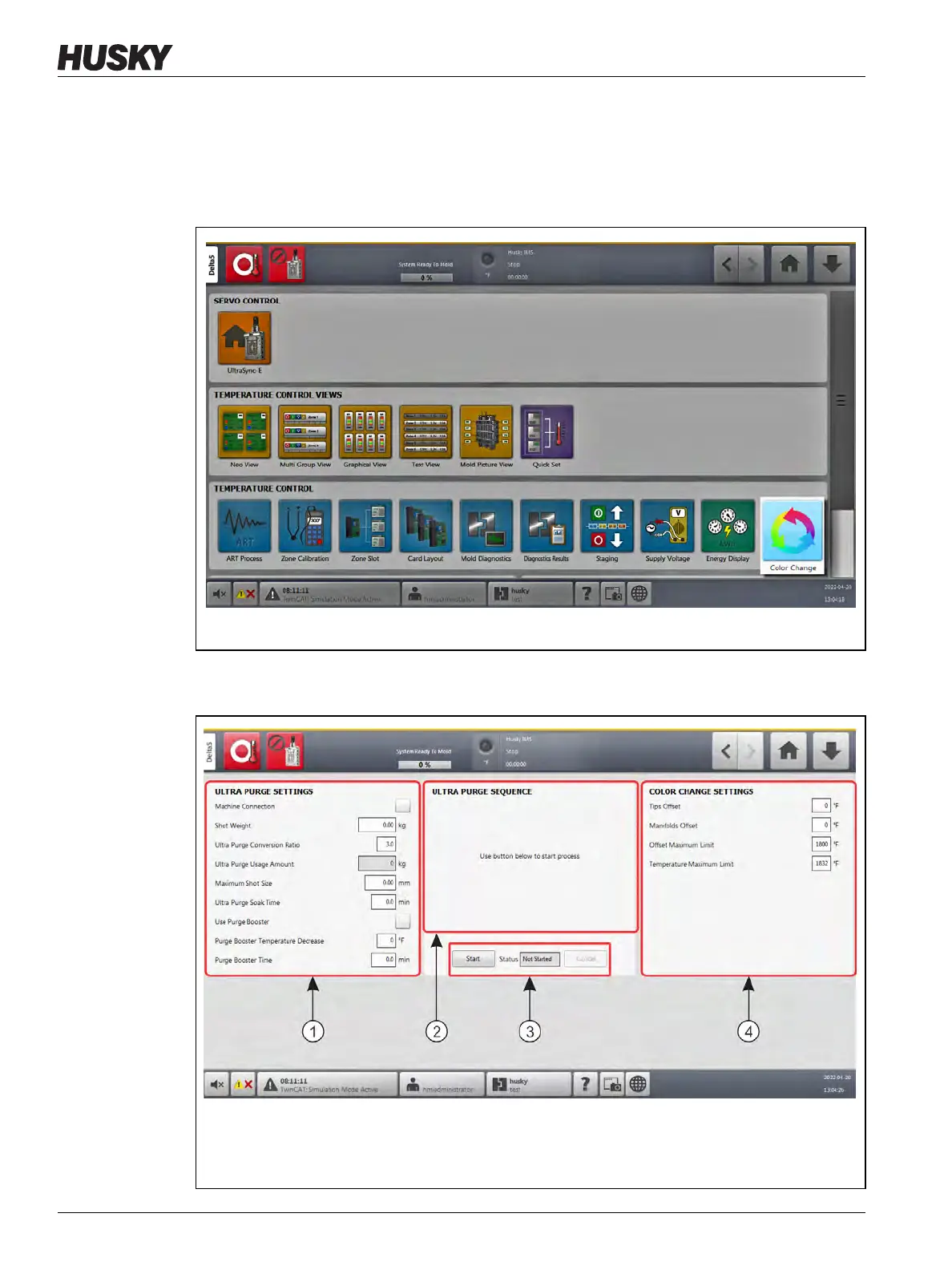
With the Color Change feature installed on the Delta5 controller, the Color Change button
shows in the Temperature Control panel of the Home screen (refer to Figure 13-1).
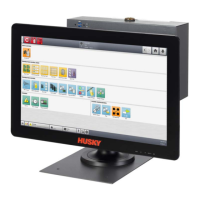
Touch the Color Change button on the Delta5 Home screen to see the Color Change screen
(refer to Figure 13-2).
Figure 13-1 Color Change Button on the Delta5 Home Screen
Figure 13-2 Color Change Screen
1. Ultra Purge Settings Panel 2. Ultra Purge Sequence panel 3. Ultra Purge Mode Buttons and
Status 4. Color Change Settings Panel


 To Next Page