Digital Inputs 245
User Guide v 2.0 — March 2023 System Options
14.3 Digital Inputs
Use the Digital Inputs screens to set the digital input signals from the IMM. There are two sets
of input screens that you can configure. Tabs at the bottom of the screen give you access to
digital inputs that follow:
• Servo
• Heats (Page 1 and 2)
If your Delta5 system operates an UltraSync-E, Valve Gate Sequencer, or some other Husky
injection product, one or more tabs will show to configure the inputs from those products.
Refer to the user guide for that product for information about the digital input signals.
The sections that follow describe the Digital Inputs screens.
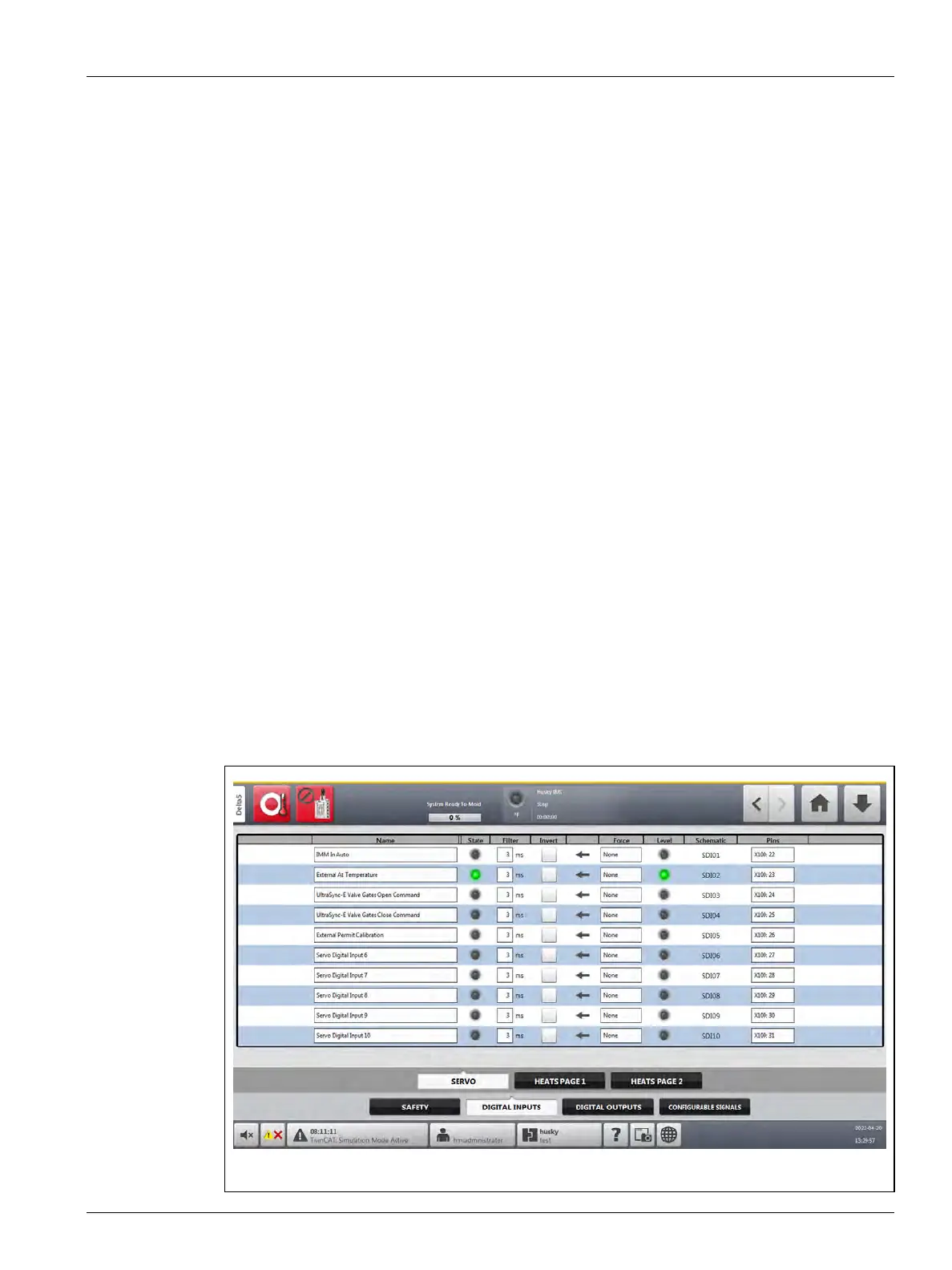
14.3.1 Servo Digital Inputs
There are 10 servo digital inputs. For Delta5 systems with UlraSync-E, Husky sets the input
signals that follow to digital inputs 1 through 5. These input signals can be changed to agree
with customer IMM configurations and operations.
• IMM in Auto
• External At Temperature
• UltraSync-E Valve Gates Open Command
• UltraSync-E Valve Gates Close Command
• External Permit Calibration
Servo digital inputs 6 through 10 can be configured as necessary for your controller.
Touch the Digital Inputs tab on the I/O screen and then touch the Servo tab to see the Servo
Inputs. Refer to Figure 14-1.
Figure 14-1 Servo Digital Inputs Screen



 To Next Page